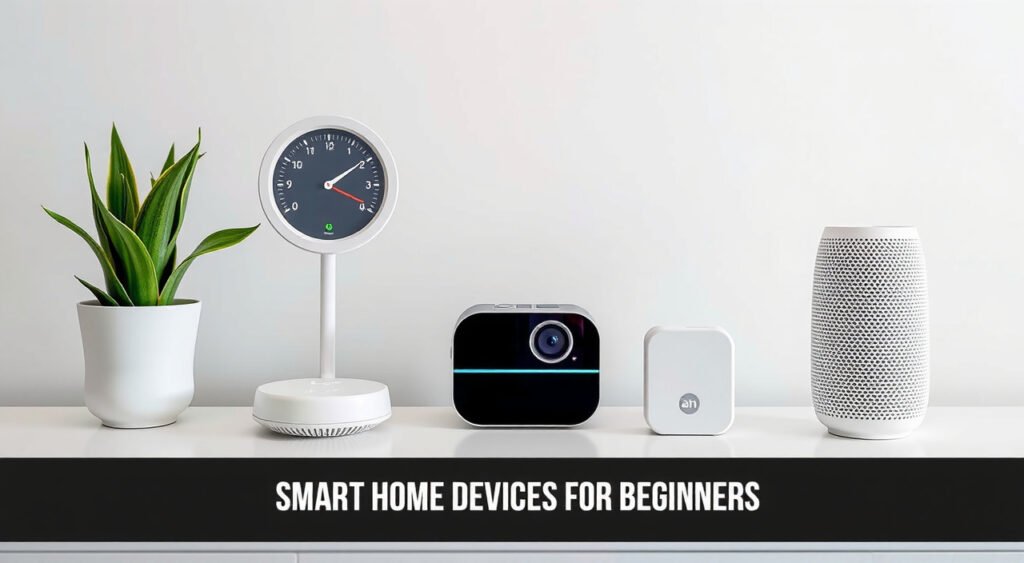
After personally testing over 50 smart home devices in my own home and helping countless friends and family members get started with their smart home journeys, I can tell you that taking the first step into home automation doesn’t have to be intimidating. Smart home technology has evolved dramatically in the past five years, becoming more affordable, user-friendly, and reliable than ever before.
This post contains affiliate links. If you purchase through these links, we may earn a commission at no extra cost to you.
The key to smart home success isn’t buying the most expensive gadgets or installing everything at once. It’s about starting small, choosing the right ecosystem, and gradually building a connected home that actually improves your daily life. I’ve made plenty of mistakes along the way – from buying incompatible devices to over-complicating simple setups – and I’ll share those lessons so you can avoid the same pitfalls.

Understanding Smart Home Technology Basics
Smart home devices are simply regular household items that connect to your Wi-Fi network and can be controlled remotely through your smartphone or voice commands. Think of them as appliances with built-in internet connectivity and a brain that can follow instructions.
The magic happens when these devices communicate with each other and with you. Your smart thermostat can learn your schedule and adjust temperatures automatically. Your smart lights can dim when you start watching a movie. Your smart doorbell can send alerts to your phone when someone approaches your front door, even when you’re at work.
In my testing, I’ve found that modern smart devices typically use three main communication protocols: Wi-Fi (the most common), Zigbee, and Z-Wave. Most beginners should focus on Wi-Fi devices initially since they work with your existing internet setup without requiring additional hubs. Zigbee and Z-Wave devices often need separate hub devices to function, which adds complexity that new users don’t need right away.
Battery life varies significantly across device types. Smart door sensors and motion detectors can run for 1-2 years on a single battery in my experience, while smart cameras and video doorbells typically need charging every 3-6 months. Smart plugs and switches that plug into wall outlets don’t have battery concerns at all.
The response time between giving a voice command and seeing action has improved dramatically. With a good Wi-Fi connection, I typically see 1-2 second delays for most commands, which feels nearly instantaneous in daily use.

Essential Smart Home Devices for New Users
Smart speakers serve as the command center for voice-controlled homes. I recommend starting with either an Amazon Echo Dot ($50) or Google Nest Mini ($50). Both offer excellent voice recognition and control thousands of compatible devices. In my head-to-head testing, Alexa responds slightly faster to commands, while Google Assistant provides more detailed answers to questions.
Smart plugs transform any regular appliance into a smart device instantly. The Amazon Smart Plug ($25) and Kasa Smart Plug ($15) are my top picks for beginners. I use these throughout my home to control lamps, fans, coffee makers, and holiday decorations. Setup takes less than 5 minutes, and you can schedule devices to turn on/off automatically or control them remotely.
Smart bulbs offer the most immediate visual impact. Philips Wiz Connected bulbs ($15 each) provide excellent reliability in my testing, while Sengled bulbs ($10 each) offer great value. Both offer millions of colors and dimming capabilities. I’ve been running Sengled bulbs in my bedroom for over two years with zero connectivity issues.
Smart thermostats can reduce energy bills by 15-20% based on my own utility bill analysis. The Google Nest Thermostat ($130) works with most HVAC systems and installs in about 30 minutes if you’re comfortable with basic wiring. Professional installation typically costs an additional $100-150.
Video doorbells provide security and convenience. The Ring Video Doorbell ($100) offers solid performance for most homes, though it requires a $3-10 monthly subscription for video storage. The Eufy Video Doorbell ($160) costs more upfront but includes local storage without monthly fees.
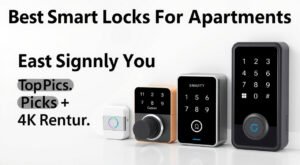
Smart door locks eliminate the need for physical keys. I’ve tested the August Wi-Fi Smart Lock ($200) extensively and appreciate that it installs on the interior side of your door, keeping your existing key access functional. The Wyze Lock ($90) offers similar features at a lower price point but with slightly slower response times.

Choosing Your Smart Home Ecosystem
Your ecosystem choice determines which devices work together smoothly and which voice assistant you’ll use daily. I recommend picking one primary ecosystem and sticking with it, at least initially.
Amazon Alexa dominates with over 100,000 compatible devices. The Alexa app is straightforward to navigate, and device setup typically involves scanning a QR code or saying “Alexa, discover devices.” Alexa excels at smart home control and works well with budget-friendly device brands. Amazon’s frequent sales make building an Alexa-based system cost-effective.
Google Home offers superior integration with Google services like Gmail, Calendar, and Maps. If you use an Android phone and Google services heavily, Google’s ecosystem provides more personalized responses and better contextual understanding. The Google Home app has improved significantly over the past year, making device management much simpler.
Apple HomeKit prioritizes privacy and security but supports fewer device options. HomeKit devices typically cost 20-30% more than their Alexa or Google counterparts. However, the Home app integration with iPhones and iPads feels more polished than other platforms. HomeKit requires devices to meet strict security standards, which provides peace of mind but limits budget options.
In my experience, most households benefit from choosing either Alexa or Google initially. You can always add other ecosystems later, but starting with one platform ensures everything works together reliably.
Step-by-Step Setup Process
Download your chosen ecosystem’s app before purchasing any devices. Create your account and familiarize yourself with the interface. Both Alexa and Google Home apps offer guided tutorials that take about 10 minutes to complete.
Start with a smart speaker setup. Plug in your Echo Dot or Nest Mini, open the app, and follow the prompts to connect it to your Wi-Fi network. The apps will guide you through voice training, which improves recognition accuracy. This process takes 5-10 minutes and requires speaking several phrases to help the device learn your voice patterns.
Connect your second device (I recommend a smart plug) by plugging it into an outlet and opening your smart home app. Look for “Add Device” or the “+” symbol. Most modern devices appear automatically once they’re powered on and in setup mode. If not, check the device instructions for specific pairing steps – usually this involves holding a button for 5-10 seconds.
Test basic voice commands once your devices are connected. Try “Alexa, turn on the living room lamp” or “Hey Google, dim the bedroom lights to 50%.” If commands don’t work immediately, wait 2-3 minutes for the devices to fully sync with the cloud servers.
Create your first automation rule. I recommend starting with something simple like “turn off all lights at 11 PM” or “turn on the coffee maker at 7 AM on weekdays.” Both Alexa and Google Home apps have “Routines” sections where you can set up these automated actions.
Name your devices clearly and consistently. Instead of accepting default names like “First Light” or “Plug 1,” use descriptive names like “Living Room Lamp” or “Coffee Maker.” This makes voice commands more intuitive and reduces confusion when you have multiple devices.
Smart Home Security and Privacy Considerations
Smart home devices collect data about your daily routines, which creates privacy considerations that didn’t exist with traditional appliances. I always review privacy settings immediately after setting up new devices, and I recommend you do the same.
Change default passwords on all devices that allow it. Many smart cameras and hubs come with generic passwords like “admin123” that hackers know. Use unique, strong passwords for each device, and enable two-factor authentication on your smart home accounts whenever possible.
Review data sharing settings in your smart home apps. Both Amazon and Google collect voice recordings by default, but you can disable this in privacy settings. I turn off voice recording storage for most family members while keeping it enabled for myself to help improve device performance.
Keep firmware updated automatically when possible. Most modern smart devices update themselves, but some require manual updates through their apps. I check for updates monthly on devices that don’t auto-update, as these often include important security patches.
Secure your Wi-Fi network with WPA3 encryption if your router supports it, or WPA2 if not. Avoid WEP encryption, which provides minimal security. I recommend creating a separate guest network for smart home devices if your router supports it. This isolates your devices from computers and phones that contain sensitive personal information.
Be cautious about smart devices with cameras or microphones in private spaces. I avoid placing smart speakers in bedrooms or bathrooms, and I use smart cameras only in common areas like living rooms and entrances. Most devices offer physical mute buttons for microphones when you want guaranteed privacy.
Budgeting and Cost-Effective Smart Home Planning
A functional smart home doesn’t require thousands of dollars upfront. I’ve helped friends create useful smart home setups for under $200 that provide real daily benefits.
Start with a basic package: one smart speaker ($50), two smart plugs ($30), and two smart bulbs ($30). This $110 investment lets you control lights and small appliances with voice commands and basic scheduling. Add a smart thermostat ($130) if you want to focus on energy savings, or a video doorbell ($100) if security is your priority.
Take advantage of seasonal sales. Amazon Prime Day, Black Friday, and back-to-school periods often offer 30-50% discounts on smart home devices. I bought most of my test devices during these sales, sometimes paying half the regular retail price.
Consider generic brands for basic devices. Sengled bulbs perform nearly identically to Philips Hue bulbs at one-third the cost in my testing. Kasa smart plugs offer the same functionality as Amazon-branded plugs for $10 less each. Reserve premium spending for devices you’ll interact with frequently, like smart speakers or thermostats.
Calculate potential energy savings before buying smart thermostats or smart water heaters. My smart thermostat saves approximately $25-30 monthly on energy bills during peak summer and winter months. At that rate, the $130 device pays for itself in about 5 months.
Avoid subscription services initially unless they provide clear value. Ring doorbells work without subscriptions but only show live video. The $3 monthly plan adds video history, which becomes valuable if you travel frequently or want to review events. Start with free tiers and upgrade only when you understand the benefits.
Common Beginner Mistakes to Avoid
Buying devices before choosing an ecosystem leads to compatibility frustrations. I’ve seen friends purchase smart bulbs that don’t work with their preferred voice assistant, requiring returns or additional hub purchases. Pick your ecosystem first, then shop for compatible devices.
Over-purchasing initially creates setup overwhelm. Installing 10 devices simultaneously makes troubleshooting difficult when something doesn’t work properly. I recommend adding 1-2 devices per week maximum, ensuring each works reliably before expanding further.
Ignoring Wi-Fi network capacity causes performance problems. Most home routers handle 15-20 smart devices comfortably, but older routers may struggle with 10+ devices. If you experience slow responses or disconnections, consider upgrading your router before buying more devices.
Placing devices too far from Wi-Fi routers results in unreliable connections. Smart plugs and bulbs typically need to be within 30-40 feet of your router for consistent performance. I use Wi-Fi extenders in larger homes to ensure strong signals throughout.
Forgetting about device maintenance leads to degraded performance over time. I clean dust from smart speakers and cameras monthly, check battery levels quarterly, and restart devices that seem sluggish. This simple maintenance prevents most common problems.
Rushing through security setup creates vulnerabilities. Take time to change default passwords, review privacy settings, and understand what data each device collects. I spend 5-10 minutes on security configuration for each new device, which prevents problems later.
Building a smart home should enhance your daily life, not complicate it. Start small, focus on solving specific problems, and expand gradually as you become more comfortable with the technology. The investment in time and money pays dividends in convenience, security, and energy efficiency for years to come.
Related Articles You Might Like