Types of Security Cameras for Modern Homes

Indoor vs. Outdoor Security Cameras
Choosing the right security camera starts with understanding the fundamental differences between indoor and outdoor models. Indoor security cameras prioritize discretion and aesthetics, featuring compact designs that blend seamlessly with your home’s interior. These cameras typically offer excellent image quality in controlled lighting conditions and often include features like smart speaker integration for voice announcements.
Outdoor security cameras are built for durability and performance in challenging conditions. They feature weatherproof housings, enhanced night vision capabilities, and broader temperature operating ranges. Many outdoor models integrate with smart light systems to provide illuminated color footage even in complete darkness, creating a comprehensive security ecosystem around your property.
Wired vs. Wireless Security Camera Systems
Wired security camera systems offer unmatched reliability and continuous power supply, making them ideal for permanent installations. These systems provide consistent video quality without wireless interference and eliminate battery maintenance concerns. Professional installations often incorporate wired cameras with smart thermostat and smart lock systems for comprehensive home automation.
Wireless security cameras excel in flexibility and ease of installation. Modern wireless models feature improved battery life and can integrate seamlessly with existing WiFi networks. Many wireless cameras now support mesh networking, allowing multiple units to communicate and extend range throughout your property while maintaining connection to your smart home hub.
Battery-Powered and Solar Security Cameras
Battery-powered security cameras have revolutionized remote monitoring, offering placement freedom without electrical constraints. Current lithium-ion batteries can power cameras for 3-6 months depending on activity levels and settings. Many models include power-saving modes that activate recording only when motion is detected, significantly extending battery life.
Solar-powered security cameras represent the latest advancement in sustainable home security. These systems feature high-efficiency solar panels that can maintain camera operation even with limited sunlight exposure. Solar cameras work particularly well in conjunction with smart camera networks, providing continuous monitoring for perimeter security without ongoing power costs.
PTZ (Pan-Tilt-Zoom) vs. Fixed Position Cameras
PTZ cameras offer dynamic monitoring capabilities with remote-controlled movement and optical zoom features. These cameras can track moving subjects and provide detailed close-up footage when needed. PTZ models often include preset patrol patterns and can be controlled through smartphone apps or integrated with smart speaker voice commands for hands-free operation.
Fixed position cameras provide consistent coverage of predetermined areas and typically offer superior image quality for their price point. These cameras work exceptionally well when strategically placed to monitor entry points, driveways, or specific security zones. Fixed cameras often feature wider viewing angles and better low-light performance compared to PTZ models in similar price ranges.
Essential Security Camera Features to Consider

Video Resolution: 1080p, 4K, and Beyond
Video resolution directly impacts your security camera’s ability to capture usable evidence and identify individuals. 1080p remains the standard for most residential applications, providing clear footage while maintaining reasonable storage requirements. Full HD resolution offers excellent detail for most security scenarios and integrates well with existing smart home systems without overwhelming network bandwidth.
4K security cameras deliver exceptional detail and digital zoom capabilities, allowing users to examine footage more closely after recording. However, 4K footage requires significantly more storage space and network bandwidth. A single 4K security camera can consume 8-10 GB per day of continuous recording, compared to 2-3 GB for 1080p cameras. Consider your internet connection speed and storage capacity when evaluating 4K options.
Emerging resolution technologies include 2K and 1440p options that balance detail with storage efficiency. These intermediate resolutions often provide the best compromise for homeowners wanting enhanced detail without the storage demands of full 4K recording.
Night Vision and Low-Light Performance
Night vision technology has evolved significantly, with modern security cameras offering multiple approaches to low-light recording. Traditional infrared (IR) night vision provides black and white footage in complete darkness, typically effective up to 30-100 feet depending on the camera model. IR night vision works well for basic security monitoring and doesn’t attract attention with visible light.
Color night vision represents a major advancement, utilizing ambient light sources and enhanced sensors to maintain color footage in low-light conditions. Many cameras now integrate with smart light systems, automatically activating LED floodlights when motion is detected to ensure full-color recording. This integration creates a powerful deterrent effect while capturing the highest quality evidence.
Starlight and low-lux sensors enable cameras to capture usable footage with minimal ambient light, often from streetlights, porch lights, or moonlight. These advanced sensors significantly reduce the need for artificial illumination while maintaining excellent image quality.
Motion Detection and Smart Alerts
Modern motion detection goes far beyond simple movement sensing, incorporating artificial intelligence to distinguish between humans, vehicles, animals, and environmental factors like swaying trees or weather conditions. Smart detection reduces false alarms and ensures you’re notified only when genuine security events occur.
Advanced motion detection systems can integrate with other smart home devices, triggering smart thermostat adjustments, smart lock activation, or smart speaker announcements when specific motion patterns are detected. Customizable detection zones allow users to monitor specific areas while ignoring routine activity in other zones.
Machine learning capabilities enable cameras to adapt to your property’s unique characteristics over time, improving accuracy and reducing false notifications. Some systems can even recognize familiar faces and vehicles, providing different alert types for known versus unknown subjects.
Two-Way Audio Communication
Two-way audio transforms security cameras from passive recording devices into active communication tools. High-quality speakers and microphones enable clear conversations with visitors, delivery personnel, or potential intruders. Many homeowners use two-way audio to provide delivery instructions or deter suspicious activity before it escalates.
Audio quality varies significantly between camera models, with professional-grade systems offering noise cancellation and echo reduction for clearer communication. Consider cameras with separate speaker and microphone components for optimal audio performance, especially for cameras monitoring main entrances or high-traffic areas.
Integration with smart speaker systems allows users to communicate through security cameras using voice assistants, creating seamless interaction between different smart home components. Some systems enable audio broadcasting to multiple cameras simultaneously for property-wide announcements.
Weather Resistance and Durability Ratings
IP (Ingress Protection) ratings indicate a camera’s resistance to dust and water intrusion. IP65-rated cameras resist water jets from any direction, making them suitable for most outdoor installations. IP66 and IP67 ratings provide enhanced protection against heavy rain and temporary submersion, ideal for exposed locations.
Temperature ratings ensure reliable operation in your local climate conditions. Most outdoor security cameras operate effectively in temperatures ranging from -4°F to 140°F (-20°C to 60°C), though extreme climate conditions may require specialized housing or heating elements.
Construction materials significantly impact longevity and performance. Aluminum and high-grade plastic housings resist corrosion and UV damage, while tempered glass lenses maintain clarity despite weather exposure. Consider cameras with anti-vandal features like tamper-resistant mounting and impact-resistant housings for vulnerable installation locations.
Smart Integration and Connectivity Options

WiFi Requirements and Network Security
Modern security camera systems demand robust network infrastructure to deliver reliable performance. Each 1080p camera typically requires 2-10 Mbps of upload bandwidth for live streaming and cloud storage, while 4K cameras may need 15-25 Mbps per device. Assess your internet connection’s upload capacity before installing multiple high-resolution cameras.
Network security becomes critical when connecting cameras to your home WiFi. Use WPA3 encryption and create a dedicated IoT network segment for security devices, isolating them from computers and smart devices containing sensitive data. Regular password updates and firmware maintenance protect against unauthorized access and potential security breaches.
Mesh WiFi systems often provide superior coverage for distributed camera installations, eliminating dead zones that could compromise security monitoring. Many modern cameras support WiFi 6 technology, offering improved performance and reduced network congestion when multiple devices operate simultaneously.
Smart Home Platform Compatibility
Integration with major smart home platforms enhances security camera functionality and creates unified home automation experiences. Amazon Alexa compatibility enables voice control and allows cameras to trigger smart speaker announcements, smart light activation, or smart thermostat adjustments based on detected activity.
Google Home integration provides similar voice control capabilities plus advanced AI features like facial recognition and intelligent activity summaries. Google’s platform excels at creating automated routines that coordinate camera alerts with other smart home devices for comprehensive security responses.
Apple HomeKit offers enhanced privacy protection with end-to-end encryption and local processing capabilities. HomeKit-compatible cameras can trigger smart lock activation, smart light scenes, or other HomeKit devices while maintaining strict data privacy standards. Consider platform compatibility when selecting cameras to ensure seamless integration with existing smart home systems.
Mobile App Features and Remote Access
Comprehensive mobile applications serve as the primary interface for modern security camera systems. Essential app features include live streaming, motion alert notifications, two-way audio control, and remote camera configuration. Advanced apps offer AI-powered event summaries, facial recognition management, and integration with other smart home devices.
Push notification customization allows users to filter alerts based on detection type, time of day, or specific camera locations. Geofencing capabilities can automatically arm or disarm cameras based on your location, while scheduling features adjust monitoring sensitivity during different periods.
Multi-user access enables family members to monitor security cameras with appropriate permission levels. Administrative users can modify settings and access all footage, while guest users might only receive specific alerts or access certain cameras during designated times.
Cloud Storage vs. Local Storage Solutions
Cloud storage offers convenient remote access and automatic backup protection, ensuring footage remains available even if cameras are damaged or stolen. Leading providers offer various subscription tiers, typically ranging from $3-15 per month per camera, with longer retention periods and advanced AI features available at higher price points.
Local storage solutions provide complete data control and eliminate ongoing subscription costs. Network Video Recorders (NVRs) and Network Attached Storage (NAS) systems can store weeks or months of footage depending on storage capacity and recording settings. Local storage works well for privacy-conscious users and locations with limited internet connectivity.
Hybrid storage approaches combine local and cloud solutions, storing recent footage locally for immediate access while backing up important events to cloud services. This strategy provides redundancy while minimizing subscription costs and maintaining privacy for routine monitoring activities.
Check each product page for other buying options. Price and other details may vary based on product size and color.
Highly rated by customers for quality and value. Click to see current pricing and customer reviews.
More Top-Rated Options



Top Security Camera Brands and Models for 2026

Premium Security Camera Options
Nest Cam represents Google’s premium security solution, featuring exceptional AI capabilities and seamless Google Home integration. The latest Nest models offer 1080p HDR recording, intelligent motion detection, and familiar face recognition. Nest cameras excel at distinguishing between people, animals, and vehicles, reducing false alerts while maintaining comprehensive security monitoring. Integration with smart thermostat and smart light systems creates sophisticated automation routines.
Arlo Ultra series delivers cutting-edge 4K recording with advanced color night vision and integrated spotlight systems. These wireless cameras feature impressive battery life and weather resistance, making them ideal for comprehensive property monitoring. Arlo’s AI detection capabilities include package, vehicle, and person recognition, with smart speaker integration for voice-controlled monitoring.
Ring cameras continue leading the DIY security market with extensive product lines covering every residential need. From basic indoor monitoring to professional-grade floodlight cameras, Ring systems integrate seamlessly with smart lock technology and provide neighborhood-wide security networking through their Neighbors app platform.
Best Budget-Friendly Security Cameras
Wyze cameras have revolutionized affordable home security, offering 1080p recording, night vision, and smartphone alerts at unprecedented price points. Despite their low cost, Wyze cameras include two-way audio, motion detection, and basic smart home integration. These cameras work particularly well for apartment dwellers or first-time security camera users exploring system capabilities.
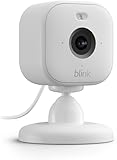
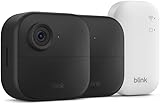
Blink cameras provide excellent battery life and simple installation at budget-friendly prices. Amazon’s Blink ecosystem integrates well with Alexa devices and smart speaker systems, enabling voice control and automated responses. The wireless design eliminates installation complexity while maintaining reliable performance for basic security monitoring needs.
TP-Link Kasa cameras offer professional features at consumer prices, including pan-tilt functionality, motion tracking, and robust mobile applications. These cameras provide excellent value for users wanting advanced features without premium pricing, plus integration with popular smart home platforms and devices.
Professional-Grade Security Camera Systems
Hikvision and Dahua represent industry-leading professional camera manufacturers now offering residential-friendly solutions. These systems provide commercial-grade image quality, advanced analytics, and extensive customization options. Professional cameras often include features like license plate recognition, intrusion detection, and integration capabilities with smart thermostat, smart lock, and smart light systems.
UniFi Protect by Ubiquiti offers prosumer-grade systems with local processing, advanced analytics, and enterprise-level security features. These systems require more technical expertise but provide unmatched customization and performance for serious security applications.
Axis Communications delivers premium IP cameras with exceptional image quality and reliability. While more expensive than consumer options, Axis cameras provide professional-grade durability and features suitable for high-security residential applications.
Innovative Newcomers and Emerging Technologies
Reolink has gained significant market share with feature-rich cameras at competitive prices, offering 4K recording, person/vehicle detection, and solar power options. Their systems provide professional capabilities with user-friendly interfaces and competitive cloud storage pricing.
Eufy Security focuses on privacy-conscious solutions with local storage and processing capabilities. These cameras minimize cloud dependencies while providing advanced AI features and integration with popular smart home platforms including smart camera networks and automation systems.
Emerging technologies include thermal imaging integration, advanced facial recognition, and behavioral analysis capabilities. Some manufacturers now offer cameras with built-in edge computing for real-time analytics without cloud dependencies, representing the future direction of residential security technology.
Security Camera Installation and Setup Guide
DIY Installation vs. Professional Setup
DIY installation has become increasingly accessible with wireless security cameras and comprehensive mobile apps guiding users through setup processes. Most modern cameras include magnetic mounts, adhesive bases, or simple bracket systems that require only basic tools. DIY installation works particularly well for indoor cameras, apartment installations, and temporary monitoring solutions.
Wireless cameras eliminate complex wiring requirements, making DIY installation feasible for most homeowners. However, consider factors like WiFi signal strength, optimal viewing angles, and power source access when planning installations. Integration with existing smart home systems, including smart speaker networks and smart light controls, often requires additional configuration but remains manageable for tech-savvy users.
Professional installation becomes valuable for comprehensive systems, challenging mounting locations, or integration with existing security infrastructure. Certified installers ensure optimal camera placement, proper weatherproofing, and professional cable management. Professional setup often includes system testing, user training, and warranty coverage for installation-related issues.
Optimal Camera Placement Strategies
Strategic camera placement maximizes security coverage while respecting privacy boundaries and legal requirements. Entry points represent the highest priority locations, including front doors, back doors, and first-floor windows. Place cameras 8-10 feet high to prevent tampering while maintaining clear facial recognition capabilities.
Outdoor cameras should monitor driveways, walkways, and common approach routes to your property. Consider sight lines and potential obstructions like trees, vehicles, or seasonal foliage that might block critical views. Integration with smart light systems ensures adequate illumination for quality footage during nighttime hours.
Indoor camera placement focuses on main living areas, hallways connecting multiple rooms, and valuable item locations. Avoid pointing cameras toward windows, which can cause glare and privacy concerns. Consider family privacy needs and inform household members about camera locations and recording schedules.
Power and Connectivity Requirements
Power planning varies significantly between wired and wireless camera systems. Wired cameras require electrical outlets or professional electrical installation for continuous operation. Plan cable routes carefully to maintain aesthetics while ensuring reliable power delivery. Professional installations often include dedicated electrical circuits for security systems.
Wireless cameras depend on battery life and charging accessibility. Consider seasonal temperature variations that affect battery performance and plan charging schedules accordingly. Solar-powered cameras require unobstructed sun exposure for optimal performance, typically needing 3-4 hours of direct sunlight daily for continuous operation.
Network connectivity requirements include WiFi signal strength testing and bandwidth allocation for multiple cameras. Use WiFi analyzers to identify optimal camera locations with strong, consistent signal strength. Consider mesh network expansion or WiFi extenders for large properties or challenging coverage areas.
Initial Configuration and Testing
Initial camera configuration involves connecting devices to your home network, creating user accounts, and configuring basic recording settings. Most modern cameras include QR code setup processes that simplify network connection and account creation. Follow manufacturer setup guides carefully and update firmware before deployment.
Testing procedures should verify image quality, motion detection sensitivity, night vision performance, and mobile app functionality. Test two-way audio features, smart home integration capabilities, and cloud storage functionality if applicable. Verify that cameras trigger appropriate responses from connected smart devices like smart locks, smart lights, or smart thermostats.
Create backup configurations and document camera settings, user accounts, and integration details. Test emergency scenarios like power outages, internet disruptions, and physical camera tampering to ensure system reliability. Regular testing schedules help maintain optimal performance and identify potential issues before they compromise security.
Privacy, Legal, and Security Considerations
Privacy Laws and Recording Regulations
Security camera regulations vary significantly by jurisdiction, with most areas allowing recording on private property while restricting surveillance of public spaces or neighboring properties. Research local and state laws before installing cameras, particularly regarding placement restrictions and notification requirements. Many jurisdictions require visible signage indicating security camera operation.
Public space recording often requires special permits or may be prohibited entirely. Avoid pointing cameras toward sidewalks, streets, or neighboring properties, even if they’re visible from your land. Focus camera coverage on your property boundaries while maintaining respectful buffer zones that protect neighbor privacy.
Audio recording laws prove more restrictive than video recording in many jurisdictions. Two-party consent states may require permission from all recorded parties before activating audio features. Consider disabling audio recording or using cameras without microphones in areas where conversations might be captured without explicit consent.
Data Security and Encryption
Modern security cameras require robust cybersecurity measures to prevent unauthorized access and protect recorded footage. Use strong, unique passwords for camera accounts and enable two-factor authentication when available. Regular password updates and account monitoring help maintain security over time.
Encryption protection varies between manufacturers and storage methods. Cloud-based systems typically offer end-to-end encryption, while local storage systems may require additional security configuration. Ensure cameras support WPA3 wireless security protocols and avoid models with known security vulnerabilities.
Network segmentation isolates security cameras from other smart home devices, preventing potential security breaches from affecting your entire system. Create dedicated IoT networks for smart cameras, smart locks, smart lights, and smart thermostats to maintain security boundaries between different device categories.
Neighbor Relations and Ethical Considerations
Maintaining positive neighbor relationships while ensuring adequate security requires careful camera placement and open communication. Inform neighbors about security camera installations, particularly if cameras might capture portions of adjacent properties or common areas. Most neighbors appreciate security improvements that benefit neighborhood safety.
Ethical considerations include respecting privacy expectations and avoiding surveillance that feels intrusive or excessive. Position cameras to monitor your property effectively while minimizing incidental recording of neighbor activities. Consider privacy masks or detection zones that exclude neighboring windows or private outdoor spaces.
Shared footage policies should address how recorded material might be used or shared with neighbors, law enforcement, or community groups. Establish clear guidelines about footage access and sharing to maintain trust and legal compliance while supporting community security efforts.
GDPR and Data Protection Compliance
International privacy regulations like GDPR affect camera systems that might record visitors, service personnel, or others who could be considered data subjects. Understanding data protection requirements helps ensure compliance and avoid potential legal issues.
Data retention policies should specify how long footage is stored, under what circumstances it might be shared, and how individuals can request access to recordings that include them. Many systems now include automated deletion features that remove old footage according to predefined schedules.
Privacy impact assessments help identify potential compliance issues before they become problems. Consider consulting legal professionals for comprehensive security installations or commercial properties where privacy regulations might apply more strictly than typical residential uses.
Cost Analysis and Budgeting for Security Camera Systems
Initial Investment vs. Long-Term Costs
Security camera system costs vary dramatically based on features, quality, and installation requirements. Basic wireless camera systems start around $100-300 per camera, while professional-grade installations can exceed $1,000 per camera including professional installation. Consider your security needs and budget constraints when evaluating different system tiers.
Entry-level systems typically include essential features like 1080p recording, basic motion detection, and smartphone alerts. Mid-range systems add features like AI detection, better night vision, and integration with smart home devices including smart speakers, smart lights, and smart locks. Premium systems offer 4K recording, advanced analytics, and professional-grade durability.
Long-term costs include subscription fees, maintenance, battery replacements, and eventual system upgrades. Factor these ongoing expenses into your budget planning to understand the true cost of ownership over 3-5 years. Some systems front-load costs with higher initial prices but lower ongoing expenses, while others minimize upfront investment with higher subscription fees.
Subscription Services and Ongoing Fees
Cloud storage subscriptions represent the primary ongoing cost for most security camera systems. Basic plans typically cost $3-6 per month per camera and include 7-14 days of footage storage with limited AI features. Advanced plans range from $10-20 per month per camera, offering extended storage periods, advanced AI detection, and professional monitoring services.
Subscription feature comparison reveals significant differences between providers. Some services include unlimited cameras for single monthly fees, while others charge per camera. Advanced features like facial recognition, package detection, or smart home integration may require premium subscription tiers.
Annual payment options often provide 15-20% savings compared to monthly billing. Consider your long-term commitment to specific systems when evaluating annual payment benefits. Some providers offer family plans or multi-property discounts that reduce per-camera costs for larger installations.
DIY vs. Professional Installation Costs
DIY installation eliminates labor costs but requires time investment and technical capability. Most wireless cameras install within 30-60 minutes per device, while wired systems may require several hours per camera plus electrical work. Consider your comfort level with technology and available time when evaluating DIY options.
Professional installation costs typically range from $100-300 per camera depending on complexity and local labor rates. Complex installations involving electrical work, extensive cable runs, or integration with existing security systems may cost significantly more. Professional installation often includes system configuration, user training, and warranty coverage.
Hidden costs in professional installations may include permit fees, additional equipment needs, or upgrade requirements for electrical systems. Request detailed quotes that specify all potential costs and compare multiple providers to ensure competitive pricing for your specific installation requirements.
Insurance Benefits and Potential Savings
Home insurance discounts for security systems vary by provider and system type, typically ranging from 2-10% premium reductions. Professional monitoring systems often qualify for larger discounts than self-monitored systems. Contact your insurance provider to understand specific requirements and potential savings for security camera installations.
Documentation requirements for insurance claims benefit significantly from security camera footage. High-quality video evidence can expedite claims processing and improve settlement outcomes for theft, vandalism, or liability claims. Consider these potential benefits when evaluating camera system investments.
Property value improvements from comprehensive security systems may offset installation costs over time. Well-designed security systems, particularly those integrated with smart home technology including smart thermostats, smart locks, and smart lighting, can enhance property appeal and market value.
Maintenance and Troubleshooting Guide
Regular Maintenance Tasks
Routine maintenance ensures optimal security camera performance and extends system lifespan. Monthly cleaning schedules should address lens surfaces, housing exteriors, and solar panels if applicable. Use microfiber cloths and appropriate cleaning solutions to maintain clear image quality without damaging camera components.
Seasonal maintenance tasks include checking mounting hardware, inspecting cable connections, and testing weather sealing. Winter preparations may involve battery performance monitoring and heating element testing for extreme cold climates. Summer maintenance focuses on ventilation, UV damage prevention, and cooling system functionality.
Software maintenance includes regular firmware updates, password changes, and security patch installation. Enable automatic updates when available, but monitor system performance after updates to identify potential compatibility issues. Backup system configurations before major updates to facilitate recovery if problems occur.
Common Technical Issues and Solutions
Connectivity problems represent the most frequent security camera issues, often caused by WiFi signal weakness, network congestion, or interference from other devices. WiFi analyzers help identify optimal channels and signal strength issues, while mesh network expansion can resolve coverage problems in large properties.
Image quality problems may result from dirty lenses, incorrect focus settings, or compression configuration issues. Infrared reflection from nearby surfaces can cause night vision problems, while direct sunlight or artificial lighting can create glare issues. Adjust camera positioning or add lens hoods to resolve lighting-related problems.
Motion detection issues often stem from sensitivity settings, detection zone configuration, or environmental factors like moving vegetation or weather conditions. AI-powered detection systems learn from false alarm corrections, improving accuracy over time. Regular sensitivity adjustments help maintain optimal detection performance.
Software Updates and Feature Upgrades
Firmware updates provide security patches, bug fixes, and new features that enhance camera performance and capabilities. Enable automatic updates when possible, but monitor camera functionality after updates to ensure continued compatibility with smart home systems including smart speakers, smart lights, and smart thermostats.
Mobile app updates frequently add new features, improve user interfaces, and enhance integration capabilities with other smart home devices. Regular app updates ensure access to latest features and maintain compatibility with evolving smartphone operating systems.
Feature upgrades through software updates may include enhanced AI detection, improved user interfaces, or additional smart home integration options. Some manufacturers provide significant feature additions through updates, effectively extending product lifespan and value without hardware replacement.
When to Replace or Upgrade Your Security Camera
Technology advancement cycles in security cameras typically span 3-5 years, with significant improvements in image quality, AI capabilities, and smart home integration features. Consider upgrades when current cameras no longer meet security needs or lack compatibility with newer smart home devices.
Performance degradation signs include reduced image quality, frequent connectivity issues, or battery life deterioration in wireless models. Hardware failures like lens damage, housing cracks, or electronic component failure often indicate replacement needs rather than repair options.
Security vulnerability discoveries may necessitate camera replacement if manufacturers discontinue support or security updates. Older cameras lacking encryption or secure authentication features pose increasing security risks as threat landscapes evolve. Prioritize security camera replacement when cybersecurity vulnerabilities cannot be resolved through software updates.
Related Articles You Might Like