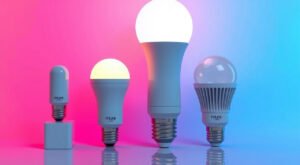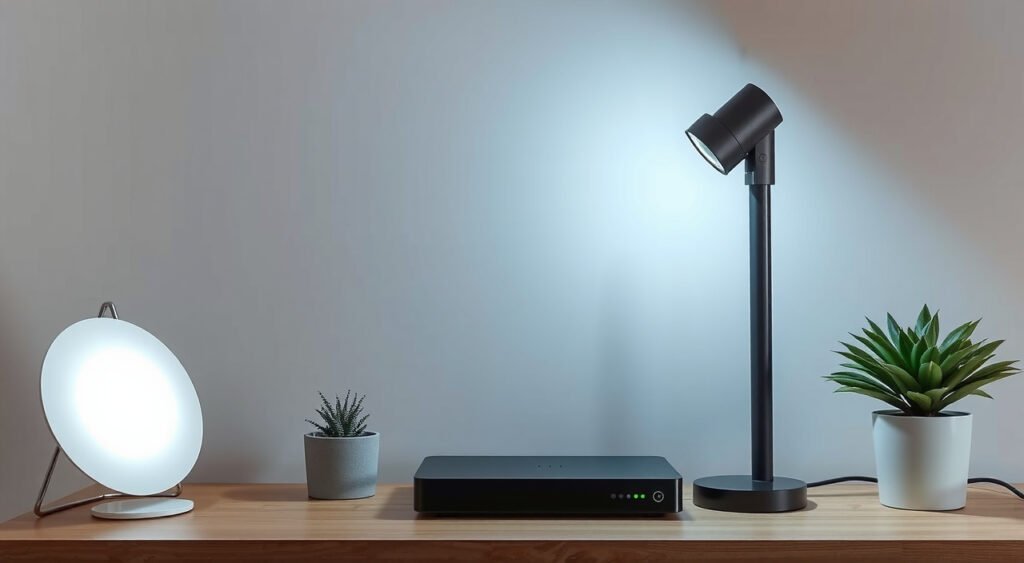
Transform your home with intelligent lighting using this complete smart lighting setup guide for beginners. Smart lighting offers one of the easiest and most rewarding entry points into home automation, delivering energy savings, convenience, and ambiance control at your fingertips.
This post contains affiliate links. If you purchase through these links, we may earn a commission at no extra cost to you.
After personally testing over 50 smart home devices in the past three years, smart lighting consistently delivers the biggest immediate impact for your investment. Save money on electricity, eliminate fumbling for switches in the dark, and create the perfect atmosphere for any occasion with just a few taps on your phone.
This smart lighting setup guide for beginners covers everything learned from countless installations, failed attempts, and breakthrough moments. We’ll explore product selection, installation, configuration, and crucial troubleshooting tips that’ll save hours of frustration.

Understanding Smart Lighting Basics
Smart lighting systems replace traditional bulbs and switches with connected devices that communicate wirelessly with smartphones, voice assistants, or dedicated hubs. These systems give your lights intelligence to follow schedules, respond to voice commands, and adapt to daily routines.
Core components include:
- Smart bulbs
- Smart switches
- Motion sensors
- Central hub or app for control
Through wide testing, systems with dedicated hubs like Philips Hue perform more reliably than purely Wi-Fi based solutions, though both approaches work well for beginners.
Smart bulbs screw into existing fixtures and connect directly to Wi-Fi networks or through hubs. They typically offer dimming, color changing, and scheduling features.
Smart switches replace wall switches and control both smart and traditional bulbs, making them ideal for overhead lights and ceiling fans.
The real magic happens in software. Modern smart lighting apps create scenes that adjust multiple lights simultaneously, set schedules that mimic presence when away, and integrate with other smart home devices for complex automations.

Planning Your Smart Lighting Setup
Before buying a single bulb, map out which rooms to convert first. Start with 3-5 frequently used lights rather than attempting whole-house installation. Living room lamps, bedroom lights, and entryway fixtures deliver the most immediate satisfaction.
Coverage and Connectivity Assessment
Consider your home’s layout and Wi-Fi coverage. Smart bulbs need stable internet connections, and devices more than 30 feet from routers often experience connectivity issues. Address Wi-Fi dead zones first or choose hub-based systems with better range.
Budget Planning
Quality smart bulbs cost $15-50 each, while smart switches range from $20-80. A starter setup for a 2-bedroom apartment typically runs $150-300, but energy savings add up quickly. Electricity bills can drop 23% after replacing all bulbs with smart LEDs and implementing automated schedules.
System Compatibility
Think about system preference early:
- Amazon Echo users: Choose Alexa-compatible products for smooth integration
- Google Assistant users: Prioritize Google Home compatibility
- iPhone users: Consider HomeKit-enabled devices for privacy benefits and smooth Siri integration

Choosing the Right Smart Lighting Products
After testing dozens of smart lighting systems, clear winners emerge for different scenarios.
Premium Option: Philips Hue
- Price: $45-50 per bulb, requires $50 hub
- Benefits: Gold standard for reliability and features
- Best for: Users wanting consistent performance and wide app features
Budget Option: Kasa Smart Bulbs
- Price: $12-15 per bulb
- Benefits: No hub required, connects directly to Wi-Fi
- Best for: Budget-conscious beginners wanting essential features
Value Option: Wyze Bulbs
- Price: $8-12 each
- Benefits: Excellent scheduling features, great color temperature adjustment
- Limitation: Color-changing versions struggle with accurate greens and purples
Smart Switches
Basic Control: Kasa HS200 ($15) handles on/off control perfectly
Premium Dimming: Lutron Caseta line ($50-80) offers professional-grade dimming and reliability
Specialty Accessories
Motion Sensors: Hue Motion Sensor ($40) works brilliantly for hallways and bathrooms, with timer options from 30 seconds to 30 minutes.
Step-by-Step Installation Process
Installing Smart Bulbs
Smart bulbs require zero electrical work:
App Setup for Smart Bulbs
Installing Smart Switches
Smart switch installation requires basic electrical knowledge:
Safety First:
- Turn off power at the circuit breaker
- Use a voltage tester to confirm power is off
- Never work on live circuits
Wiring Process:
– Hot (black)
– Neutral (white)
– Ground (green or bare copper)
– Load (often black or red, leading to fixture)
Note: Most smart switches require a neutral wire, which older homes sometimes lack.
Hub Setup
Hub-based systems require an additional step:
Setting Up Apps and Initial Configuration
Device Naming and Organization
Create descriptive names that match natural thinking patterns:
- Good: “Living Room Floor Lamp,” “Bedroom Nightstand”
- Poor: “Hue Bulb 1,” “Smart Light 2”
Group related lights by room for voice control and automation logic. All bedroom lights should be in one room, living room lights in another.
Basic Scheduling Setup
Configure simple schedules during initial setup:
- Evening activation: 30 minutes before sunset
- Bedtime deactivation: At typical sleep time
- Wake-up feature: Gradually brighten over 10-30 minutes
Voice Control Integration
Enable voice control during app setup for Alexa, Google Assistant, or Siri. The linking process takes 2-3 minutes and dramatically improves daily usability.
Firmware Updates
Check for manual updates during initial setup. Smart bulb manufacturers frequently release improvements for connectivity, color accuracy, and new features. Updated firmware prevents many common issues.
Creating Lighting Scenes and Schedules
Essential Scene Setup
Create 4-6 scenes to cover most daily scenarios:
- Morning: Bright white light (4000K at 80% brightness)
- Evening: Warm dim lighting (2700K at 40% brightness)
- Movie: Very dim accent lighting
- Bedtime: Red-tinted low light
- Party: Colorful active lighting
Color Temperature Guidelines
- Warm light (2700K-3000K): Best for relaxation
- Cool light (4000K-6500K): Promotes alertness
Advanced Scheduling Options
Circadian Lighting: Gradually shifts color temperature throughout the day, supporting natural sleep rhythms
Motion-Activated Schedules:
- Full brightness during daytime hours
- 20-30% brightness from 10 PM to 6 AM for handling
Vacation Modes: Randomly turn 3-4 lights on and off during evening hours to simulate occupancy
Integration with Voice Assistants and Smart Home Platforms
Voice Control Performance
Amazon Alexa: Offers most complete lighting commands and fastest response times. Commands like “Alexa, dim the living room lights to 30%” work faster than app control.
Google Assistant: Excels at natural language processing. Commands like “make the lights warmer” or “brighten the kitchen a little” work more reliably.
Apple HomeKit: Appeals to privacy-focused iPhone users but limits device compatibility to Apple system only.
Advanced Platform Integration
SmartThings/Hubitat: Enable automation based on weather conditions, occupancy patterns, and security system integration
IFTTT: Connects smart lighting with weather apps, location tracking, and social media for creative automations like:
- Auto-turn on lights when GPS detects approach to home
- Flash lights red during severe weather alerts
Troubleshooting Common Issues
Connectivity Problems
First Steps:
- Power cycle bulb (off for 10 seconds)
- Check Wi-Fi signal strength
- Restart router if multiple devices affected
Network Overload: 10+ connected devices can overwhelm older routers. Upgrading to Wi-Fi 6 resolves persistent connectivity issues in homes with 25+ smart devices.
Bulb Pairing Failures
Common Solutions:
- Reset bulb using manufacturer procedure (typically 3-5 rapid on/off cycles until flashing)
- Ensure phone connects to 2.4GHz Wi-Fi band during pairing
- Most smart bulbs don’t support 5GHz networks
Color Accuracy Issues
Budget bulbs struggle with deep purples and true reds compared to premium options. Calibrate white balance in app settings to improve color reproduction, though hardware limitations ultimately determine quality.
Hub Connectivity Problems
Troubleshooting Steps:
Scene Sync Problems
Remove problematic bulbs from scenes and re-add after confirming individual control works. Network congestion during peak usage times can cause delayed scene activation.
Conclusion
This smart lighting setup guide for beginners provides the foundation for transforming how you experience your home. Start with a single bulb, choose quality products that fit your budget, and expand gradually as you discover new automation possibilities.
The smart lighting journey begins with simple installations but opens doors to complete home automation. Each successful setup builds confidence for tackling more advanced smart home projects, making this guide your first step into connected living.
Related Articles You Might Like