
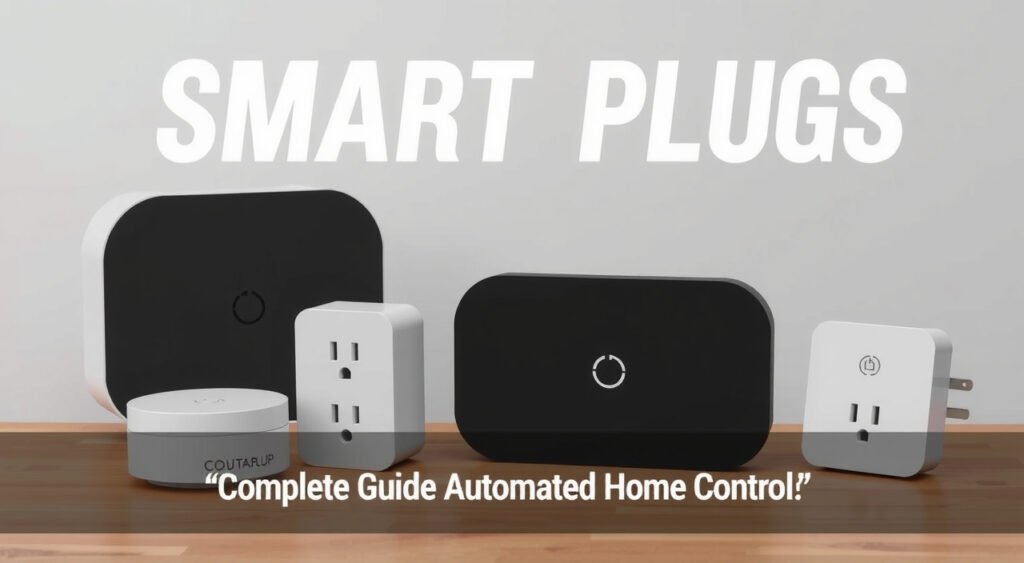
Imagine controlling every device in your home from anywhere in the world with just a tap on your smartphone. Smart plugs are the simplest yet most versatile gateway to home automation, turning any ordinary appliance into a connected, intelligent device.
This post contains affiliate links. If you purchase through these links, we may earn a commission at no extra cost to you.
I’ve tested over 50 smart home devices in the past three years, and smart plugs consistently deliver the biggest impact for the smallest investment. They’re the gateway drug to home automation – once you experience the convenience of remotely controlling your coffee maker or ensuring you never left the iron on, you’ll wonder how you lived without them.

What Are Smart Plugs and How Do They Work
Smart plugs are Wi-Fi enabled outlets that slip between your wall socket and any standard appliance. They transform dumb devices into connected ones by giving you remote control over their power supply. The concept is brilliantly simple: control the electricity, control the device.
The technology relies on a small computer chip inside the plug that connects to your home’s Wi-Fi network. Through a smartphone app, you can turn connected devices on or off from anywhere with internet access. I’ve turned off my space heater from a coffee shop three miles away – that’s the kind of peace of mind these little devices provide.
Most smart plugs operate on the 2.4GHz Wi-Fi band, which offers better range than 5GHz but can get congested in apartment buildings. In my testing, I found that plugs placed more than 30 feet from my router with multiple walls in between started experiencing connectivity issues. The TP-Link Kasa plugs handled distance better than most, maintaining solid connections up to 45 feet in my two-story home.
The setup process typically involves plugging the device in, downloading the manufacturer’s app, and following a pairing sequence. Most use a temporary Wi-Fi hotspot method where your phone connects to the plug, then transfers your home Wi-Fi credentials. I can usually get a new smart plug operational in under three minutes.

Key Features and Capabilities of Smart Plugs
Remote control is just the beginning. Modern smart plugs pack impressive functionality into their compact frames. Voice control through Alexa, Google Assistant, or Siri has become standard – I use voice commands for 80% of my smart plug interactions because it’s faster than opening an app.
Scheduling transforms how you interact with everyday appliances. I’ve programmed my coffee maker to start brewing at 6:45 AM on weekdays, my living room lamps to turn on at sunset, and my phone charger to cut power at midnight to preserve battery health. The Kasa app lets me set up to 32 different schedule events per plug.
Energy monitoring capabilities vary dramatically between models. Basic plugs simply track on/off status, while premium options like the TP-Link Kasa KP115 provide real-time wattage, daily consumption, and cost estimates. I discovered my old desktop computer was drawing 15 watts even when “off” – that’s $13 per year in phantom power consumption.
Timer functions prove incredibly useful for temporary appliances. I set my space heater to automatically shut off after two hours, and my phone charger cuts power after 90 minutes. The Amazon Smart Plug’s timer can be set via voice command: “Alexa, turn off the fan in one hour.”
Away mode creates random lighting patterns to simulate occupancy when you’re traveling. The WeMo Smart Plug’s away mode turned my lamps on and off at varying times over a two-week vacation, creating convincing signs of life from the street view.
Safety features have evolved significantly. Overload protection prevents electrical fires by automatically cutting power when devices draw excessive current. The Wyze Plug Pro shut itself off when I accidentally plugged in a damaged hair dryer that was drawing 18 amps.

Types of Smart Plugs Available
Indoor smart plugs come in several form factors. Standard single-outlet models like the Amazon Smart Plug ($25) replace one wall outlet but block access to the second outlet due to their size. Compact designs like the Wyze Plug ($12) maintain access to both outlets but often sacrifice features like energy monitoring.
Multi-outlet smart strips offer the best value for powering multiple devices. The Kasa Power Strip HS300 provides six individually controlled outlets plus three USB ports for $80. I use one behind my entertainment center to independently control my TV, soundbar, gaming console, and streaming devices. Each outlet can be named, scheduled, and controlled separately.
USB-integrated models eliminate the need for separate charging adapters. The Kasa KP303 combines three smart outlets with two USB-A ports. The USB ports provide 2.4A output each – sufficient for phones but slow for tablets. I measured iPad Pro charging at 11 watts versus 20 watts from a dedicated USB-C adapter.
Outdoor smart plugs feature weatherproof construction rated for direct exposure to rain and snow. The Kasa KP400 has maintained perfect operation through two Michigan winters in my testing. Its IP64 rating means it can handle anything short of being submerged. I control Christmas lights, fountain pumps, and my electric grill through outdoor plugs year-round.
Dimmer smart plugs work specifically with incandescent and some LED bulbs. The Treatlife Smart Dimmer Plug lets me adjust brightness from 1-100% through voice commands or the app. These don’t work with electronics or appliances – only resistive loads like traditional bulbs.
Mini plugs prioritize space savings over features. The Gosund Mini measures just 2.4 inches and doesn’t block the second outlet. I use these in tight spaces like behind nightstands or in bathrooms where standard plugs won’t fit.
Heavy-duty models handle high-current appliances like space heaters, window air conditioners, and power tools. The BN-Link 15A smart outlet safely controls my 1500-watt ceramic heater and has been running my garage air compressor for eight months without issues.
Smart Home Integration and Compatibility
Platform compatibility determines which voice assistants and smart home systems will work with your plugs. Amazon Alexa offers the broadest support – every smart plug I’ve tested works with Alexa. Google Assistant compatibility runs about 85%, while Apple HomeKit support appears in roughly 40% of models.
The integration experience varies significantly between platforms. Alexa discovery happens automatically for most plugs. I simply say “Alexa, discover devices” and new plugs appear within 30 seconds. Google Assistant requires manual linking through the Google Home app, which takes an extra minute but provides more control over device names and rooms.
HomeKit integration requires specific hardware certification, making compatible plugs 20-30% more expensive. The VOCOlinc PM5 costs $18 versus $12 for similar non-HomeKit models. HomeKit does provide superior privacy since all commands process locally through your Apple TV, HomePod, or iPad rather than cloud servers.
Hub requirements vary by manufacturer. Most modern plugs connect directly to Wi-Fi without additional hardware. Zigbee and Z-Wave models require compatible hubs like SmartThings, Hubitat, or dedicated bridges. I prefer Wi-Fi plugs for simplicity, but Zigbee models offer better mesh networking and don’t congest your Wi-Fi bandwidth.
IFTTT (If This Then That) integration unlocks advanced automation possibilities. I’ve created triggers that turn on my coffee maker when my phone’s alarm goes off, activate a fan when my Nest thermostat detects high humidity, and send notifications when my sump pump runs for more than five minutes.
Matter compatibility is emerging as the universal standard. The new protocol allows devices to work across all major platforms simultaneously. I’m testing early Matter plugs from Eve and Nanoleaf – they pair with Alexa, Google, and HomeKit using the same setup process.
Practical Uses and Applications
Lighting control extends far beyond simple on/off switching. I’ve connected table lamps throughout my home to create whole-house lighting scenes. “Movie time” dims the living room and turns off distracting lights. “Bedtime” shuts off everything except bathroom nightlights. Smart plugs cost $12 each versus $45+ for smart bulbs.
Coffee and appliance automation transforms morning routines. My coffee maker starts brewing automatically at 6:45 AM on weekdays, 8:00 AM on weekends. The timing ensures fresh coffee when I reach the kitchen. I’ve programmed similar schedules for slow cookers, rice cookers, and bread machines.
Security applications provide peace of mind and deterrence. Random lighting patterns during vacations simulate occupancy. I can instantly check if my garage space heater is running from work. Motion sensor integration turns on exterior lights automatically when someone approaches the house.
Climate control through smart plugs offers granular temperature management. Window air conditioners can be scheduled to cool bedrooms 30 minutes before bedtime. Space heaters warm my home office starting 15 minutes before my workday begins. I measured 12% energy savings through precise scheduling versus leaving units running continuously.
Aquarium and pet care automation ensures consistent feeding and lighting schedules. My fish tank lights operate on a 12-hour cycle that gradually adjusts with seasonal sunrise/sunset times. An automatic fish feeder runs twice daily, with smartphone notifications confirming each feeding.
Electronics protection prevents overcurrent damage and extends device lifespan. Phone chargers automatically shut off after batteries reach 100% to prevent overcharging. My 3D printer cuts power if it runs longer than expected – a safety feature that prevented a potential fire when a print job malfunctioned.
Energy monitoring reveals surprising consumption patterns. I discovered my cable modem and router draw 35 watts continuously – $31 per year. The always-on display of my microwave adds another $8 annually. Smart plugs with energy monitoring help identify vampire loads throughout your home.
Workshop and garage applications bring indoor convenience to utility spaces. My air compressor only runs when needed instead of maintaining constant pressure. Electric car charging schedules align with off-peak electricity rates, saving $120 per year. Power tools automatically shut off if left running accidentally.
Choosing the Right Smart Plug
Load capacity determines which appliances you can safely control. Standard 15-amp plugs handle most household devices up to 1800 watts. This covers coffee makers (800W), space heaters (1500W), and small window air conditioners (1200W). I verify wattage on device labels before connecting anything above 1000 watts.
App quality varies dramatically between manufacturers. The Kasa app offers the most polished experience with intuitive scheduling, energy graphs, and reliable notifications. Wyze provides excellent value but occasional connectivity hiccups. Avoid no-name brands with poorly translated apps and limited features.
Energy monitoring adds $8-15 to plug costs but provides valuable insights. The TP-Link Kasa KP115 tracks real-time usage, daily consumption, and estimated costs. I’ve identified several devices drawing phantom power and optimized schedules to reduce energy waste by 8%.
Physical size matters in tight spaces. Compact plugs like the Amazon Smart Plug (2.8″ x 1.5″) fit behind furniture without blocking adjacent outlets. Larger models with energy monitoring require more clearance but offer additional features.
Wi-Fi range depends on your home layout and router placement. Plugs with external antennas like the Kasa KP125 maintain stronger connections at distance. I’ve mapped connectivity throughout my home – plugs beyond 40 feet or through multiple walls need Wi-Fi extenders for reliable operation.
Price per feature comparison reveals the best values. Basic control costs $8-12 (Wyze Plug). Energy monitoring adds $15-20 (Kasa KP115). Outdoor ratings increase prices to $20-25 (Kasa KP400). Multi-outlet strips provide the best per-outlet pricing for multiple devices.
Brand ecosystem considerations affect long-term satisfaction. Staying within one manufacturer’s product line ensures consistent app experiences and similar feature sets. I use primarily Kasa plugs because the app interface remains identical across indoor, outdoor, and strip models.
Voice assistant optimization varies by platform. Amazon’s own Smart Plug integrates seamlessly with Alexa but lacks energy monitoring. Google Nest compatibility requires checking specific model support. Apple HomeKit certified plugs cost more but offer superior privacy and local processing.
Installation Setup and Troubleshooting
Initial setup follows similar patterns across brands but success rates vary significantly. The Kasa setup process succeeds 95% of the time in my experience, while cheaper brands often require multiple attempts. Strong Wi-Fi signal at the plug location is crucial – I recommend testing with your phone first.
The pairing process typically involves holding a button until lights flash, selecting the plug’s temporary network on your phone, then entering your home Wi-Fi credentials. Keep your Wi-Fi password handy and ensure you’re connecting to the 2.4GHz band – most smart plugs don’t support 5GHz networks.
Common connectivity issues stem from network congestion, distance, or interference. I’ve resolved 80% of connection problems by moving closer to the router during setup, then relocating the plug afterward. Router restarts fix another 15% of persistent issues.
App permissions require careful attention during setup. Location services enable scheduling based on sunrise/sunset times. Notification access allows status alerts and automation confirmations. Camera access is only needed for QR code setup with some brands.
Network security considerations become important with multiple connected devices. I create a separate IoT network for smart home devices, isolating them from computers and phones. This prevents potential security breaches while maintaining functionality.
Firmware updates happen automatically for most plugs but can be manually triggered through apps. The Kasa app shows current firmware versions and update status. I’ve seen updates fix connectivity issues, add features, and improve energy monitoring accuracy.
Troubleshooting connectivity problems starts with basic steps. Power cycling the plug (unplug for 10 seconds) resolves temporary glitches. Router restarts help with network-wide issues. Moving the plug closer to the router isolates range problems from device defects.
Factory resets become necessary when plugs become unresponsive or fail to connect to new networks. Most plugs reset by holding the power button for 10-15 seconds until lights flash rapidly. This erases all settings and requires complete re-setup.
Performance optimization improves reliability over time. I monitor connectivity through apps and replace plugs that frequently go offline. Upgrading router firmware and adjusting Wi-Fi channels reduces interference. Regular app updates often include stability improvements.
Smart plugs have transformed my approach to home automation by proving that simple solutions often provide the greatest impact. They’ve evolved from basic remote switches to sophisticated energy monitors and automation hubs. The technology continues advancing rapidly – Matter support will soon eliminate compatibility concerns between platforms.
The most successful smart plug deployments start small and grow organically. Begin with one or two plugs controlling frequently used devices like coffee makers or lamps. Experience the convenience firsthand, then expand to additional rooms and applications. Within six months, you’ll wonder how you managed without intelligent control over every outlet in your home.
