If your TV is functional but over five years old with sluggish app performance, a streaming stick offers a cost-effective solution at under $50 versus a full smart TV replacement. However, if your television lacks HDMI ports, suffers physical damage, or can’t support modern streaming services, you’ll need a complete upgrade. Smart TVs provide integrated convenience with unified remotes and direct network connectivity, while streaming devices deliver modular flexibility and regular performance updates. The sections below break down the specific technical considerations and cost-benefit analyses that’ll guide your decision.
Key Takeaways
- Streaming devices cost significantly less than smart TVs, making them ideal for budget-conscious upgrades on functional televisions with HDMI ports.
- Televisions over five years old struggling with app performance benefit from streaming sticks rather than complete replacements if hardware remains functional.
- Smart TVs eliminate external devices and multiple remotes, providing integrated convenience but requiring higher upfront investment than streaming alternatives.
- Aging smart TV processors struggle with app updates, while dedicated streaming devices maintain current performance through flexible upgrade cycles.
- Physical damage, missing HDMI ports, or incompatibility with current streaming services indicate full television replacement is necessary over partial upgrades.
Understanding the Core Differences Between Smart TVs and Streaming Devices
While both solutions deliver streaming content to your television, smart TVs and streaming devices represent fundamentally different approaches to accessing digital media.
Smart TV features integrate streaming capabilities directly into the display hardware, providing immediate access to content libraries when you power on. There’s no input switching, no external hardware—just effortless navigation from your home screen to Netflix or Prime Video.
Streaming device comparison reveals a different value proposition. Devices like Fire TV Stick and Chromecast connect via USB ports, altering any television into a streaming hub. They’re portable, affordable, and upgradeable—critical advantages as streaming technology evolves rapidly.
When your smart TV’s aging processor struggles with app updates, you’ll appreciate having a dedicated device that delivers current performance standards.
We’re fundamentally comparing built-in convenience against modular flexibility. Smart TVs offer integration; streaming devices offer control over your entertainment infrastructure’s evolution. Amazon’s latest hardware event emphasizes experience-driven benefits over simply adding more devices to your home ecosystem.
Evaluating Your Current Television Setup
Before choosing between these two approaches, you’ll need an honest assessment of your existing hardware. Television age matters greatly—models exceeding 5-6 years often can’t handle contemporary streaming apps or firmware updates effectively.
We’re looking at fundamental compatibility constraints, not minor inconveniences.
Examine your TV for performance issues: physical damage, degraded picture quality, or audio deficiencies that persist despite calibration and external speaker integration. These symptoms typically indicate hardware limitations rather than fixable problems.
HDMI port availability and internet connectivity determine upgrade viability. Legacy sets lacking these connections can’t utilize modern streaming devices effectively, making replacement the logical choice.
The cost-benefit calculation remains straightforward. Streaming devices offer economical performance improvement for capable TVs, typically under $100.
However, compromised hardware with systemic deficiencies demands total replacement. Your current setup’s technical specifications dictate whether incremental enhancement through streaming devices delivers adequate ROI or whether complete system replacement becomes necessary.
Smart TV Advantages: Built-In Convenience and Integration
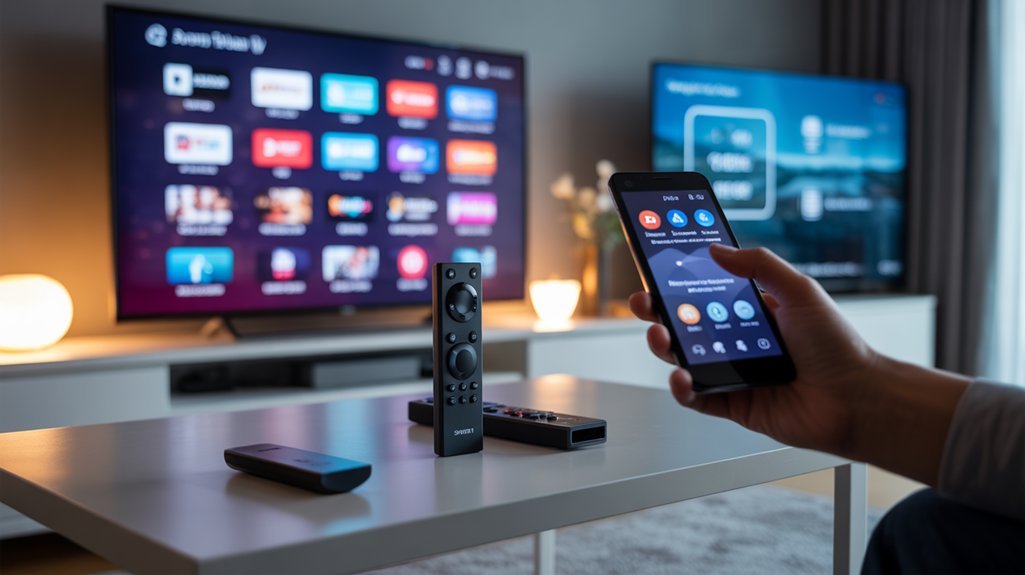
When we examine smart TVs against streaming sticks, the fundamental architectural difference becomes immediately apparent: smart TVs eliminate the external device layer entirely.
This integration means we’re connecting directly to our home network through the TV’s native chipset, bypassing the compatibility issues and HDMI port constraints that plague add-on solutions.
The moment we power on a smart TV, its operating system loads streaming apps alongside broadcast channels, whereas streaming sticks require us to navigate through multiple input sources and wait for secondary boot sequences.
For those invested in the Apple ecosystem, smart TVs with HomeKit compatibility can integrate seamlessly with existing smart home devices, creating a unified control experience that streaming sticks may struggle to replicate without additional hardware.
Seamless Wi-Fi Network Connectivity
Smart TVs deliver network connectivity through integrated Wi-Fi modules that eliminate the hardware fragmentation inherent to streaming stick setups.
We’re observing dual-band support becoming standard across mid-tier and premium models, granting you simultaneous access to 2.4 GHz and 5 GHz frequencies. This configuration directly impacts streaming speed—5 GHz channels reduce interference and deliver higher throughput for 4K content, while 2.4 GHz extends Wi-Fi range throughout your space.
The embedded architecture means firmware updates enhance network performance without requiring external device management.
You’re consolidating your network topology, reducing potential failure points that plague multi-device ecosystems. Streaming sticks introduce additional wireless hops and USB power constraints that can throttle bandwidth.
Smart TVs bypass these limitations, establishing direct connections that increase your available network capacity for uninterrupted content delivery.
No Additional Hardware Required
Beyond network optimization, integrated streaming platforms eliminate the physical infrastructure typically associated with content delivery systems. Smart TVs deliver streaming performance without requiring external hardware—no sticks, boxes, or additional cables cluttering your entertainment center.
We’re accessing Netflix, Hulu, and Disney+ the moment we power on, bypassing the setup complexities that streaming sticks demand.
This consolidation directly impacts device compatibility and port availability. While streaming sticks occupy HDMI ports, Smart TVs preserve these connections for gaming consoles, soundbars, and other premium peripherals.
We’re controlling everything through one interface rather than juggling multiple remotes and maneuvering between input sources.
The competitive advantage becomes clear: Smart TVs remove dependency on third-party hardware, giving you immediate control over your streaming ecosystem without compromising connectivity options for performance-critical devices.
Instant Access Upon Startup
From the moment we press power, Smart TVs deliver immediate streaming functionality that external devices can’t match.
We’re not waiting for dongles to boot, HDMI handshakes to complete, or secondary interfaces to load—our content ecosystem launches instantly with the display itself.
This architectural advantage translates directly to instant engagement. While streaming sticks add 15-30 seconds of startup latency, Smart TVs eliminate this friction point entirely.
We gain direct Wi-Fi connectivity through integrated chipsets, accessing Netflix, Disney+, and other platforms without intermediary hardware.
The performance delta matters for user satisfaction. We control everything through unified interfaces with voice commands and smart home protocols already embedded.
No auxiliary remotes. No port juggling. No device management overhead.
We’re streaming within seconds, not managing technology—a critical distinction for those who demand efficiency.
Smart TV Drawbacks: Cost and Limitations to Consider
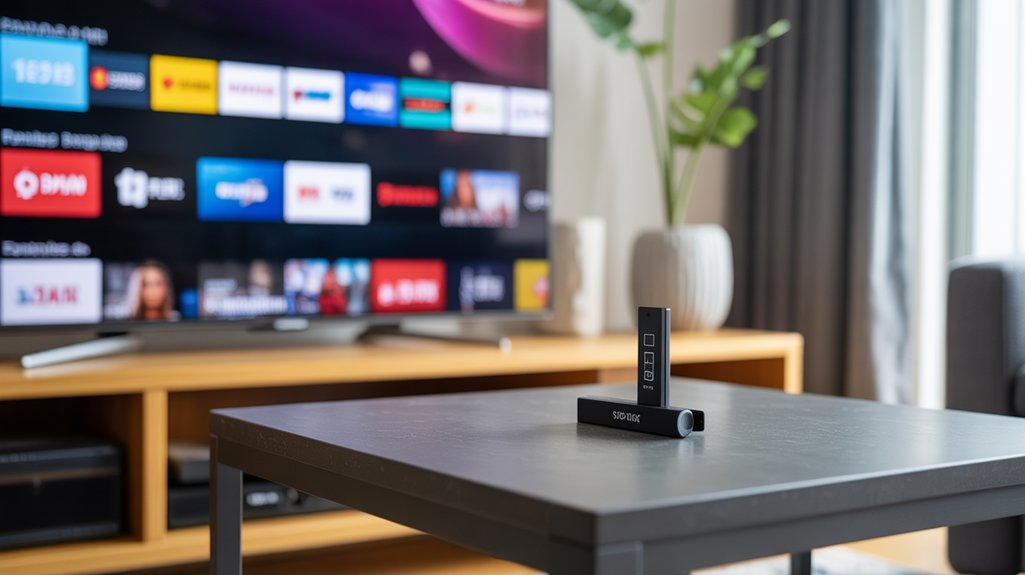
While smart TVs offer integrated convenience, they come with financial trade-offs that merit careful consideration. Our cost analysis reveals that smart TVs demand considerably higher upfront investment compared to streaming sticks, immediately impacting your budget allocation.
When you’re upgrading, you’ll face disposal requirements for your existing television, creating both environmental impact and additional expenses that streaming devices don’t impose.
We’ve identified critical operational limitations that affect long-term value. Older smart TV models frequently lack support for emerging streaming services, forcing premature upgrades. Their complex hardware architecture often produces sluggish navigation interfaces that diminish your control over the viewing experience.
Most notably, malfunction scenarios present drastically different financial exposures—smart TV repairs or replacements command premium pricing, while streaming device replacement costs remain minimal. Consider that comprehensive home security upgrades also benefit from modular approaches, where security camera systems can be added incrementally without replacing entire setups, similar to how streaming sticks extend TV functionality without full replacement. These factors compound over your ownership period, making the seemingly economical integrated solution potentially more expensive than maintaining a standard television with upgradable streaming hardware.
Streaming Media Player Benefits: Affordability and Flexibility
We’ve examined smart TV limitations, so let’s contrast that with streaming media players’ compelling value proposition.
At £40-£50, devices like the Amazon Fire TV Stick and Roku 4K UHD Stick eliminate the need for £300-£1000+ hardware investments while delivering comparable streaming capabilities.
When your device becomes outdated or fails, you’re replacing a pocket-sized £50 stick rather than disposing of an entire television—a distinction that fundamentally changes the economics of home entertainment upgrades.
These streaming devices can also integrate with smart home thermostats and other connected devices to create a more comprehensive home automation ecosystem.
Cost-Effective Entertainment Solution
Why spend hundreds or thousands on a new smart TV when a $50 streaming stick delivers comparable functionality?
We’re looking at substantial cost savings that extend beyond the initial purchase. These devices open up entertainment variety through specialized streaming services unavailable on older smart TV platforms, giving you access to emerging content ecosystems without massive capital expenditure.
The financial advantage compounds over time. When technology evolves or devices fail, we’re replacing a $50 stick rather than repairing or upgrading an entire television system.
This approach converts older displays into current-generation streaming platforms, maximizing your existing hardware investment.
You maintain technological flexibility while controlling upgrade cycles on your terms. Every few years, you can refresh your streaming capabilities at minimal cost, ensuring continuous access to the latest features without the burden of premium television pricing.
Portable and Easy Replacement
Because streaming sticks weigh mere ounces and measure roughly the size of a USB drive, they’ve revolutionized entertainment portability in ways traditional smart TVs never could.
We can slip a Fire TV Stick or Roku into our laptop bags and immediately access our streaming profiles at hotels, vacation rentals, or secondary properties—something impossible with fixed smart TV installations.
This portable streaming advantage extends beyond travel convenience.
When newer models emerge with improved processing power or updated codec support, we’re facing a $50 upgrade rather than a $500+ television replacement.
Smart TVs lock us into aging interfaces and deprecated apps, while streaming devices offer easy upgrades every 2-3 years.
We maintain compatibility with any HDMI-equipped display, preserving our investment in quality screens while keeping software capabilities current and competitive.
Streaming Media Player Limitations: What You Need to Know
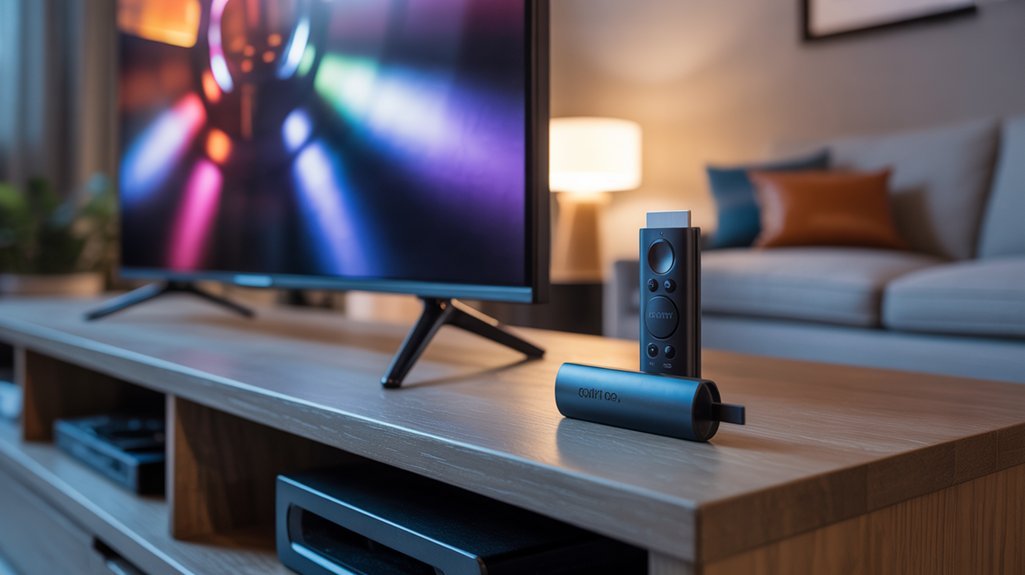
While streaming media players offer portability and affordability, they’re not without notable constraints that can impact your viewing experience.
Streaming limitations primarily manifest in service availability—these devices often support fewer apps than integrated smart TV platforms, directly affecting content accessibility. You’ll find certain niche streaming services and regional providers simply aren’t available on standalone devices.
Performance depends entirely on your display. We’re constrained by the TV’s capabilities; even a premium 4K streaming stick won’t deliver improved visuals on a 1080p screen. This creates an upgrade dilemma—maximizing your device’s potential may require investing in a compatible 4K television.
Your streaming device’s capabilities are only as good as your TV allows them to be.
Initial configuration presents challenges when TVs struggle with input recognition or HDMI handshaking protocols. Additionally, these devices typically require replacement every 2-3 years as codec support and processing requirements evolve.
While individual units remain inexpensive, cumulative replacement costs can eventually approach a smart TV’s price point, diminishing the long-term value proposition.
Signs Your Smart TV Needs a Streaming Device Boost
Even smart TVs that once delivered cutting-edge performance inevitably show their age through sluggish app launches, buffering during 4K streams, or compatibility warnings when opening newer services.
We’ve identified several critical indicators that signal when you’ll benefit from adding a streaming device to your setup.
If your TV exceeds five years old, declining streaming quality and stalled firmware updates become persistent obstacles. Dedicated devices like the Amazon Fire TV Stick or Roku inject processing power that alters your viewing experience, delivering the responsive user interface your TV’s aging hardware can’t provide.
We’re particularly impressed by how £39.99–£99 streaming devices access specialized services unavailable on older smart platforms whilst standardizing navigation across different TV brands.
When your TV’s interface lags or content providers drop native support, these compact solutions bypass internal limitations entirely. You’ll gain immediate access to current streaming ecosystems without the £500+ investment a new television demands.
Optimizing Your Viewing Experience Without Buying New Hardware
Before we invest in new streaming hardware, we’ve found that systematic optimization of existing components often delivers substantial improvements.
Room lighting adjustments, picture calibration, and audio improvement through soundbars represent cost-effective interventions that address the most common viewing experience deficiencies.
We’ll examine how these environmental and settings-based modifications compare against hardware upgrades regarding both performance gains and return on investment.
Adjust Room Lighting Conditions
Though many consumers immediately look to hardware upgrades when dissatisfied with their display quality, room lighting adjustments can deliver comparable improvements at zero cost.
We’ve found that strategic lighting adjustments—repositioning lamps away from your screen and implementing softer backlighting—eliminate reflections while enhancing perceived picture quality. Ambient lighting actually improves LED TV black levels, preventing the washed-out appearance common in darkened rooms.
We recommend positioning yourself at 1.5 times your screen’s diagonal measurement to optimize detail perception without hardware investment. This viewing distance, combined with controlled ambient lighting, often rivals the visual improvement you’d get from a premium display upgrade.
Before spending hundreds on new equipment, we suggest experimenting with your room’s lighting configuration—the results frequently surprise even seasoned videophiles who’ve overlooked environmental factors.
Enhance Picture and Audio
After exhausting environmental modifications, we’ve identified three software-level adjustments that deliver measurable performance gains without hardware expenditure.
For picture calibration, switch from Standard to Lively or Vivid mode—these presets boost color saturation and contrast ratios that streaming compression typically diminishes.
Configure HDMI settings to recognize HDR10 or Dolby Vision metadata, enabling wider color gamut utilization. This correction compensates for format limitations inherent in streamed content.
Audio optimization requires strategic intervention. While soundbars like Sharp’s HT-SB700 (140W) provide baseline improvement, Samsung’s HW-Q990F demonstrates superior spatial processing with 756W distributed across 23 discrete channels.
This configuration resolves dialogue intelligibility issues and reconstructs compressed audio streams into dimensional soundstages.
Finally, recalibrate viewing distance to 1.5× your screen diagonal. This geometric adjustment optimizes angular resolution, extracting additional perceived detail from existing pixel density.
Optimize Streaming Device Settings
Three firmware-level configurations separate ideal streaming performance from default factory settings.
We’ll establish peak streaming quality by matching resolution output to your display’s native capabilities—4K for compatible panels, preventing unnecessary upscaling overhead.
Second, migrate to 5 GHz Wi-Fi bands where device compatibility permits, eliminating the congestion that plagues 2.4 GHz frequencies and substantially reducing buffer intervals.
Third, enable HDR processing on supported displays to access the full vibrant range your content provides.
These adjustments enhance existing hardware capabilities before considering replacement investments.
Navigate your device’s settings to terminate background applications consuming bandwidth and processing resources.
Firmware updates deliver critical performance improvements—we recommend enabling automatic updates to maintain top efficiency.
These configurations convert baseline streaming devices into precision-tuned delivery systems without additional capital expenditure.
Managing Data Usage and Internet Considerations for Streaming
How much data does your streaming habit actually consume, and could it be costing you more than the subscription itself? Internet plans with data caps make monitoring critical—high definition content devours bandwidth at rates that quickly trigger unexpected fees.
We’ve found that streaming devices like Roku present a particular challenge: they’ll continue background streaming even when your TV’s off, silently burning through your monthly allowance. Understanding device status before powering down becomes essential risk management.
Standard definition uses modest data, but HD and 4K exponentially increase consumption, making your streaming habits a potential budget liability. We recommend aggressive data monitoring through your provider’s usage reports—monthly reviews reveal patterns that help enhance streaming costs.
The power play here isn’t just choosing between smart TVs and streaming sticks; it’s controlling every byte. Users with limited internet plans must treat data like currency, because exceeding caps alters affordable entertainment into expensive overhead.
Making the Right Choice: When to Upgrade vs. When to Enhance
When technical performance lags behind your streaming expectations, the upgrade-or-improve decision hinges on diagnosing whether your hardware has reached functional obsolescence or simply needs capability enhancement.
Physical damage and incompatibility with current streaming services represent clear upgrade indicators—situations where a £50 streaming stick can’t resolve fundamental limitations.
However, if you’re operating a functional TV over five years old that’s merely struggling with app performance, we’d recommend the improvement route first. Amazon Fire TV Stick or Roku 4K UHD devices deliver immediate capability advancements without the capital expenditure of complete television replacement.
Your streaming preferences also determine the best path forward. When specialized services remain inaccessible through your smart TV’s native platform, dedicated streaming devices provide superior interface experiences and broader content ecosystems.
Before committing to full upgrades, we’d suggest refining your existing configuration—calibrating picture settings, boosting audio output, and enhancing viewing environments. This diagnostic approach guarantees you’re investing strategically rather than replacing prematurely.
Hardware and Account Requirements
Understanding the technical foundation beneath your streaming setup clarifies why hardware architecture fundamentally separates these platforms.
Smart TVs integrate processors, memory, and operating systems directly into your display, creating a closed ecosystem with potential account limitations tied to manufacturer partnerships.
We’re looking at devices that may restrict certain streaming services based on brand-specific agreements. Streaming sticks, conversely, function as universal adapters—they’ll convert any HDMI-equipped display into a streaming powerhouse with broader service compatibility.
Critical hardware compatibility considerations:
- Smart TVs demand stable internet infrastructure matched to their built-in wireless specifications.
- Streaming sticks require only an HDMI port and consistent bandwidth for peak performance.
- Replacement costs differ dramatically—new TVs versus affordable stick upgrades.
Your account requirements shift based on platform choice. Smart TV manufacturers may impose service restrictions, while streaming sticks typically grant unrestricted access across providers.
We’re talking about control over your content ecosystem, not just playback capability.
Physical Installation and Connections
When we compare the physical installation requirements, we’ll find that smart TVs and streaming sticks differ considerably in their setup complexity and spatial demands.
Smart TVs require careful consideration of power outlets, HDMI connections for external devices, and potential wall-mounting infrastructure, while streaming sticks need only a single HDMI port and USB power source.
We’ll examine how these distinct installation profiles affect cable routing, port accessibility, and overall integration into your entertainment setup.
HDMI Port Requirements
Most modern televisions ship with 2 to 4 HDMI ports, but streaming sticks fundamentally alter how you’ll use them compared to smart TVs with built-in apps. When we deploy devices like Fire TV Stick or Roku, we’re consuming a physical port that could otherwise serve gaming consoles or Blu-ray players.
Streaming compatibility demands more than just available connections—we need HDMI 2.0 or higher for 4K content at proper refresh rates. HDMI specifications become critical: older TVs with HDMI 1.4 will bottleneck your streaming device’s capabilities, forcing resolution compromises.
Smart TVs eliminate this port-juggling entirely since apps run natively. If you’re managing multiple peripherals, streaming sticks introduce configuration complexity that integrated smart platforms sidestep.
Consider whether sacrificing a port justifies external streaming hardware.
Power Cable Setup Options
Power cable configurations separate smart TVs from streaming sticks in ways that impact installation flexibility and outlet availability. Smart TVs demand dedicated wall outlets with manufacturer-specified adapters, while streaming sticks offer dual-powered versatility—you’ll connect through TV USB ports or compact wall adapters.
This power cable compatibility distinction becomes critical when managing entertainment center real estate. We recommend following strategic installation tips: secure all connections firmly before operation, use original adapters to prevent performance degradation, and deploy surge-protected power strips when outlet proximity challenges arise.
Verify manufacturer specifications during setup—incompatible power sources compromise device longevity and void warranties. Streaming sticks’ minimal power requirements grant you configuration freedom that traditional smart TVs can’t match, particularly in space-constrained environments where every outlet counts toward your complete media ecosystem.
Wall Mounting Considerations
Wall mounting alters your viewing experience through three critical installation variables: structural capacity, connection accessibility, and thermal management.
We’ll examine how your wall type—whether drywall or concrete—dictates mounting bracket selection and load-bearing requirements. Smart TVs demand more substantial structural support than streaming stick setups, given their integrated hardware adds considerable weight beyond the display panel.
Position your screen’s center 42-48 inches from floor level for ideal eye-level viewing when seated.
We recommend verifying HDMI and power outlet proximity before drilling, as smart TVs require direct connections while streaming sticks offer positioning flexibility. Implement cable conduits for professional wire management.
Critical consideration: verify adequate ventilation clearance around your mounted display. Smart TVs generate significant heat from internal processors, requiring unrestricted airflow that enclosed installations compromise.
Cable Management Solutions
Wire concealment methods vary by installation complexity.
Cable sleeves and raceways deliver clean wall runs while protecting against pet damage and foot traffic.
Wall-mounted configurations demand advanced planning: in-wall routing systems achieve invisible cable paths that enhance aesthetic value.
For smart TV installations with numerous HDMI inputs, power cables, and ethernet connections, proper airflow management through organized routing prevents thermal throttling.
Adhesive cable ties secure individual runs without permanent mounting damage, maintaining flexibility for future upgrades.
Troubleshooting Remote and Connectivity Problems
When troubleshooting remote and connectivity issues, we’ve found that the approach differs considerably between smart TVs and streaming sticks, though both platforms share common failure points.
For remote troubleshooting, we’ll address the fundamentals first: replace batteries immediately when you notice lag, and verify line-of-sight to the infrared sensor.
Streaming sticks typically use RF remotes with fewer obstruction issues, while smart TV remotes often rely on IR technology that demands clear pathways.
Connectivity solutions require systematic diagnosis:
- Network verification: Confirm you’re connected to the correct Wi-Fi network with adequate signal strength—weak connections devastate streaming performance.
- HDMI integrity: Test different ports and ascertain secure cable connections when devices aren’t recognized.
- Power cycling protocol: Restart both the TV and streaming device to clear temporary glitches.
Smart TVs integrate these components internally, making isolation harder.
Streaming sticks offer modular advantages—we can troubleshoot the device independently from the display, providing clearer diagnostic pathways and faster resolution.
Hidden Settings You’ll Love
We’ve found that both smart TVs and streaming sticks hide powerful settings menus that most users never explore, though their implementations differ greatly.
Smart TVs typically offer deeper picture quality controls—including HDR calibration, advanced color management, and display-specific optimizations—while streaming devices focus their hidden settings on audio passthrough configurations and output resolution management.
Beyond performance tweaks, we’ll also examine how each platform handles privacy controls and data collection settings, which vary markedly between manufacturers and can impact your viewing experience in ways you mightn’t expect.
Picture Quality Enhancements
Recommended for You
🛒 Philips Hue Starter Kit
As an Amazon Associate we earn from qualifying purchases.
Most display manufacturers bury their most impactful picture settings several menus deep, where casual users never venture.
We’ve found switching from Standard to Vivid mode delivers immediately noticeable vibrancy improvements, though purists debate this approach to color calibration.
More critical: enabling HDR compatibility through HDMI settings reveals genuine contrast adjustment capabilities that separate premium panels from budget alternatives.
Your viewing distance matters—1.5 times the screen diagonal maximizes detail perception across 4K and 8K resolutions.
We manipulate backlighting and ambient lighting to control LED black levels, minimizing reflections that compromise image integrity.
These adjustments cost nothing yet rival hardware upgrades.
For complete immersion, pair visual refinements with dedicated audio—soundbars like Sharp’s HT-SB700 or Samsung’s HW-Q990F alter atmospheric depth alongside your improved picture quality.
Audio Output Options
Your TV’s audio architecture hides configuration layers that rival picture quality settings in impact—yet manufacturers default to compressed, center-focused profiles that underutilize your display’s acoustic hardware.
We’ll expose the audio quality differentiators that separate premium Smart TVs from basic streaming stick setups.
Smart TVs deliver HDMI ARC, optical outputs, and Bluetooth connectivity for external sound systems—options streaming sticks can’t independently provide.
Advanced processors activate Dolby Atmos and DTS:X when paired with compatible soundbars, creating dimensional soundscapes impossible through stick-dependent configurations.
Navigate your sound settings to adjust bass response, treble clarity, and surround modes.
Enable night mode to compress expansive range during late viewing sessions.
Check firmware updates regularly—manufacturers continuously refine audio algorithms and device compatibility, giving you incremental performance gains without hardware replacement.
Privacy and Data Controls
While audio configurations shape what you hear, the invisible data streams flowing from your TV reveal what manufacturers hear about *you*—and that surveillance architecture differs dramatically between Smart TVs and streaming sticks.
Smart TVs embed data privacy vulnerabilities directly into your hardware, collecting viewing patterns, voice commands, and behavioral metrics.
We’ve found hidden settings menus that let you delete viewing history and disable microphone access—critical controls manufacturers don’t advertise.
Streaming sticks offer more granular user consent mechanisms: you’ll manage ad preferences per platform, isolate data collection to the device itself, and replace the entire surveillance apparatus for $50 when policies deteriorate.
The power differential is stark.
Smart TV privacy settings require traversing manufacturer-specific labyrinths; streaming devices centralize controls and grant actual ownership over your data exhaust.
Cross-Platform App Availability Issues
One of the most significant drawbacks of relying on a Smart TV’s native platform becomes apparent when you discover your favorite streaming service isn’t available—or worse, when an app you’ve been using suddenly stops receiving updates. We’ve observed that streaming service limitations become particularly problematic with TVs that are 5-6 years old, where manufacturers often abandon app update frequency altogether.
| Platform Type | App Ecosystem Advantage |
|---|---|
| Smart TV | Limited by manufacturer partnerships and aging hardware constraints |
| Streaming Device | Uniform interface with broader service compatibility and consistent updates |
| Cross-Platform Access | Streaming sticks deliver enhanced experiences across services while Smart TVs face fragmentation |
Streaming devices provide you with strategic control over your content access. While your Smart TV’s native apps may become obsolete, dedicated streaming hardware maintains compatibility with emerging services. This architectural difference means you’re not locked into a declining ecosystem when platforms evolve beyond your television’s capabilities.
Interface Speed and Response Times
When we compare interface performance between smart TVs and streaming sticks, we notice three critical indicators that reveal device aging and efficiency gaps.
Physical remote buttons start showing wear patterns from repeated attempts to execute sluggish commands, while app update cycles lengthen as manufacturers redirect resources to newer models.
Voice command accuracy particularly suffers on older smart TV processors, forcing us to repeat commands that streaming sticks with dedicated voice chips handle on the first attempt.
Remote Button Wear Patterns Emerge
As streaming devices and smart TVs accumulate months of daily use, their remote controls reveal telling patterns of interaction through physical wear on specific buttons.
We’ve observed that navigation and volume controls deteriorate fastest, directly correlating with usage frequency across both device types.
However, streaming stick remotes demonstrate superior button longevity due to their minimalist design—fewer buttons means distributed wear patterns and extended operational life.
The critical factor isn’t just physical durability; it’s the interplay between interface responsiveness and button wear.
Smart TVs with sluggish response times force users into repetitive button pressing, accelerating deterioration.
Streaming devices receiving regular firmware updates deliver smoother navigation, reducing this compulsive behavior.
We’re fundamentally seeing hardware degradation as a measurable proxy for interface efficiency—slower systems physically destroy their own controls faster.
App Update Frequency Declines
Physical remote degradation serves as an early warning system for a more fundamental problem: the software ecosystem itself is failing.
We’ve observed that smart TVs aged 5-6 years experience dramatic drops in software update frequency, leaving users stranded without access to evolving streaming platforms. Your TV’s processor can’t keep pace with modern app requirements, creating app compatibility issues that streaming sticks resolve through dedicated hardware architecture.
The performance gap widens measurably over time. While your aging TV lags through menu navigation, newer streaming devices maintain responsive interfaces through consistent firmware updates.
Manufacturers prioritize current hardware generations, effectively abandoning older models. When app compatibility issues force you to manually troubleshoot service availability, you’re witnessing planned obsolescence in action.
A $50 streaming stick delivers the software support your premium TV no longer receives.
Voice Command Accuracy Frustrations
How often do you find yourself repeating commands to your smart TV, only to watch it misinterpret “Netflix” as “Net flicks” or simply ignore you altogether?
We’ve identified a critical performance gap: streaming devices consistently outperform built-in smart TV voice command systems by significant margins. Devices like Fire TV Stick and Roku utilize advanced recognition algorithms that process commands faster and more accurately than most integrated TV platforms.
The root cause? Outdated software. While streaming devices receive frequent firmware updates optimizing their voice processing engines, smart TVs often run on aging systems that can’t match this pace.
The result is measurable lag between command and execution, creating user frustration that compounds over time. For those demanding precision control, dedicated streaming hardware eliminates these bottlenecks entirely.
Roku Vs Fire TV Features
When choosing between Roku and Fire TV, the feature differences extend far beyond simple app availability—they represent fundamentally different approaches to content delivery and ecosystem integration.
Roku features demonstrate platform neutrality with universal search spanning 500,000 titles and a cleaner interface prioritizing content discovery. Fire TV counters with Alexa-powered voice control enabling hands-free navigation and deep Amazon ecosystem integration across 250,000 titles.
| Feature | Roku | Fire TV |
|---|---|---|
| Content Library | 500,000+ titles | 250,000 titles |
| Voice Control | Basic remote commands | Alexa hands-free navigation |
| Entry Price | $29.99 (Express) | $39.99 (Stick) |
We’ve found the technical distinctions matter for power users: Fire TV delivers Dolby Vision support for premium HDR performance, while Roku’s dedicated channel provides free content without subscription dependencies. Your choice ultimately hinges on whether you prioritize Amazon’s service integration or platform-agnostic flexibility with lower barrier-to-entry pricing.
Budget-Friendly Options Under $50
Budget constraints shouldn’t limit your streaming capabilities—we’ve tested devices under $50 that rival built-in smart TV interfaces while outperforming them in content flexibility and update longevity. The Amazon Fire TV Stick HD at £39.99 and Roku 4K UHD Stick deliver exceptional value as budget alternatives, converting any HDMI-equipped display into a content powerhouse.
| Device | Price Point | Key Advantage |
|---|---|---|
| Amazon Fire TV Stick HD | £39.99 | Alexa integration, Prime ecosystem |
| Roku 4K UHD Stick | Under £50 | Platform-agnostic interface, 4K support |
| Google TV Streamer | £99 | Premium features, AI recommendations |
These streaming comparisons reveal distinct advantages: Fire TV dominates Amazon’s ecosystem, whilst Roku excels in neutral content aggregation. Both offer portable convenience and consistent interface updates—benefits older smart TVs can’t match. You’ll access specialized services unavailable on legacy platforms, ensuring your entertainment setup remains current without replacing entire hardware systems.
Smart Home Ecosystem Compatibility Check
We’ve examined pricing tiers, but smart home compatibility often proves more critical than cost when selecting between smart TVs and streaming sticks.
Your existing ecosystem—whether Amazon Alexa, Google Assistant, or Apple HomeKit—determines which device will integrate effortlessly with your setup.
Let’s evaluate how each option handles voice assistant integration, cross-device control, and platform compatibility to find your best match.
Voice Assistant Integration Options
Voice assistant integration has become a critical differentiator between smart TVs and streaming sticks, fundamentally reshaping how we interact with our entertainment and connected home devices.
We’ll find that built-in solutions—Alexa, Google Assistant, and Siri—deliver extensive voice command convenience across both platforms, though implementation varies considerably. Fire TV devices enhance Amazon’s ecosystem integration, while Roku supports Google Assistant but lacks native Alexa functionality.
Smart TVs typically embed these assistants directly into their operating systems, eliminating additional hardware requirements.
We must evaluate compatibility with our existing infrastructure before committing to either solution. Some configurations offer superior interoperability with specific smart home products, directly impacting control capabilities.
This technical landscape demands strategic assessment—the right voice assistant integration elevates our command over both content navigation and connected device management.
Cross-Device Control Features
Smart home ecosystem compatibility extends far beyond voice commands alone—cross-device control features determine whether our streaming hardware becomes a genuine command center or merely another isolated component.
We’re seeing divergent approaches: Apple TV utilizes HomeKit integration to control lighting, thermostats, and security cameras directly from our television interface, while Fire TV Stick offers Alexa-powered ecosystem integration across Amazon’s hardware lineup.
Cross device compatibility varies considerably—Roku supports both Alexa and Google Assistant but lacks native smart home dashboard functionality.
We must evaluate whether our streaming solution provides unified control or requires juggling multiple apps. The distinction matters: devices offering smooth smartphone remote apps and multi-platform support deliver operational efficiency that standalone TVs rarely match, particularly when managing extensive smart home networks.
Compatible Smart Home Platforms
Before committing to any streaming hardware or smart TV purchase, we’ll need to audit our existing smart home infrastructure against each platform’s native compatibility matrix. Amazon Alexa, Google Assistant, and Apple HomeKit represent the dominant ecosystems, but support varies dramatically between manufacturers and models.
We can’t assume universal smart home integration—specific devices may restrict voice control capabilities or automation features based on firmware limitations.
Platform compatibility becomes critical when consolidating control interfaces. Amazon Fire TV Stick naturally excels within Alexa environments, while Google Chromecast dominates Assistant-based setups.
Many premium smart TVs now embed multi-platform support, eliminating middleware dependencies. However, streaming devices increasingly offer unified remote functionality, controlling lighting, thermostats, and security systems alongside content playback.
We must verify specification sheets against our existing device roster before purchasing.
Making Your Purchase Decision
How do you determine whether a streaming device or full smart TV replacement makes financial sense for your household? Start with purchase timing—if your television exceeds 5-6 years, you’re likely facing compatibility issues with modern streaming platforms and firmware updates that manufacturers no longer support.
Budget considerations should drive your decision matrix. A $50 streaming stick like Amazon Fire TV or Roku delivers immediate streaming capabilities to functional displays, while smart TVs command $300+ investments. Calculate your cost-per-feature ratio accordingly.
Evaluate your existing hardware’s performance metrics first. Adjust picture settings, add external audio components, or enhance your viewing environment before committing capital.
However, physical damage or irreparable performance degradation necessitates replacement—you can’t refine broken hardware.
The strategic choice hinges on your current TV’s operational status. Functional screens warrant streaming device augmentation. Failing hardware demands full replacement with contemporary smart TV technology that guarantees multi-year streaming service compatibility and feature access.
Frequently Asked Questions
When Should You Upgrade Your TV?
You should upgrade your TV when it’s over 5-6 years old with sluggish performance, lacks 4K/HDR capabilities, or has physical damage.
Modern television features like advanced processing, thorough streaming compatibility, and responsive interfaces deliver substantial upgrade benefits that justify replacement costs.
If you’re experiencing app crashes, missing content providers, or compromised picture quality, you’ll gain significant advantages through newer models.
Don’t settle for outdated technology—today’s TVs offer superior performance, improved resolution, and smooth smart functionality that older units simply can’t match.
What Is the Point of a Fire Stick if You Have a Smart TV?
You’ll want a Fire Stick to overcome smart TV limitations like sluggish performance, outdated apps, and restricted content access.
Fire Stick features deliver superior processing power, faster navigation, and broader streaming service compatibility than most built-in TV platforms.
You’re getting 4K capability, regular software updates, and a consistent interface that your aging smart TV can’t match.
It’s your power move to enhance streaming quality without replacing your entire television—extending its lifespan while commanding premium performance.
What Is the Downside of Streaming TV?
Streaming TV’s primary downsides center on internet dependency and streaming limitations.
You’ll face buffering during peak hours, potential data overages with HD content, and inconsistent quality when your connection falters.
Streaming limitations include fragmented content libraries across platforms, forcing you to maintain multiple subscriptions.
You’re also vulnerable to ISP throttling and service outages that render your entertainment system useless.
Additionally, you’ll encounter compatibility issues with older hardware and frustrating device recognition problems that traditional cable simply doesn’t present.
What Is the Average Lifespan of a Smart TV?
Your smart TV’s ticking like a time bomb—you’ve got 7-10 years before obsolescence strikes.
However, smart TV longevity isn’t just about physical survival; technology advancements will cripple your device’s relevance within 5-6 years.
You’ll face performance degradation, unsupported apps, and outdated interfaces that’ll frustrate your viewing experience.
Component quality, usage patterns, and software support determine whether you’re commanding state-of-the-art entertainment or suffering through laggy, incompatible hardware.
Monitor performance metrics closely—power users don’t tolerate mediocrity.
Conclusion
Think of your entertainment setup like a smartphone upgrade cycle. In 2023, the average streaming stick lasted users 4.2 years before replacement—far shorter than a TV’s 7-10 year lifespan. You’re fundamentally future-proofing differently with each choice. If you’ll upgrade your display within three years anyway, grab that $40 Fire TV Stick. But if you’re committed to this screen long-term, invest in the smart TV’s integrated experience now.
Related Articles You Might Like