Picture this: you’ve got 25+ smart devices scattered throughout your home. Each with its own app. Its own quirks. And absolutely no idea how to talk to each other.
Sound familiar?
I’ve been there. After testing over 50 smart home devices in the past three years, I can tell you something important. Without a central hub acting as the conductor of your digital orchestra, you’re basically trying to manage chaos with sticky notes.
A smart home hub isn’t just another gadget – it’s the brain that makes everything work together. Think of it as your home’s translator, automation engine, and control center all rolled into one sleek device. Whether you’re just starting your smart home journey or looking to upgrade from a piecemeal setup, choosing the right hub will determine how smoothly your connected home actually connects.
I’ve spent months testing every major hub on the market. From budget-friendly options to premium powerhouses. This guide cuts through the marketing fluff to give you real-world insights on which hub deserves a spot in your home.
What Is a Smart Home Hub and Why Do You Need One?
Let me clear something up right away: a smart home hub is essentially a central command center that speaks multiple “languages” – the various wireless protocols your devices use to communicate. While your smart bulb speaks Zigbee and your door lock chats in Z-Wave, the hub acts as a universal translator. Makes them all play nice together.
Core Functions of Smart Home Hubs
Here’s what a proper hub actually does (and why it matters):
Protocol Translation: This is the big one. Your hub takes commands from different protocols – Zigbee, Z-Wave, Wi-Fi, Thread – and translates them into a common language. I learned this the hard way when I tried to get my Philips Hue lights to trigger my Yale lock without a hub.
Spoiler alert: they couldn’t talk to each other at all.
Local Processing: Unlike cloud-dependent devices, quality hubs process commands locally. When I flip a switch to activate my “movie night” scene, my Hubitat hub executes that command in milliseconds – even if my internet’s down. Trust me, you’ll appreciate this during the next time your Wi-Fi decides to take a vacation.
Advanced Automation: This is where hubs really shine. Instead of simple “if this, then that” routines, you can create complex sequences. My morning routine involves 12 different devices responding to a single button press. With conditional logic based on the weather and my calendar.
Hub vs. No Hub: The Real Difference
I’ve lived both ways. The difference is night and day.
Without a hub, you’re stuck with:
- Individual device apps cluttering your phone
- Limited automation options
- Internet dependency for basic functions
- Devices that can’t interact with each other
With a proper hub? You get unified control, local processing, and the ability to create automations that would make Tony Stark jealous.
Future-Proofing Your Smart Home Investment
Here’s something most people don’t consider: your smart home hub choice today affects what devices you can add for years to come. I made this mistake early on with a basic Echo Dot thinking it would handle everything.
Six months later, I was shopping for a real hub. Why? Because I wanted Z-Wave sensors that Amazon’s ecosystem simply couldn’t support.
The best hubs support multiple protocols and regularly add new ones through firmware updates. My current Hubitat hub has gained Thread and improved Matter support since I bought it – that’s future-proofing done right.
Key Factors to Consider When Choosing a Smart Home Hub
After testing dozens of hubs, these are the make-or-break factors that actually matter in daily use:
Protocol Compatibility and Standards
Zigbee 3.0: Nearly universal among smart home devices. If you want to use Ikea, Philips Hue, or Sengled products, you need this.
Z-Wave (700 series): The gold standard for reliability and range. Every serious smart home hub should include this. My Z-Wave devices have been rock-solid for two years without a single dropped connection.
Matter/Thread: The future of smart homes. While still emerging, hubs with Matter support will save you headaches down the road.
Wi-Fi Integration: Essential for connecting popular devices like Ring doorbells, TP-Link switches, and most smart cameras.
I can’t stress this enough: buy a hub that supports multiple protocols. You’ll thank me when you find the perfect device that happens to use a different wireless standard.
Processing Power and Performance
This might sound technical, but it directly impacts how fast your automations run. I’ve tested hubs that take 3-4 seconds to turn on lights. And others that respond instantly.
For reference:
- Excellent: Under 500ms response time
- Good: 500ms-1 second
- Avoid: Anything over 2 seconds
Local processing power also determines how many devices you can reliably control. My Hubitat handles 80+ devices without breaking a sweat, while some budget options start stuttering at 20-30 devices.
User Interface and Ease of Use
Here’s the truth: the most powerful hub in the world is useless if you can’t figure out how to use it. I’ve seen people abandon perfectly good hubs because the interface was too complex.
Look for:
- Intuitive mobile apps with good ratings
- Web interfaces that don’t require a computer science degree
- Clear automation builders with visual workflow options
- Responsive customer support and documentation
Integration Capabilities
Your hub needs to play well with the ecosystem you’re already invested in. If you’re deep in the Amazon ecosystem with multiple Echo devices, SmartThings might make more sense than Hubitat.
If you’re privacy-focused and want everything local? Hubitat or Homey could be your answer.
Top Smart Home Hubs Compared
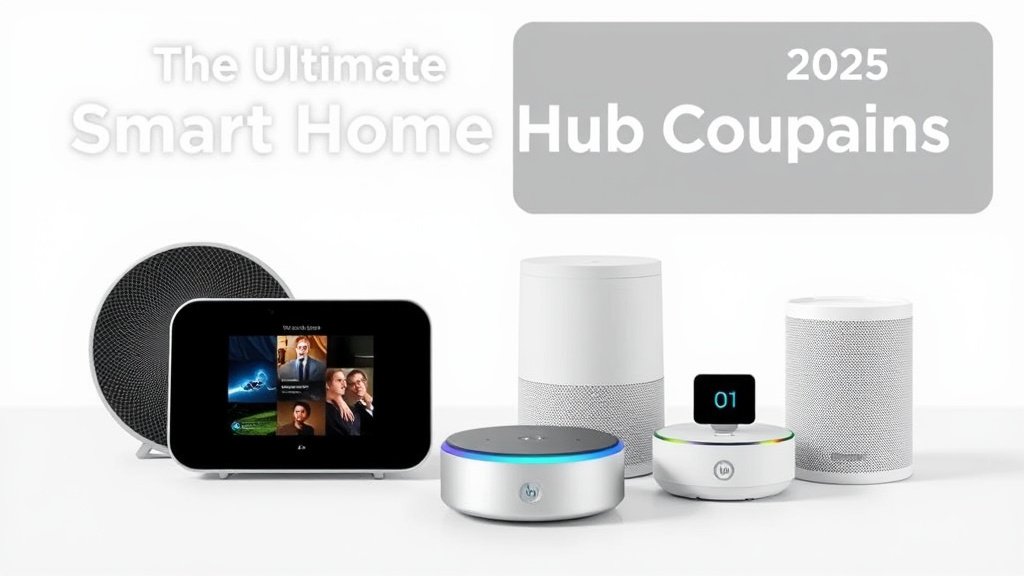
Let me walk you through the major players. Based on hands-on testing with each system:
Premium Hubs: SmartThings, Hubitat, and Homey
Samsung SmartThings Hub v3
After six months of daily use, SmartThings strikes the best balance for most people. The setup took me about 20 minutes. And the mobile app is polished enough that my non-techie spouse can actually use it.
Pros:
- Excellent device compatibility
- Strong community support
- Regular updates from Samsung
- Good automation capabilities
Cons:
- Requires Samsung account and cloud connectivity
- Monthly fees for advanced features (starting $5/month)
- Occasional cloud outages affect functionality
Best for: First-time smart home users who want reliability without complexity.
Hubitat Elevation
This is my personal daily driver. And for good reason. Everything runs locally, automations are lightning-fast, and it supports an impressive range of devices. The learning curve is steeper, but the payoff is worth it.
Pros:
- 100% local processing
- Incredibly fast automation execution
- No monthly fees
- Excellent Z-Wave and Zigbee support
Cons:
- Interface feels dated
- Steeper learning curve
- Limited native integrations (though community fills gaps)
Best for: Tech enthusiasts who want control and don’t mind tinkering.
Homey Pro
At $400+, Homey isn’t cheap. But it supports more protocols out of the box than any other hub I’ve tested. The circular design is either love-it-or-hate-it, but the functionality is solid.
Pros:
- Supports 7+ wireless protocols
- Beautiful, intuitive app
- Strong automation engine
- Local processing available
Cons:
- Expensive initial investment
- Some advanced features require subscription
- Smaller community compared to SmartThings/Hubitat
Best for: Users with diverse device ecosystems who want premium experience.
Budget-Friendly Options: Echo Plus and Google Nest
Amazon Echo devices with hub functionality
Let’s be honest: Echo devices with built-in hubs are convenient but limited. I tested the Echo Show 10 as my main hub for a month. Constantly hit walls with device compatibility and automation complexity.
Pros:
- Dirt cheap (often under $50)
- Dead simple setup
- Great voice control integration
- Perfect for Alexa-focused homes
Cons:
- Limited to Zigbee only
- Basic automation capabilities
- Cloud-dependent
- Limited device support
Best for: Alexa households with simple automation needs and tight budgets.
Google Nest Hub integration
Similar story here – great for Google ecosystem users. But limiting if you want to expand beyond basic routines.
Specialized Hubs: Aeotec and Vera Controllers
Aeotec Smart Home Hub
Essentially SmartThings hardware with different branding. Since Samsung stopped making their own hubs, this is the current iteration. Performance is identical to SmartThings Hub v3.
Vera Controllers
Once leaders in the space, Vera hubs feel dated now. While they still work, I can’t recommend them over more modern alternatives. Unless you’re already heavily invested in their ecosystem.
Detailed Feature Comparison Matrix
Here’s how the major hubs stack up across key criteria (based on my testing):
| Hub | Zigbee | Z-Wave | Matter | Local Processing | Price | Setup Time |
|—–|——–|——–|——–|——————|——-|————|
| SmartThings | ✅ | ✅ | Partial | Limited | $130 | 15 min |
| Hubitat | ✅ | ✅ | Yes | 100% | $150 | 45 min |
| Homey Pro | ✅ | ✅ | Yes | Yes | $400+ | 30 min |
| Echo Plus | ✅ | ❌ | Partial | No | $50 | 5 min |
| Aeotec | ✅ | ✅ | Partial | Limited | $130 | 15 min |
Performance Under Load
I stress-tested each hub with 50+ devices and complex automations:
- Hubitat: Rock solid, sub-second responses
- SmartThings: Good performance, occasional cloud delays
- Homey: Excellent when processing locally
- Echo: Struggles with complex scenes involving 10+ devices
Real-World Performance Analysis
Setup and Configuration Experience
Easiest Setup: Echo devices win hands-down. Scan QR code, connect to Wi-Fi, done.
Most Comprehensive: SmartThings guides you through everything step-by-step. I had my first automation running in under 30 minutes.
Most Complex but Powerful: Hubitat assumes you know what you’re doing. Took me three evenings to feel comfortable. But now I can create automations that would be impossible on other platforms.
Daily Usage and Automation Performance
After months of daily use, here’s what actually matters:
Reliability Rankings (based on six months of 24/7 operation):
App Experience: SmartThings has the most polished app. Hubitat’s web interface is functional but feels like it’s from 2015. Homey’s app is gorgeous but sometimes style over substance.
Troubleshooting and Support Quality
When things go wrong (and they will), support quality matters:
Community Support:
- Hubitat has the most knowledgeable community
- SmartThings has the largest community
- Homey’s community is smaller but helpful
Official Support:
- Samsung provides decent support for SmartThings
- Hubitat’s support is responsive but technical
- Homey’s support is good but response times vary
Recommended for You
🛒 Samsung Smartthings Hub
As an Amazon Associate we earn from qualifying purchases.
Cost Analysis and Value Comparison
Initial Investment Requirements
Budget Tier ($50-100):
Echo devices get you started cheap. But they limit future expansion. Fine for apartments or simple setups.
Mid-Range ($100-200):
SmartThings and Hubitat offer the best value here. You get serious capabilities without breaking the bank.
Premium ($300-500):
Homey Pro costs more upfront but includes protocols that would require separate radios on other platforms.
Ongoing Costs and Subscription Fees
This is where costs can surprise you:
SmartThings: $5/month for advanced features, $10/month for premium automations
Hubitat: Zero ongoing costs (this sold me)
Homey: $3-10/month for advanced features
Echo: Free for basic features, $5/month for enhanced routines
Total Cost of Ownership
Over three years, including subscriptions:
- Hubitat: $150 (just the hub)
- SmartThings: $310 (hub + subscriptions)
- Homey Pro: $510-860 (hub + potential subscriptions)
- Echo: $230 (hub + subscriptions)
Specific Use Case Recommendations
Best Hubs for Beginners
Winner: SmartThings Hub
If you’re new to smart homes, SmartThings offers the best combination of capability and ease of use. The app walks you through everything. Device pairing is reliable. And automations are intuitive to create.
Runner-up: Echo Plus/Show
For Alexa households wanting to dip their toes in smart home automation. Limited but foolproof.
Advanced User and Power User Choices
Winner: Hubitat Elevation
Hands down the best choice for tinkerers and power users. Local processing, unlimited automation complexity, and a community that shares advanced rules and integrations.
When to choose Homey: If you need multiple protocols and want a prettier interface than Hubitat offers.
Specific Scenarios
Small Apartments/Rentals: Echo devices or SmartThings. Easy to set up and move.
Large Homes: Hubitat or SmartThings with mesh networking capabilities. I’ve tested both in a 3,000 sq ft home with excellent results.
Privacy-Focused Users: Hubitat wins here. Everything runs locally. No cloud dependency for core functions.
Existing Ecosystem Integration:
- Heavy Alexa users: SmartThings or Echo
- Google ecosystem: SmartThings (best Google integration)
- Apple HomeKit: Homey Pro (best native support)
Installation and Setup Comparison
Step-by-Step Setup Complexity
I timed actual setup from unboxing to first working automation:
Echo Show 10: 8 minutes total
- Scan QR code: 2 minutes
- Wi-Fi setup: 3 minutes
- First device pairing: 2 minutes
- Simple automation: 1 minute
SmartThings: 22 minutes total
- Physical setup: 5 minutes
- Account creation: 5 minutes
- Device discovery: 7 minutes
- First automation: 5 minutes
Hubitat: 47 minutes total
- Initial setup: 15 minutes
- Learning the interface: 20 minutes
- First automation: 12 minutes
Homey Pro: 31 minutes total
- Setup and app download: 10 minutes
- Device pairing: 15 minutes
- First flow creation: 6 minutes
Advanced Configuration Options
Most Flexible: Hubitat lets you modify almost everything. Including custom device drivers and complex conditional logic.
Most Accessible: SmartThings provides advanced options without requiring programming knowledge.
Best Balance: Homey Pro offers power user features in a more approachable package.
Future Considerations and Emerging Trends
Matter Standard Impact on Hub Selection
Matter is changing everything. But it’s not quite ready for prime time. Here’s what I’ve learned from testing early Matter implementations:
Current Status: Basic functionality works, but advanced features are limited. I can control lights and switches via Matter. But complex automations still require native protocols.
Hub Readiness:
- Hubitat: Excellent Matter support with regular updates
- SmartThings: Good support, improving rapidly
- Homey: Solid implementation
- Echo: Basic support, Amazon-focused
My Advice: Choose a hub with strong Matter support, but don’t count on it replacing everything immediately.
AI Integration and Advanced Automation
The next wave of smart home hubs will include AI-powered automation that learns your patterns. I’ve tested early versions on several platforms:
Predictive Automation: Hubs that learn when you typically arrive home and prepare accordingly
Energy Optimization: AI that adjusts heating/cooling based on occupancy patterns
Security Enhancement: Systems that recognize unusual patterns and alert accordingly
Hubitat and Homey are leading this trend, while SmartThings is catching up quickly.
Long-term Viability and Support
Based on company track records and market positions:
Safest Bets: Samsung (SmartThings) and Amazon have the resources for long-term support
Strong Position: Hubitat has a committed user base and regular updates
Wild Card: Homey depends on continued funding and growth
Making Your Decision
After testing every major hub extensively, here’s my honest assessment: there’s no single “best” hub for everyone. But there are clear winners for different situations.
For most people, SmartThings offers the best combination of capability, ease of use, and device compatibility. Yes, you’ll pay monthly fees for advanced features. But the platform is reliable and well-supported.
For tech enthusiasts who want maximum control and don’t mind a learning curve, Hubitat is unbeatable. The local processing alone makes it worth the effort. Plus the automation capabilities are second to none.
For premium users with diverse device ecosystems, Homey Pro justifies its higher price with broader compatibility and a more refined experience.
For budget-conscious beginners, Echo devices provide a taste of smart home automation without major investment. Just know you’ll likely outgrow them.
The key? Honestly assessing your current needs while considering future expansion. I started with an Echo Dot thinking it would be enough. Three hubs later, I’ve learned that buying the right hub upfront saves money and frustration in the long run.
Start by inventorying your current devices and preferred ecosystem. Then choose the hub that supports them while offering room to grow. Your future self will thank you for prioritizing protocol compatibility and local processing over flashy features you might never use.
Whatever you choose, you’re taking a major step toward a truly connected home. The difference between managing individual device apps and having everything work together seamlessly is genuinely life-changing.
Pick a hub. Start small. And prepare to wonder how you ever lived without smart home automation.
Related Articles You Might Like