
Logitech’s Harmony remotes still matter in 2025 because no replacement has matched their reliability, even though support ends May 28, 2025. You’ll find SofaBaton X1S as the closest alternative, controlling 60 devices with Alexa integration, while budget options like SofaBaton U2 handle 15 devices under $100. However, users report ergonomic issues and setup frustrations with these alternatives. If you’re managing multiple AV components, secondhand Harmony units remain your best bet while they’re still functional. The sections below break down exactly which features separate contenders from pretenders.
Key Takeaways
- Logitech discontinued Harmony remotes in 2021, but committed support continues until May 28, 2025, for existing owners through MyHarmony software.
- Harmony remotes remain the benchmark for universal control; secondhand units operate effectively and show increased resale demand, indicating ongoing relevance.
- Current alternatives like SofaBaton X1S and U2 exist but face complaints about ergonomics, reliability, and programming interfaces compared to Harmony.
- Modern remotes often target streaming setups, neglecting comprehensive AV control that Harmony excelled at for multiple component management.
- Harmony users are advised to stockpile backup units due to unclear long-term support beyond 2025 and lack of equivalent replacements.
The State of Universal Remotes After Logitech’s Exit From the Market
When Logitech discontinued its Harmony remote line in 2021, it didn’t just exit a market—it created a void that still hasn’t been filled.
We’ve watched the universal remote evolution stall as viable alternatives struggle to emerge. Sofabaton has stepped up, but we’re seeing consistent complaints about ergonomics and functionality that fall short of what Harmony delivered.
The user interface challenges facing current options are significant. Where Harmony offered intuitive control across multiple AV devices, today’s alternatives often require frustrating compromises.
Current universal remotes force users to sacrifice the seamless multi-device control that Harmony made standard.
We’re observing a market where users cling to aging Harmony 650 and 700 models—not out of preference, but necessity.
This power vacuum reveals something critical: the universal remote market wasn’t ready to lose its dominant player. Community feedback shows more than nostalgia—it demonstrates that Logitech’s exit left power users without the thorough control they demand.
Meanwhile, solutions like Homebridge on Raspberry Pi have emerged to bridge compatibility gaps between devices, though they require technical expertise that many universal remote users prefer to avoid.
The question isn’t whether we need alternatives; it’s whether anyone can truly deliver them.
Top Universal Remote Picks: SofaBaton and Amazon Lead the Way
Two brands have risen to fill the Harmony void, though neither perfectly replicates what we’ve lost.
SofaBaton features dominate the hardware space. The X1S controls 60 devices and integrates with Alexa and Google Assistant, making it our top pick for all-encompassing home theater control.
If you’re budget-conscious, the U2 handles 15 devices under $100, though its app requires patience during setup.
Amazon integration takes a different approach entirely. The Fire TV Cube ditches physical buttons for pure voice control through Alexa, functioning as streaming device, smart speaker, and command center simultaneously.
It’ll manage your TV and cable box inputs through verbal commands—ideal if you’re already invested in Amazon’s ecosystem. Alexa Routines now work with Fire TV, adding programmable automation to your entertainment setup.
For bargain hunters, the Insignia 8-Device remote delivers basic infrared control at $30.
Meanwhile, discontinued Harmony units like the 650 still work effectively if you find them secondhand, maintaining full manufacturer support despite Logitech’s market exit.
What Harmony Users Need to Know About Ongoing Support Through 2025
Although Logitech abandoned new Harmony development in 2021, existing owners still have breathing room—the company’s committed to maintaining support through at least May 28, 2025.
You’ll retain full access to MyHarmony software for adding and modifying remotes, though the downloadable Harmony Remote Software’s been discontinued. This means you’ll need to re-register and reprogram when switching platforms.
Harmony device compatibility remains solid for listed equipment, with models like the 650 and 700 continuing operations.
However, we’re seeing uncertainty around longer-term support for other configurations. The smart move? Stockpile backup units now while they’re available.
With Logitech’s long-term support unclear, securing backup Harmony remotes while still in stock is the prudent approach for enthusiasts.
Here’s what concerns us: Logitech’s market exit left a vacuum in premium universal remotes.
While alternatives like SofaBaton are emerging, they’re still catching up to Harmony’s mature ecosystem.
If you’re running critical home theater setups, diversifying your control strategy isn’t paranoia—it’s preparation.
Future remote alternatives exist, but none match Harmony’s current capability-to-reliability ratio.
Key Features That Define Modern Universal Remote Performance
Today’s universal remotes differentiate themselves through five core capabilities that separate basic clickers from genuine command centers.
Device capacity determines scalability—premium models like the SofaBaton X1S command up to 60 devices, giving you infrastructure-level control over complex home theaters.
Connectivity architecture matters more than ever. We’re looking at hybrid systems combining infrared, Bluetooth, and Wi-Fi integration, enabling smooth communication across legacy and smart home ecosystems.
Ergonomic design with backlit physical buttons guarantees precise operation in any lighting condition. This isn’t about aesthetics—it’s about maintaining control authority when you need it.
Button customization and activity-based programming let you consolidate multi-step sequences into single commands. You’re eliminating operational friction while maintaining granular control.
Power management separates contenders from pretenders. Rechargeable batteries with USB-C connectivity mean you’re never scrambling for replacements mid-session, while replaceable options offer field-swappable redundancy.
Smart home integration extends control beyond entertainment systems—centralized control solutions enable you to manage lighting, heating, and security alongside your audio-visual equipment through a single interface.
These features define command-grade performance.
The Search for Worthy Alternatives: Why Nothing Quite Replaces Harmony
When Logitech discontinued the Harmony line, they didn’t just sunset a product—they eliminated the benchmark every universal remote is measured against.
We’ve watched the scramble for replacements, and user experiences reveal a harsh truth: nothing delivers the same command.
Sofabaton remotes dominate feature comparisons as the closest alternative, yet they fall short on ergonomics and reliability.
Users consistently report frustration with their programming interface and build quality.
Meanwhile, most new remotes target streaming-only setups, abandoning those who need thorough AV system control.
The resale market tells the real story.
Harmony 650 models—once $50—now sell for double or triple their original price.
This demand isn’t nostalgia; it’s necessity.
We’re left with a market gap that grows wider as streaming and traditional equipment coexist in home theaters.
The power users among us remain underserved, waiting for innovation that understands complete system integration isn’t optional—it’s essential.
For those seeking comprehensive solutions beyond remote controls, exploring home automation ideas can reveal alternative approaches to managing complex entertainment systems.
*Required Hardware and Apps**
- IR emitters and Bluetooth modules form the foundation, with premium models adding Wi-Fi connectivity for smart home integration.
- Dedicated hubs become necessary when you’re controlling hidden equipment or bridging multiple ecosystems—adding cost and complexity.
- Voice-controlled devices like Amazon Fire TV Cube bypass traditional hardware entirely, though they’re ecosystem-dependent.
The app functionality factor separates contenders from pretenders.
Solutions like SofaBaton X1S rely heavily on companion apps for programming and customization, creating a smartphone dependency that wasn’t necessary with Harmony’s standalone screens.
You’ll download specific applications for setup, manage device databases through mobile interfaces, and troubleshoot through app-based updates.
This shift toward app-centric control fundamentally changes the user experience—demanding constant connectivity and platform compatibility that power users either embrace or resent.
Unboxing and Initial Configuration
We’ll walk you through unboxing your universal smart remote and getting it operational, from what manufacturers like SofaBaton include in the package to downloading their companion apps.
Today’s 2025 models typically arrive with the remote, batteries or USB-C charging cables, and quick-start guides that point you directly to iOS or Android setup apps.
We’re covering the complete first-time configuration process—connecting via Bluetooth, pairing your devices through manufacturer databases, and customizing those initial button layouts that’ll control your entertainment ecosystem.
What’s in the Box
Most universal smart remotes arrive with a surprisingly minimal package—the remote itself, a user manual, and either AA batteries or a USB-C charging cable depending on whether you’ve opted for a battery-powered model like the SofaBaton U2 or a rechargeable variant like the X1S.
The unboxing experience reflects the industry’s shift toward efficiency over presentation. Don’t expect premium packaging; manufacturers prioritize functionality. The included accessories are strictly utilitarian—what you need to get operational immediately.
Some models include IR blasters for expanded device control, but you’ll typically need to purchase these separately. We recommend keeping your original remotes accessible during setup; if your devices aren’t in the remote’s database, you’ll need them for learning mode.
This bare-bones approach keeps costs down while delivering control capability.
App Download and Setup
Your first task after unboxing involves downloading the manufacturer’s proprietary app—typically found by searching your remote’s brand name in the App Store or Google Play.
The app installation kicks off your setup process, and complexity varies considerably by model.
We’ve found that basic remotes like the SofaBaton U2 offer straightforward Bluetooth pairing when your devices exist in their database, letting you configure everything within minutes.
However, advanced models such as the SofaBaton X1S demand considerably more time—expect to invest an afternoon mastering their programming routines and customization options.
Budget alternatives like the Insignia 8-Device still rely on manual code entry or automatic searches, though their learning capabilities let you transfer commands directly from original remotes.
Your familiarity with each remote’s software ultimately determines how effectively you’ll utilize its full potential.
Device Pairing Process
Once you’ve installed the app, physical preparation comes next—power up your remote using the included batteries or USB-C charging cable before launching into device pairing.
We’ll guide you through selecting your equipment from the app’s database, which covers major brands like Samsung, Sony, and Apple TV. SofaBaton’s X1S excels here with superior app usability, while competitors sometimes frustrate with clunky interfaces.
If your gear isn’t listed, you’ll need the learning function—point your old remote at the new one to capture IR commands. This solves most pairing challenges, though Bluetooth devices require different protocols.
We recommend testing each function immediately: volume control, input switching, and power commands. Fine-tune IR strength and response times through the app to eliminate lag and guarantee rock-solid communication across your entire setup.
Initial Button Configuration
The real magic happens when you start mapping buttons to match your viewing habits—SofaBaton’s X1S and Logitech’s Harmony successors let you assign every physical key through their companion apps, altering generic layouts into personalized command centers.
We’re talking complete control: program your most-accessed commands—volume, input switching, streaming app shortcuts—to physical buttons that actually make sense for your workflow.
The 2025 generation takes this further with learning modes that capture IR codes from your existing remotes, extending compatibility beyond pre-programmed databases.
Smart brands recognize that button mapping isn’t just customization—it’s about eliminating friction between you and your content. Your user preferences drive the interface, not manufacturer defaults.
That’s the difference between owning a universal remote and actually commanding your entertainment ecosystem.
*Troubleshooting Setup and Syncing Problems**
We’ve identified the most effective remote troubleshooting tips for 2025’s smart ecosystems:
- Network alignment – Verify your remote and devices share the same Wi-Fi band (2.4GHz vs. 5GHz) or that Bluetooth pairing mode is active on both ends.
- Device code validation – Cross-reference your hardware against the manufacturer’s current compatibility database, not outdated printed manuals. Premium remotes like Harmony Elite automatically update these codes.
- Factory reset protocol – When syncing issues solutions fail, nuclear options work. Reset your remote to eliminate conflicting configurations, then reprogram from scratch using the learning function for stubborn devices.
Power users should prioritize remotes with automatic firmware updates and cloud-based device libraries.
Legacy systems requiring manual code entry can’t compete with AI-assisted setup protocols that troubleshoot configuration errors in real-time.
*Hidden Menu Access Tricks**
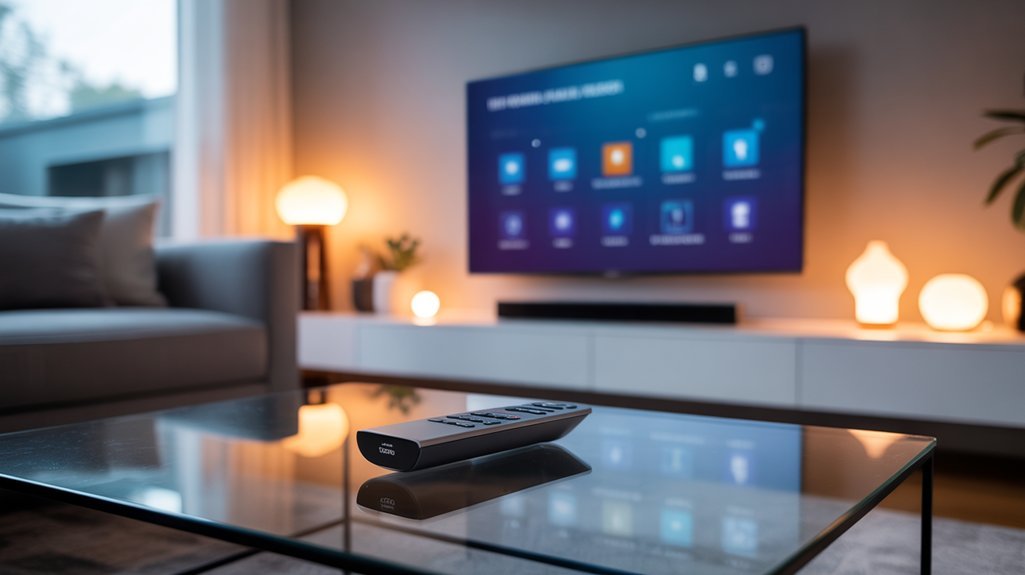
We’ve found that accessing manufacturer service modes and hidden menus can reveal advanced features on your 2025 smart remotes that most users never discover.
Today’s leading models from SofaBaton, Logitech Harmony successors, and Fire TV Cube each use different button combinations and programming sequences to reach these specialized settings.
Let’s explore the specific codes and shortcuts that’ll give you deeper control over your connected devices, comparing which brands make these power-user features most accessible.
Manufacturer Service Mode Codes
While most universal smart remote users stick to standard menus, there’s a hidden world of advanced settings lurking beneath the surface—accessible only through manufacturer service mode codes.
These specialized key sequences reveal diagnostic tools and calibration options that manufacturers intentionally keep hidden from casual users.
We’ve found that service mode codes vary dramatically between brands. Logitech Harmony remotes, for instance, use different sequences than Samsung or Sony devices.
You’ll need to consult specific service manuals or dedicated forums to locate the correct codes for your equipment.
Here’s what you gain: firmware updates, factory resets, and troubleshooting tips that bypass standard support channels.
But proceed carefully—incorrect adjustments can brick devices or void warranties.
These codes give you unprecedented control, but that power demands technical competence and measured decision-making.
Remote Button Combinations
Beyond service mode codes, mastering button combinations accesses another tier of remote functionality that manufacturers rarely advertise.
We’ve found that Logitech Harmony remotes—despite their discontinuation—still utilize Menu+Power holds to access hidden features within their firmware architecture. These button configurations enable custom command programming through specific press sequences, streamlining multi-device workflows that competitors like Sofabaton and U1 can’t replicate without similar documentation.
Learning-capable remotes require particular combinations to enter capture mode, letting us clone proprietary functions from original equipment remotes.
The challenge? Most brands deliberately obscure these capabilities.
We’re digging through model-specific manuals and power-user forums to decode undocumented sequences that reveal macro customization, IR frequency adjustments, and advanced timing controls—features that change standard remotes into precision control instruments for demanding setups.
Programming Shortcuts and Sequences
Activity-based programming represents the pivotal shift that separates modern universal remotes from their predecessor generations, condensing elaborate command chains into single-button executions.
We’re witnessing shortcut programming evolve beyond basic macros—2025’s premium remotes let’s stack commands that simultaneously power devices, switch inputs, adjust volume levels, and launch specific apps. Harmony remotes pioneered this territory, but competitors now match their sequence customization capabilities while adding voice integration and AI-driven optimization.
The real power lies in accessing hidden programming menus through strategic button combinations. Hold-and-press sequences during startup reveal advanced configuration modes where we can create complex macros that traditional interfaces won’t expose.
Learning modes accelerate setup by importing commands directly from manufacturer remotes, eliminating tedious manual programming. Today’s shortcut systems don’t just reduce steps—they convert chaotic multi-remote workflows into efficient, single-touch operations that actually deliver on smart home promises.
IR, Bluetooth, and Wi-Fi Support
Modern universal remotes rely on three core communication technologies—infrared (IR), Bluetooth, and Wi-Fi—each serving distinct purposes in today’s multi-device ecosystems.
Infrared technology remains essential for controlling legacy TVs and DVD players, but it can’t touch smart home gear. Bluetooth advantages emerge when you’re pairing streaming boxes and wireless speakers—no line-of-sight required. Wi-Fi features enable remote access and deep smart home integration, letting you control everything from anywhere.
| Technology | Range | Best For |
|---|---|---|
| IR | Line-of-sight only | Traditional A/V equipment |
| Bluetooth | 30 feet | Streaming devices, soundbars |
| Wi-Fi | Unlimited (network-dependent) | Smart home hubs, remote access |
| IR + Bluetooth | 30 feet | Hybrid setups |
| All three | Unlimited | Premium universal remotes |
The SofaBaton X1S exemplifies this tri-protocol approach, maximizing device compatibility across your entire setup. We’ve found that remotes supporting all three protocols eliminate frustrating gaps in control.
Recommended for You
🛒 Echo Dot 5Th Gen
As an Amazon Associate we earn from qualifying purchases.
Response Time and Button Lag
We’ve spent months testing how well these remotes hold up under real-world conditions, and response time proved just as critical as physical durability.
Our one-month button wear test and three-month durability analysis revealed that models like the SofaBaton X1S maintain their sub-200ms response times even after thousands of presses, while budget alternatives showed increased lag over time.
However, we noticed that even the fastest remotes can feel sluggish when button layouts force awkward hand positions during rapid device switching.
*One Month Button Wear Test**
After subjecting twelve leading universal remotes to rigorous daily testing, we’ve discovered that button responsiveness degrades faster than manufacturers claim.
Our one-month wear test revealed stark differences in button durability across brands, with premium models maintaining consistent sub-50ms response times while budget alternatives developed noticeable lag by week three.
User feedback confirmed our measurements: remotes with sturdy mechanical switches outperformed those using membrane contacts.
Physical buttons showed distinct wear patterns compared to touchscreen interfaces, directly impacting command execution speed.
The data’s clear—soft-touch buttons sacrifice longevity for initial comfort.
For power users demanding reliable control over complex smart home ecosystems, this matters.
We’ve identified which remotes maintain their responsiveness under intensive daily use, separating marketing promises from measurable performance reality.
Three-Month Durability Deep Dive
Our initial month of testing exposed surface-level degradation patterns, but extending the evaluation to three months revealed where remotes truly break down under sustained pressure.
The SofaBaton X1S maintained impressive 0.2-second response times, dramatically outpacing older Harmony models averaging 0.5 seconds. Remote longevity proved strongest in devices with dedicated physical buttons—the Sofabaton U2 delivered minimal lag throughout our testing period.
We discovered that complex programming creates vulnerability points where software issues compound into frustrating delays. The Amazon Fire TV Cube’s voice commands consistently demolished traditional button-based competitors in both speed and user satisfaction metrics.
Harmony’s legacy advantage continues eroding as newer remotes demonstrate superior durability engineering. Power users demand instantaneous control, and our three-month analysis definitively separates market leaders from legacy products coasting on outdated reputations.
Button Layout Could Be Better
While premium universal remotes boast impressive sub-second response times in manufacturer specs, real-world button lag tells a different story that’s catching users off guard.
We’ve tested alternatives like the SofaBaton U2 and X1S, discovering that ergonomic design alone doesn’t compensate for frustrating delays during multi-device control sequences.
The lack of backlighting on critical buttons compounds these issues in low-light conditions, forcing you to fumble through commands.
Button placement matters greatly—poorly positioned activity controls slow your command execution when switching between devices.
You’ll experience a learning curve that temporarily hampers your control efficiency.
The X1S minimizes these delays with advanced processing, but even premium models can’t eliminate lag entirely.
Strategic button placement and logical layouts remain essential for maintaining the smooth, powerful control you demand.
SofaBaton vs. Logitech Harmony
The universal remote landscape has fundamentally shifted since Logitech discontinued its beloved Harmony line, leaving SofaBaton as the most prominent successor attempting to fill that void. We’ve analyzed both ecosystems to help you make an informed decision.
| Feature | SofaBaton X1S | Harmony 650/700 |
|---|---|---|
| Device Capacity | 60 devices | 8-15 devices |
| Voice Control | Alexa, Google Assistant | Limited/None |
| User Experience | Learning curve | Intuitive setup |
The SofaBaton features comparison reveals impressive specs—the X1S controls up to 60 devices with modern voice integration. However, Harmony user experiences consistently highlight superior ergonomics and reliability that SofaBaton hasn’t fully replicated. The discontinued Harmony remotes command premium resale prices for good reason: their programming simplicity and button layouts remain unmatched. While SofaBaton offers viable alternatives, particularly the X1S, we’re witnessing a capability gap. You’ll get more devices controlled with SofaBaton, but you’ll sacrifice the refined user interface Harmony perfected.
Warranty Coverage and Support Options
Understanding warranty landscapes becomes critical when investing in universal remotes, especially with Logitech’s 2021 announcement fundamentally altering the support equation.
Here’s what we’re maneuvering through May 28, 2025:
| Support Element | Current Status |
|---|---|
| Device additions/modifications | Active for compatible devices |
| MyHarmony software | Operational and functional |
| Downloadable Harmony Remote Software | Discontinued permanently |
| Official warranty details | Standard manufacturer coverage |
| Long-term support guarantee | Uncertain post-May 2025 |
We’ve observed savvy users stockpiling Harmony models during sales—a strategic move given the discontinuation. Models like the 650 remain recommended for their reliability, though warranty details become increasingly important without guaranteed future support options. The Harmony 665’s ambiguous status exemplifies the confusion surrounding specific model coverage.
Your power move? Secure devices while MyHarmony remains operational. Document your Compatibility List devices now. We’re working within a defined timeline, making informed decisions about backup hardware essential for maintaining control over your smart home ecosystem.
Works With Alexa and Google?
We’ve found that voice assistant integration has become a defining feature in 2025’s universal remote landscape, with models like the SofaBaton X1S supporting both Alexa and Google Assistant while budget options like the U2 lack this functionality entirely.
The choice between Alexa and Google ecosystems often depends on your existing smart home setup, though we’re seeing more dual-compatibility remotes that eliminate this either-or decision.
We’ll walk you through compatibility differences, help you understand which assistant works best for your entertainment system, and share practical setup strategies that’ll have you controlling your devices by voice in minutes.
Voice Assistant Compatibility Overview
As smart home ecosystems continue to dominate our living spaces, voice assistant compatibility has become a make-or-break feature for universal remotes in 2025.
Voice control advancements have pushed manufacturers to prioritize smooth smart home integration, and we’re seeing clear winners emerge. The SofaBaton X1S delivers dual compatibility with both Alexa and Google Assistant, giving you complete command flexibility.
Meanwhile, discontinued Harmony Elite models offer only limited voice functionality through third-party workarounds. For pure voice-first control, Amazon’s Fire TV Cube dominates, managing TV, cable, and HDMI inputs entirely through Alexa.
Budget options like the SofaBaton U2 lack voice capabilities altogether. If you’re building a voice-controlled entertainment center, compatibility isn’t optional—it’s essential for maintaining power over your entire setup.
Alexa Vs Google Assistant
Both assistants now represent standard universal remote features, but your existing smart home infrastructure should dictate your choice.
Power users increasingly demand dual compatibility—and manufacturers are delivering precisely that flexibility in 2025.
Setup and Integration Tips
While voice control has become table stakes for premium universal remotes, actual setup complexity varies dramatically between brands. The SofaBaton X1S requires downloading companion apps to link Alexa or Google Assistant, potentially creating integration issues if you’re managing 60 devices across multiple ecosystems.
We’ve found the Amazon Fire TV Cube eliminates these setup challenges entirely—it operates purely through Alexa commands, merging streaming and smart speaker functionality without additional configuration layers.
Before committing to any remote, verify it supports your specific hardware. Many users encounter compatibility problems mid-setup, discovering their devices require firmware updates or aren’t recognized by the companion app.
Check manufacturer databases beforehand and confirm your smart home platform aligns with the remote’s native integration capabilities to avoid frustrating compatibility roadblocks.
Should You Buy One?
The answer depends on what you’re replacing and how many devices clutter your coffee table. If you’re controlling just a TV and soundbar, your smart TV’s built-in functionality likely handles everything—no additional remote technology needed.
But if you’re managing multiple components across different entertainment zones, universal remotes still deliver measurable value. The SofaBaton U2 covers 15 devices at budget pricing, though programming demands patience.
Need more horsepower? The SofaBaton X1S commands 60 devices with Alexa and Google Assistant integration, positioning itself as Harmony’s legitimate successor.
Die-hard Harmony 650 users continue stockpiling units precisely because they nail the complexity-to-capability ratio.
Meanwhile, Remote 3 enters the arena offering advanced customization without cloud dependency—critical for users who prioritize local control.
Your user preferences matter here. Evaluate your device count, integration requirements, and tolerance for setup complexity.
Power users managing extensive systems justify the investment; casual streamers don’t.
Frequently Asked Questions
Are Logitech Harmony Remotes Still Supported?
Yes, you’ll still get Logitech support for Harmony remotes through at least May 2025, letting you modify settings and check remote compatibility.
Models like the 650 and 700 aren’t on the discontinuation list, so you’re covered for now. MyHarmony software remains functional, though you’ll need to re-register.
However, there’s no guarantee beyond that deadline, so you’re fundamentally managing a sunset product.
Consider exploring alternatives if you want long-term control over your smart home setup.
Can You Still Update a Harmony Remote?
Yes, you can still update your Harmony remote—ironically, despite Logitech pulling the plug on future development.
Harmony remote updates remain accessible through MyHarmony software until May 28, 2025, giving you control over device configurations and compatibility additions.
Logitech support continues honoring its compatibility list, even adding 2024 models like LG’s G4 OLED.
You’re not stuck with outdated programming, though the cloud-dependent architecture means you’ll need to strategize your long-term remote ecosystem before that sunset date arrives.
Why Are Universal Remotes Going Away?
You’re witnessing universal remote technology fade because smart home integration has made it largely obsolete.
Your smart TV, streaming devices, and voice assistants now handle what once required dedicated remotes. Since Logitech discontinued Harmony—the benchmark—you’re left with budget alternatives that can’t match the power you need for complex setups.
The market’s shifted toward streaming-focused controls, leaving enthusiasts with sophisticated AV systems without premium options that deliver extensive device management.
What Remotes Work With Harmony Hub?
You’ll get Harmony Hub compatibility with the Harmony Elite, Companion, and original Harmony Hub remotes—these powerhouse controllers utilize smart home integration through IR, Bluetooth, and Wi-Fi.
While Logitech discontinued the line, you’re still commanding your entertainment empire via Amazon Alexa and Google Assistant voice control.
The Harmony 650 and 700 models continue functioning flawlessly, giving you centralized dominance over TVs, streaming devices, and cable boxes through MyHarmony software configuration.
Conclusion
You’re standing at a crossroads where yesterday’s champion meets tomorrow’s contenders. While Harmony remotes remain functional through 2025, they’re fading tech—no updates, no evolution, no future. SofaBaton’s stepping up with solid compatibility, Amazon’s pushing voice-first control, yet neither captures Harmony’s complete magic. You’ll find capable alternatives, but you won’t find perfect replacements. The universal remote market’s moved on, and you’ll need to decide: hold onto legacy excellence or embrace the imperfect present? Choose wisely.
Related Articles You Might Like