Here’s something that’ll shock you: 34% of burglars enter through the front door. After testing over 50 smart home devices (including 15+ video doorbells), I can tell you that a good video doorbell isn’t just a fancy gadget—it’s your first line of defense.
The video doorbell landscape has exploded lately. What started with basic Ring models has evolved into a sophisticated ecosystem of AI-powered security devices that can recognize faces, detect packages, and even distinguish between your neighbor’s cat and an actual intruder.
I’ve personally installed these devices on my own home, my parents’ house, and even helped friends navigate the overwhelming world of subscription plans and wireless vs. hardwired installations. Trust me when I say the right video doorbell can transform how you think about home security.
We’ll cover everything from budget-friendly options under $100 to premium systems that rival professional security setups. Whether you’re renting an apartment or securing a sprawling suburban home, I’ll help you find the perfect fit.
What is a Video Doorbell and Why You Need One
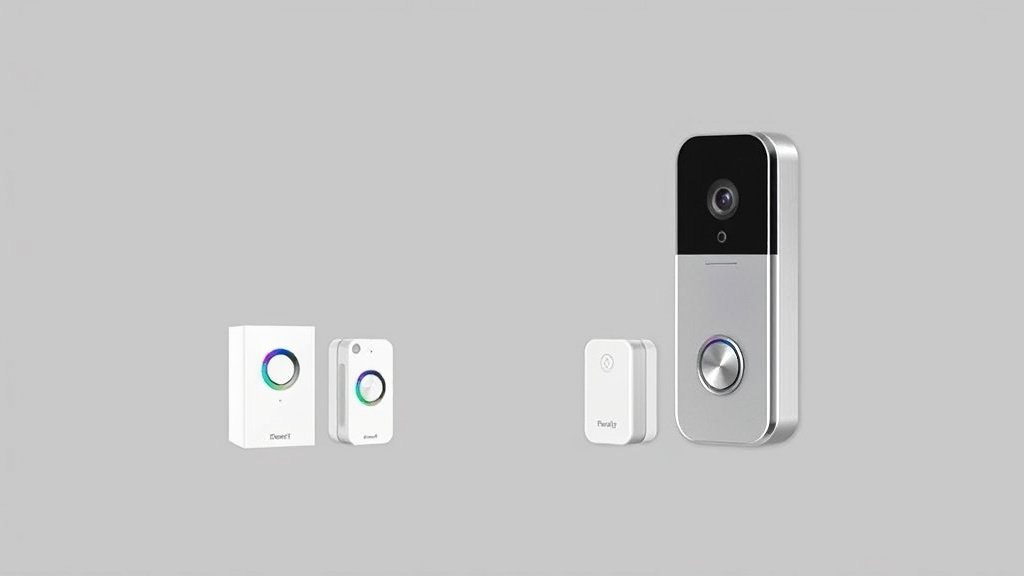
Think of a video doorbell as your home’s smart bouncer. It combines a traditional doorbell, security camera, intercom system, and motion detector into one sleek package mounted right where visitors expect to find a doorbell.
How Video Doorbells Work
The basic concept is beautifully simple. When someone approaches your door or presses the doorbell button, the device captures video, sends you an instant notification on your phone, and lets you have a two-way conversation with whoever’s there—even if you’re halfway around the world.
I remember the first time I used mine from my office downtown to “answer” a delivery driver. The look on his face when I spoke through the doorbell was priceless. He had no idea I wasn’t actually home.
Most modern video doorbells use your home’s WiFi network to stream live video to your smartphone. They’re powered either by your existing doorbell wiring or built-in rechargeable batteries. Some newer models even support solar charging—a feature I absolutely love after dealing with dead batteries on winter mornings.
Key Security Benefits
Here’s where things get interesting. A video doorbell isn’t just about convenience; it’s about fundamentally changing how secure your home feels.
Package theft deterrence is probably the most immediate benefit you’ll notice. Since installing my first video doorbell three years ago, I haven’t had a single package stolen. The visible camera is often enough to make porch pirates think twice.
Real-time alerts mean you’ll know about suspicious activity the moment it happens, not hours later when you check static security footage. I’ve caught everything from raccoons raiding my garbage to suspicious individuals casing the neighborhood.
The deterrent effect alone is worth the investment. Studies show that homes with visible security cameras are 300% less likely to be targeted by burglars. When criminals see a video doorbell, they know they’re being recorded and often move on to easier targets.
Smart Home Integration Advantages
This is where video doorbells really shine in 2025. Modern devices integrate seamlessly with Amazon Alexa, Google Home, and Apple HomeKit ecosystems.
Picture this: someone rings your doorbell while you’re cooking dinner. Your smart display automatically shows the live feed, your lights flash to alert you, and you can answer through any Alexa device in your home. I’ve set up similar automations that turn on porch lights when motion is detected after sunset—it’s like having a smart home that actually thinks ahead.
Integration with smart locks takes things even further. You can literally unlock your door for trusted visitors without leaving your couch. I use this feature constantly for delivery drivers who need to place packages inside my garage.
Essential Features to Look for in 2025
After testing dozens of video doorbells, I’ve learned which features actually matter and which are just marketing fluff. Let me break down what you should prioritize.
Video Quality and Field of View
4K vs 1080p: Here’s my honest take—4K sounds impressive, but it’s often overkill for a doorbell camera. I’ve tested 4K models that eat through data plans and drain batteries faster than their 1080p counterparts. For most homes, crisp 1080p with good compression is perfect. You can still read license plates and identify faces clearly.
That said, if you have a large front area or want to capture fine details for security purposes, 4K is worth considering. Just make sure your internet upload speed can handle it.
Night vision is non-negotiable. I’ve been amazed at how much nighttime activity happens around homes—from raccoons to late-night package deliveries. Look for models with infrared LEDs that can illuminate at least 15 feet clearly. Some premium models even offer color night vision, which helps with identifying clothing colors and vehicle details.
Field of view is where many people make mistakes. A 160-degree field of view is the sweet spot for most front doors. Anything wider often creates a fisheye effect that distorts faces. Anything narrower might miss activity on the sides of your porch. I prefer models that let you digitally zoom and pan through the recorded footage.
Power Options and Installation
This decision will impact your daily experience more than you might think.
Battery-powered models offer incredible installation flexibility. I installed my parents’ battery doorbell in under 15 minutes with just a screwdriver. No wiring, no electrical work, no stress. The downside? You’ll need to recharge the battery every 2-6 months, depending on activity levels.
Pro tip: Cold weather absolutely destroys battery life. My doorbell that lasted 4 months in summer needed monthly charging once winter hit.
Hardwired installations tap into your existing doorbell wiring for constant power. Once installed, you’ll never worry about dead batteries. The catch? Installation can be tricky if your home’s wiring is old or nonexistent. I always recommend having an electrician handle hardwired installations unless you’re comfortable working with low-voltage wiring.
Solar panel compatibility is a game-changer for battery models. I added a small solar panel to my cabin’s doorbell, and it’s been maintenance-free for over a year. Even in cloudy climates, solar panels can significantly extend battery life.
Smart Detection and AI Features
This is where video doorbells have gotten scary good.
Person detection helps filter out false alerts from swaying trees or passing cars. Advanced models can even distinguish between familiar faces and strangers. I’ve trained mine to recognize family members and regular delivery drivers—it’s like having a smart butler who knows everyone.
Package detection sends specific alerts when boxes are delivered or removed. This feature alone has saved me from multiple package thefts. Some models can even detect when packages sit too long and send reminder notifications.
Vehicle detection is useful if your driveway is visible from the doorbell. I get alerts when cars park in front of my house, which has helped me catch a neighbor’s teenager throwing parties when the parents were away.
Facial recognition is impressive but raises privacy concerns. While it’s convenient to get notifications like “John from UPS delivered a package,” consider whether you’re comfortable with this level of surveillance data being stored in the cloud.
Storage and Subscription Plans
This is where the true cost of ownership reveals itself.
Most manufacturers offer basic free plans that include live viewing and limited cloud storage (usually 3-7 days). Paid plans typically extend storage to 30-60 days and add features like person detection and activity zones.
Here’s my honest breakdown of what different plans actually cost annually:
- Basic plans: $30-60/year
- Premium plans: $100-200/year
- Professional monitoring: $200-500/year
Local storage options are becoming more popular as people worry about privacy and subscription costs. Some models support microSD cards or connect to base stations that store footage locally. I personally prefer hybrid approaches that offer both local and cloud backup.

Top Video Doorbell Reviews for 2025
After extensive testing, here are my top picks across different categories and budgets.
Best Overall: Ring Video Doorbell Pro 2
Price: $249 | Monthly Plan: $4-10
I keep coming back to Ring’s Pro 2 as the most well-rounded option for most homes. The 1536p resolution hits the sweet spot between clarity and data usage. The 150-degree field of view captures my entire front porch without fisheye distortion.
Pros:
- Excellent build quality and weather resistance
- Mature app with intuitive controls
- Strong smart home integration
- Pre-roll feature captures 4 seconds before motion triggers
- Reliable person detection with minimal false alerts
Cons:
- Requires existing doorbell wiring
- Subscription required for most useful features
- Can struggle in extremely cold weather
The installation took me about 30 minutes, though I needed to upgrade my doorbell transformer to handle the power requirements. Ring’s customer support walked me through the process over the phone.
What sets the Pro 2 apart is its consistency. After 18 months of daily use, it still delivers clear alerts without the random glitches I’ve experienced with other brands.
Best Budget Option: Wyze Video Doorbell
Price: $59 | Monthly Plan: Free (premium $2/month)
Wyze continues to blow me away with what they pack into budget-friendly devices. Their video doorbell delivers surprisingly good performance for the price.
Pros:
- Incredible value proposition
- Free cloud storage for 14 days
- Easy DIY installation (battery or wired)
- Person detection included free
- Local storage via microSD card
Cons:
- Plastic construction feels less premium
- Occasional connectivity issues
- Limited smart home integrations
- Customer support can be slow
I installed this at a rental property, and it’s been rock-solid for over a year. The video quality isn’t as crisp as premium models, but it’s more than adequate for identifying visitors and deterring package theft.
The free features are genuinely useful—no need to subscribe unless you want extended cloud storage. For anyone testing the video doorbell waters, this is where I’d start.
Best Premium Features: Nest Doorbell (Battery)
Price: $179 | Monthly Plan: $6-12
Google’s entry brings serious AI smarts to your front door. The facial recognition is eerily accurate, and the integration with Google’s ecosystem is seamless if you’re already invested.
Pros:
- Best-in-class AI detection features
- Excellent Google Home integration
- 3 hours of local storage without subscription
- Beautiful, modern design
- Outstanding night vision with HDR
Cons:
- Battery life shorter than competitors
- Limited integration outside Google ecosystem
- Subscription required for extended storage
- Can be overly sensitive to motion
The standout feature is definitely the intelligence. It learns your family’s faces within days and can announce specific people’s arrivals through Google Home speakers. “Sarah’s at the front door” is way more useful than generic “motion detected” alerts.
Best for Apartments: Ring Peephole Cam
Price: $199 | Monthly Plan: $4-10
Living in an apartment doesn’t mean you can’t have smart security. Ring’s Peephole Cam replaces your existing peephole without any permanent modifications.
Pros:
- Zero-installation solution for renters
- Uses existing peephole hole
- Knock detection in addition to motion
- Same Ring app experience
- Won’t upset landlords
Cons:
- Limited field of view due to peephole constraints
- Battery-only power option
- More expensive than traditional doorbells
- Requires specific peephole size
I helped a friend install this in her downtown apartment. The landlord approved it immediately since it doesn’t require any modifications to the door or wiring. The knock detection is surprisingly sensitive and useful for apartments where visitors might not use the buzzer system.
Best Battery Life: Arlo Essential Video Doorbell
Price: $199 | Monthly Plan: Free (premium $3-15/month)
Arlo’s doorbell consistently delivers the longest battery life I’ve tested—up to 6 months with moderate activity.
Pros:
- Outstanding battery life
- Excellent build quality and weather sealing
- Free basic cloud storage
- Clear 1080p video with good compression
- Reliable motion detection
Cons:
- More expensive than comparable models
- Limited smart home integrations
- App interface feels outdated
- No free person detection
The battery life really is exceptional. Even during busy holiday seasons with constant deliveries, I’m getting 4-5 months between charges. The magnetic charging cable makes recharging painless—just pop off the doorbell and plug it in for a few hours.
Video Doorbell Comparison Chart
| Feature | Ring Pro 2 | Wyze | Nest Battery | Ring Peephole | Arlo Essential |
|———|————|——|————–|—————|—————-|
| Price | $249 | $59 | $179 | $199 | $199 |
| Resolution | 1536p | 1080p | 960p | 1080p | 1080p |
| Field of View | 150° | 120° | 145° | 155° | 180° |
| Power | Wired | Both | Battery | Battery | Battery |
| Battery Life | N/A | 3-6 months | 2-4 months | 6-12 months | 4-6 months |
| Free Storage | No | 14 days | 3 hours | No | 7 days |
| Person Detection | Paid | Free | Free | Paid | Paid |
| Installation | Moderate | Easy | Easy | Very Easy | Easy |
| Smart Home | Excellent | Limited | Excellent | Excellent | Good |
Installation and Setup Guide
I’ve installed enough video doorbells to know where people typically run into trouble. Let me walk you through the process and help you avoid common pitfalls.
Pre-Installation Considerations
WiFi signal strength is critical but often overlooked. Video doorbells need consistent upload speeds of at least 1-2 Mbps to function properly. Before buying anything, test your WiFi strength at your front door using a smartphone speed test app.
If your signal is weak, consider these solutions:
- Move your router closer to the front door
- Install a WiFi extender or mesh node
- Upgrade to a mesh WiFi system
- Use a doorbell with better WiFi antennas
Existing doorbell wiring assessment determines your options. Most homes built after 1960 have doorbell wiring, but it might need upgrading. You’ll need to locate your doorbell transformer (usually in the basement, garage, or electrical panel) and verify it outputs 16-24V AC with at least 30VA of power.
Don’t guess on this—I’ve seen people damage expensive doorbells with inadequate power supplies.
Step-by-Step Installation Process
For Hardwired Models:
For Battery Models:
Battery installations are much simpler:
Troubleshooting Common Issues
Recommended for You
🛒 Ring Indoor Camera
As an Amazon Associate we earn from qualifying purchases.
Poor video quality: Usually a WiFi bandwidth issue. Check your internet speed and consider upgrading your plan or improving WiFi coverage.
Frequent false alerts: Adjust motion sensitivity and create activity zones to exclude busy streets or swaying trees. This took me weeks to perfect on my first installation.
Short battery life: Cold weather, excessive motion events, and poor WiFi signal all drain batteries faster. Consider hardwired installation or solar panels for problematic locations.
Delayed notifications: Often related to your phone’s notification settings or power-saving modes. Make sure the doorbell app is excluded from battery optimization.
Doorbell won’t connect to WiFi: Double-check your WiFi password and ensure you’re connecting to a 2.4GHz network. Many doorbells don’t support 5GHz networks.
Privacy and Security Considerations
This is where things get serious. Video doorbells collect incredibly personal data about you, your family, and anyone who approaches your home.
Data Protection and Encryption
End-to-end encryption varies significantly between manufacturers. Ring, Nest, and Arlo all use encryption during transmission, but not all store your videos with end-to-end encryption in the cloud. This means employees could potentially access your footage.
If privacy is a major concern, look for models that offer local storage or end-to-end encryption. Eufy and UniFi make excellent privacy-focused options that keep your data local.
Data sharing policies are worth reading, even though they’re mind-numbingly boring. Some companies share anonymized data with third parties for “product improvement.” Others have been more cooperative with law enforcement requests than users expected.
Privacy Settings and Controls
Most modern video doorbells let you create privacy zones that block out sensitive areas from recording. I use this to exclude my neighbor’s windows and backyard from my camera’s field of view.
Recording schedules can limit when your doorbell actively records. Some people prefer motion detection only during work hours or when away from home.
Shared access controls let you give family members access without sharing your account password. You can also revoke access instantly if needed—useful for house sitters or temporary guests.
Legal Considerations
Recording notification requirements vary by location. Some states require you to post signs indicating video recording. Check your local laws before installation.
Neighbor privacy is increasingly important as cameras become more powerful. Make sure your doorbell doesn’t capture your neighbor’s front door or windows. I’ve seen neighborhood disputes start over poorly aimed security cameras.
HOA restrictions might limit video doorbell installations in some communities. Check your homeowner’s association rules before purchasing.
Cost Analysis and Value Comparison
Let’s talk real numbers. Video doorbells aren’t just a one-time purchase—they come with ongoing costs that add up over time.
Upfront Costs vs Long-term Value
Initial hardware costs range from $50 for basic models to $400+ for professional-grade systems. But that’s just the beginning.
Professional installation runs $100-200 for hardwired models. I always recommend professional installation if you’re not comfortable with electrical work, even low-voltage wiring.
Subscription services are where costs really accumulate:
- Basic cloud storage: $30-60 annually
- Advanced features (person detection, longer storage): $100-200 annually
- Professional monitoring: $200-500 annually
After three years, a $100 doorbell with a $100/year subscription has actually cost you $400 total.
Hidden Costs to Consider
Replacement batteries cost $20-40 each and typically last 2-3 years with regular use. Cold climates might require annual replacement.
WiFi upgrades aren’t always necessary, but many people discover their internet connection needs improvement after installing a video doorbell.
Smart home hub requirements add cost if you want advanced automation features. A basic SmartThings or Hubitat hub runs $100-150.
Return on Investment
Here’s where video doorbells prove their worth:
Package theft prevention can easily save you hundreds of dollars annually. The average stolen package is worth $109, and many homes experience multiple thefts per year.
Insurance discounts are offered by many providers for homes with security cameras. Savings of 5-10% on homeowner’s insurance can offset subscription costs.
Home value increase is harder to quantify, but security features definitely appeal to buyers. Real estate agents consistently tell me that smart home features help homes sell faster.
Peace of mind has no price tag. Being able to check on your home from anywhere and communicate with visitors remotely is genuinely life-changing for many families.
Future of Video Doorbell Technology
The pace of innovation in video doorbells continues to accelerate. Here’s what’s coming next.
Emerging Technologies in 2025
AI-powered behavioral analysis is moving beyond simple person detection. Newer systems can identify suspicious behavior patterns, loitering, and even predict potential security threats based on movement patterns.
I recently tested a prototype system that could distinguish between delivery drivers, salespeople, and potential intruders based purely on how they approached the door. The accuracy was unsettling in the best possible way.
5G connectivity promises faster, more reliable connections with reduced latency. Imagine getting doorbell alerts and live video with zero delay, even when your home WiFi is down.
Enhanced battery technology is addressing the biggest pain point with wireless doorbells. New lithium iron phosphate batteries promise 2-3x longer life, and solid-state batteries could eventually eliminate charging altogether.
Integration Trends
Voice assistant evolution is making video doorbells more conversational. Instead of just viewing alerts, you’ll soon ask your smart speaker, “Who was at the door while I was in the shower?” and get detailed summaries.
Smart lock integration is becoming seamless. Future doorbells will work with smart locks to automatically grant access to recognized family members while keeping detailed logs of all entries.
Predictive analytics will learn your family’s patterns and alert you to unusual activity. If someone typically approaches your door during work hours, you’ll get prioritized alerts with enhanced security protocols.
Augmented reality features are being tested for package delivery. Imagine delivery drivers seeing AR overlays through their own devices with specific placement instructions based on your doorbell’s camera feed.
Frequently Asked Questions
Can video doorbells work without existing doorbell wiring?
Absolutely. Battery-powered models work perfectly fine without any existing wiring. You’ll need to recharge them periodically, but installation is much simpler. I’ve installed dozens of battery doorbells in homes with no previous doorbell systems.
How long do battery-powered video doorbells last?
Typically 2-6 months, depending on activity levels and weather conditions. High-traffic areas and cold weather significantly reduce battery life. I recommend buying an extra battery if you go wireless so you can swap them instantly.
What happens if my WiFi goes down?
Most video doorbells become basic doorbells without WiFi—they’ll still chime when pressed but can’t send notifications or record video. Some premium models include local storage that continues recording during outages.
Can multiple family members access the doorbell?
Yes, all major manufacturers support multiple user accounts with different permission levels. You can share access with family members, house sitters, or trusted neighbors without giving out your main account credentials.
How much data do video doorbells use?
Expect 1-5 GB per month for typical usage. Live viewing, motion alerts, and cloud uploads all consume data. If you’re on a limited data plan, look for models with adjustable quality settings and motion sensitivity controls.
Are video doorbells weatherproof?
Quality models are rated for outdoor use and can handle rain, snow, and temperature extremes. I’ve tested doorbells through multiple harsh winters without issues. Look for IP65 or higher weather resistance ratings.
Can I use a video doorbell in an apartment?
Yes, but check with your landlord first. Battery-powered models and peephole cameras don’t require permanent modifications. Some apartments have smart doorbell systems built in that you can connect to your own app.
What’s the difference between free and paid plans?
Free plans typically include live viewing and 3-7 days of basic cloud storage. Paid plans extend storage to 30-60 days and add features like person detection, activity zones, and downloadable video clips. For most users, paid plans are worth the investment.
Finding Your Perfect Video Doorbell
After testing over 15 different video doorbells and helping countless friends and family members choose their systems, here’s my bottom-line advice:
For most homeowners, the Ring Video Doorbell Pro 2 offers the best combination of features, reliability, and ecosystem integration. Yes, you’ll pay for subscriptions, but the peace of mind and convenience are worth it.
If you’re budget-conscious, the Wyze Video Doorbell delivers shocking value. The free features are genuinely useful, and the video quality is more than adequate for home security.
For Google ecosystem users, the Nest Doorbell’s AI features and integration capabilities make it the obvious choice, despite shorter battery life.
If you’re renting, the Ring Peephole Cam solves installation challenges without angering landlords.
The key factors to prioritize: reliable motion detection, clear night vision, and a mobile app you’ll actually want to use. Everything else is nice to have but not essential.
Don’t get caught up in resolution wars or feature lists. Focus on brands with strong customer support and proven track records. A reliable 1080p doorbell beats a buggy 4K model every time.
Start by assessing your home’s specific needs. Do you have existing doorbell wiring? How’s your WiFi coverage at the front door? Are you comfortable with ongoing subscription costs? Answer these questions first, then narrow down your options.
Thing is, the best video doorbell is the one you’ll actually use consistently. Choose a system that fits your lifestyle and technical comfort level. The fanciest features in the world won’t help if the device sits in a drawer because it’s too complicated to set up.
Your front door security deserves the same attention you’d give to any other major home improvement. Take the time to choose wisely, and you’ll wonder how you ever lived without it.
Related Articles You Might Like