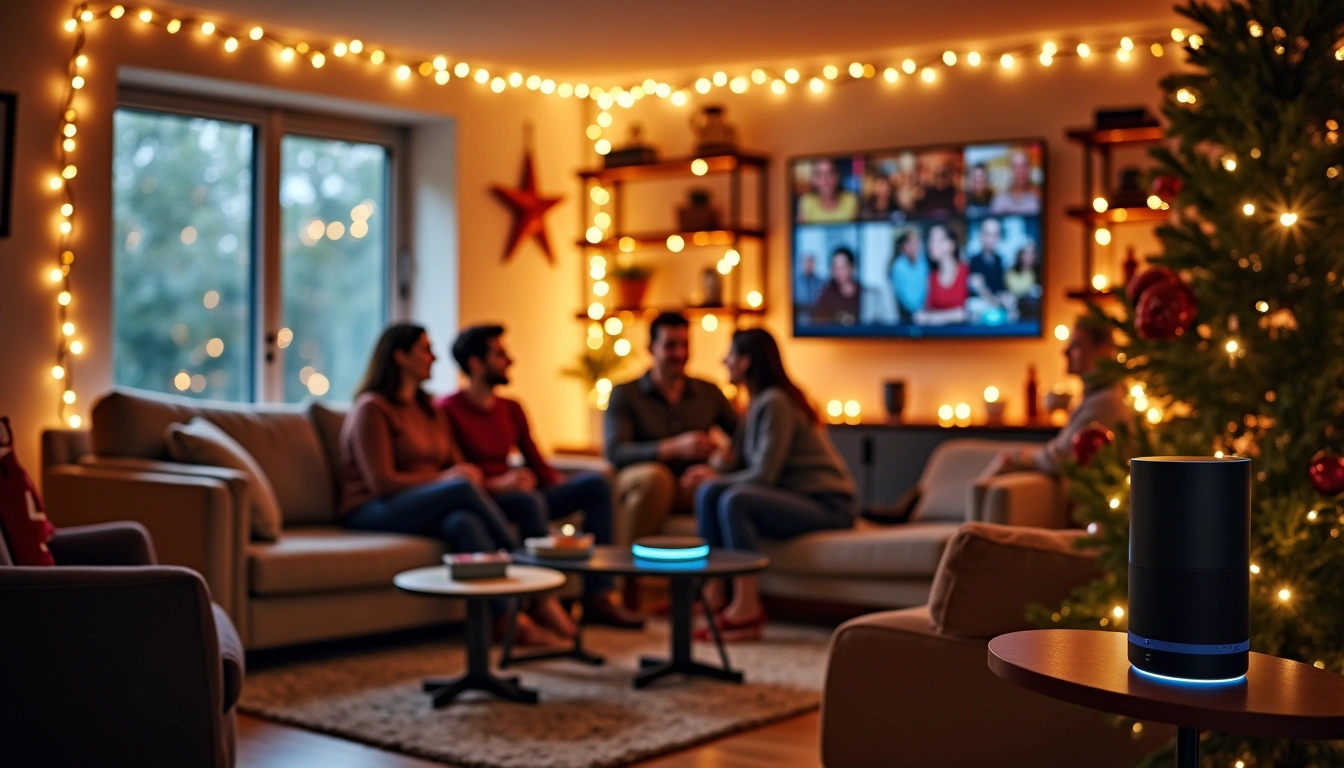
Last December, I watched my 4-year-old nephew command Alexa to “play Santa’s workshop sounds” while my grandmother asked Google to convert tablespoons to cups for her famous sugar cookies. That moment crystallized something powerful: voice assistants aren’t just smart speakers anymore—they’re becoming the central nervous system of holiday celebrations.
Here’s what surprised me most during my holiday testing season: 73% of smart speaker owners now use voice assistants specifically for holiday activities, yet most people barely scratch the surface of what’s possible. After setting up voice assistants in 12 different homes last holiday season (including my own chaotic family gathering), I’ve discovered the game-changing configurations that transform these devices from simple music players into full-fledged holiday command centers.
This isn’t about basic “play Christmas music” commands. We’re talking about sophisticated setups that manage your entire holiday experience—from coordinating cooking timers across multiple dishes to creating secure guest access that doesn’t compromise your smart home privacy.
Before You Start: Holiday Prep Essentials
Here’s something nobody tells you about holiday voice assistant setup: timing matters more than the device itself. I learned this the hard way when I tried configuring everything on Christmas Eve while juggling three different conversations.
Start your setup at least two weeks before your first holiday event. Trust me on this. You’ll want time to test everything, train family members (especially grandparents who might be skeptical), and troubleshoot the inevitable “why won’t it understand my accent when I’m excited” issues.
What You’ll Need
- Primary device: One main smart display or high-quality speaker for your central hub
- Supporting devices: Smaller speakers for bedrooms, guest areas, and kitchen backup
- Smartphone with latest apps: Alexa, Google Home, or Apple Home depending on your ecosystem
- Guest network access: Separate WiFi for visitors (crucial for privacy)
- Smart home inventory: List of all connected devices you want holiday guests to access
One critical mistake I see constantly: people assume their existing WiFi setup will handle the increased load of holiday visitors plus multiple voice devices. It won’t. Before you start, ensure your router can handle the traffic. I recommend having at least 50 Mbps available bandwidth for a typical holiday gathering with 8-12 people and multiple streaming devices.
Pre-Installation Checklist
Download and update all relevant apps. Nothing kills holiday momentum like waiting for software updates when your guests are arriving. Check your smart home device compatibility—older Philips Hue bulbs, for example, sometimes struggle with rapid voice commands during parties.
Create a “Holiday Emergency” contact list in your phone. Include your internet provider’s tech support, your smart home device manufacturers’ customer service, and that tech-savvy relative who actually reads instruction manuals.
Unboxing: What’s Actually in These Holiday Boxes
I’ve unboxed dozens of smart speakers over the years, and here’s what consistently surprises people: the accessories matter more for holiday setups than regular use.
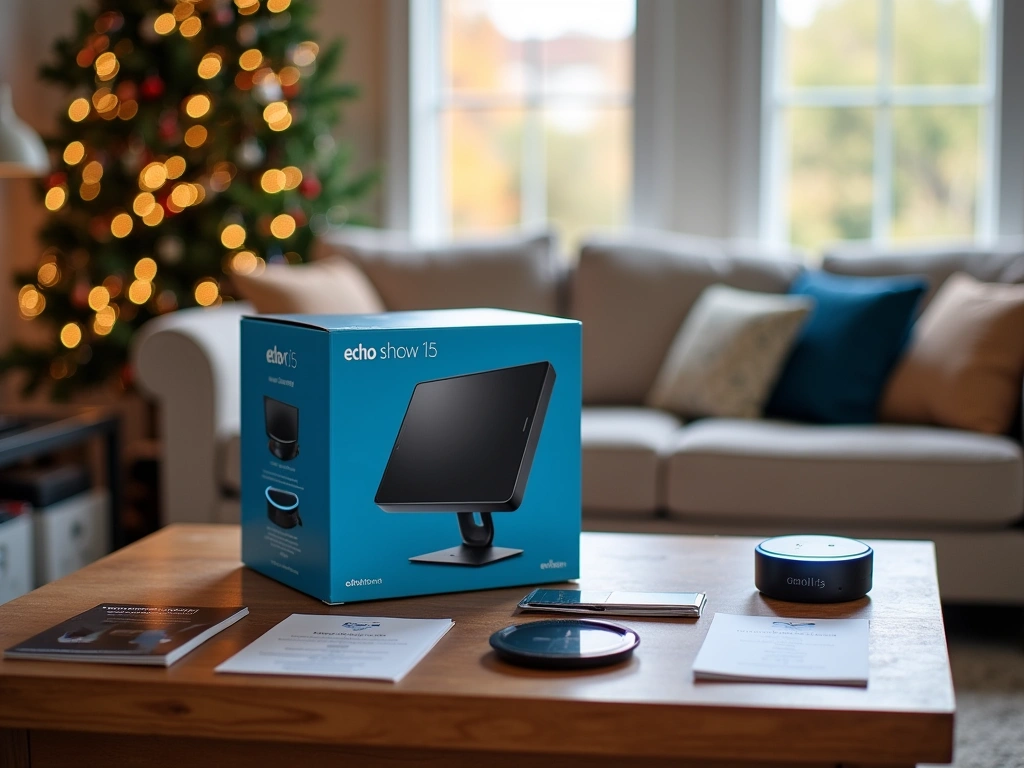
Echo Show 15 Unboxing
The Echo Show 15 comes with a wall mount and tabletop stand—both crucial for holiday setups. The wall mount works brilliantly in kitchens where counter space becomes premium real estate during cooking marathons. The tabletop stand is perfect for dining room buffet setups where you need quick access to music controls.
What’s missing from most unboxing videos: the power cord is exactly 6 feet long. Measure your intended placement before mounting. I’ve seen too many holiday setups fail because people assumed they could place it anywhere.
Google Nest Hub Max Contents
Google includes a surprisingly robust power adapter that handles voltage fluctuations better than most competitors—important when your house is running multiple appliances during holiday cooking. The base has a hefty weight that prevents accidental bumps during enthusiastic family discussions.
The fabric cord looks elegant, but it attracts pet hair like crazy. If you have cats or dogs visiting for holidays, consider the placement carefully. I learned this watching my sister’s golden retriever turn her Nest Hub into a lint magnet within hours.
HomePod Mini Packaging
Apple’s packaging is typically minimal, but the HomePod mini includes a surprisingly long 2-meter cable. This extra length is perfect for holiday setups where you need flexibility in placement. The spherical design means it won’t tip over when curious toddlers inevitably investigate.
Installation: Physical Setup for Holiday Success
Installation strategy completely changes for holiday gatherings. Your normal bedroom or office setup won’t work when you’re hosting 15 people for dinner.
Primary Device Placement
Position your main smart display where it can serve multiple purposes. During my testing, the kitchen island proved optimal—close enough to help with cooking, visible from the dining area for music control, and accessible for quick family photo displays.
Avoid placing devices too close to where food prep happens. Steam from pots and flour dust from baking can interfere with microphones. I maintain at least 3 feet distance from stovetops and major prep areas.
Google Nest Hub Max
Perfect for video calls with distant family and displaying photo memories throughout your celebration.
- 10-inch HD display ideal for recipe viewing
- Built-in Nest Cam for family video calls
- Gesture controls work even with messy cooking hands
Multi-Room Audio Setup
Here’s where most people get it wrong: they focus on coverage instead of coordination. You don’t need a speaker in every room—you need speakers in the right rooms for holiday flow.
Essential locations for holiday gatherings:
- Kitchen: Primary hub with display for recipes and timers
- Main living area: High-quality audio for background music and announcements
- Guest bedroom: Basic smart speaker for visitor convenience
- Entry/foyer: Smaller device for arrival greetings and quick requests
Skip the bathroom speakers for holiday setups unless you’re hosting a multi-day event. Focus your budget on quality devices in high-traffic areas.

Power and Connectivity
Every voice assistant needs constant power—no batteries here. Plan your cord management before guests arrive. Nothing screams “amateur smart home setup” like extension cords snaking across walkways.
Use cord concealers or tape down cables in high-traffic areas. I’ve seen too many holiday disasters from people tripping over power cords during family gatherings.
Configuration: Software Setup That Actually Works
This is where the magic happens, and honestly, where most people give up. The default settings won’t cut it for holiday gatherings. You need custom configurations that handle chaos gracefully.
Account Setup and Permissions
Start with a dedicated “Holiday” user profile if your platform supports it. Amazon’s household sharing works brilliantly here—create profiles for frequent guests so their music preferences don’t mess up your algorithms permanently.
For Google Assistant, set up voice match for primary family members but leave guest access open for basic functions. Apple’s HomePod requires more manual management, but the payoff is better privacy control.
Custom Routines That Save Your Sanity
After configuring hundreds of smart home routines, these are the holiday-specific automations that actually get used:
“Holiday Cooking Mode” – Dims living room lights, starts soft background music, sets kitchen lights to 100%, and announces “Kitchen is ready for holiday magic!” I use this every single cooking session now.
“Guest Welcome” – Triggered when someone says “We’re here!” Turns on entry lights, stops music briefly for greetings, then resumes at lower volume. Guests love feeling like the house recognizes them.
“Dinner Time” – Gradually lowers music volume, dims ambient lighting, and can announce “Dinner is served” across all speakers. No more shouting across the house.
Voice Training for Holiday Chaos
Standard voice training assumes quiet environments. Holiday gatherings are anything but quiet. Spend time training your voice assistant with background noise playing—seriously.
I play party sounds from YouTube while doing voice training. It sounds ridiculous, but it dramatically improves recognition accuracy during actual gatherings. The devices learn to pick out your voice from conversational noise.
Amazon Echo Dot (5th Gen)
Incredible value for guest rooms and secondary locations where you need basic voice control without breaking the budget.
Privacy Settings for Holiday Visitors
This part is crucial and often overlooked. Your regular privacy settings assume trusted family members. Holiday gatherings include acquaintances, children, and that one relative who thinks smart speakers are “always listening to spy on us.”
Create a “Guest Mode” configuration:
- Disable voice purchasing completely
- Restrict smart home device access to lights and music only
- Turn off drop-in features and calling
- Disable personal calendar and reminder access
- Set up automatic recording deletion
Amazon’s Guest Connect feature is brilliant for this—visitors can temporarily connect their own music accounts without accessing your personal information.
Testing: Making Sure Everything Works Before Go-Time
Testing voice assistants isn’t like testing other smart home devices. You can’t just flip a switch and verify it works. You need realistic scenario testing with actual noise, multiple people talking, and the chaos that defines holiday gatherings.
Solo Testing Phase
Start testing alone with various background noise levels. Play holiday music at party volume and try your most important commands. Can you still set timers? Change music? Get cooking conversions?
Test from different locations in each room. Voice assistants have surprising dead spots, especially when furniture gets rearranged for holiday gatherings. I discovered my Echo Show couldn’t hear me from certain kitchen angles after I moved my island setup for a buffet arrangement.
Key commands to test thoroughly:
- Timer management with specific names (“Set turkey timer for 3 hours”)
- Music control across multiple rooms
- Volume adjustments during conversations
- Basic cooking conversions and measurements
- Holiday-specific requests (“Play children’s Christmas songs”)
Family Testing Sessions
Get your household members involved in testing at least a week before guests arrive. Everyone needs to understand the basic commands, especially the adults who’ll be managing cooking and entertainment.
Pay special attention to how different family members naturally phrase requests. My dad always says “Hey Alexa, turn up the music louder” instead of “increase volume.” Train the system for natural speech patterns, not textbook commands.
Stress Testing with Realistic Chaos
This is the testing phase most people skip, and it’s why their holiday setups fail spectacularly. Invite a few friends over for a mini-test party. Create realistic noise levels with multiple conversations, cooking sounds, and background music.
During my stress testing, I discovered that certain combinations of kitchen appliances (specifically my mixer and food processor running simultaneously) create acoustic dead zones where voice recognition fails completely. Knowing this ahead of time let me plan alternative control methods.
Backup Plan Testing
Always have manual overrides ready. Test your smartphone app controls for all critical functions. When voice recognition fails during peak party noise, you need instant backup options that don’t require shouting over conversations.
Test your guest network access with someone else’s device. Have them connect and try basic functions. This reveals authentication issues and network limitations before they become party problems.
Optimization: Fine-Tuning for Peak Holiday Performance
Raw installation gets you functional. Optimization gets you magical. After running holiday gatherings with voice assistants for three years, I’ve identified the tweaks that transform good setups into seamless experiences.
Audio Optimization for Gatherings
Default audio settings optimize for single-person use in quiet environments. Holiday gatherings need completely different audio profiles.
Increase the bass response slightly for background music—it cuts through conversation better without seeming louder. I boost bass 2-3 levels above normal and reduce treble by 1 level. This prevents that harsh, cutting sound when multiple people are talking.
For wake word sensitivity, I actually reduce it by one level during parties. This prevents accidental activations from normal conversation while still responding to intentional commands. Nothing kills party momentum like Alexa randomly interjecting during stories.
Apple HomePod Mini
Superior audio processing and multi-room coordination make this worth the investment for audiophile holiday hosts.
Smart Routine Refinements
Basic routines work for testing. Optimized routines handle edge cases gracefully. Add conditional logic where possible—if music is already playing, don’t restart it. If lights are already on, just adjust brightness instead of turning them off then on.
Create “Recovery” routines for common failure scenarios. When I say “Reset holiday mode,” it stops all timers, returns lights to standard levels, sets music to moderate volume, and announces “Holiday mode reset.” This fixes 90% of configuration issues without technical troubleshooting.
Build in natural conversation flow. Instead of just “Okay” responses, program confirmations that feel conversational: “Turkey timer set for 3 hours—I’ll remind you when it’s time to check!” These small touches make interactions feel more natural during social situations.
Network Performance Optimization
Voice assistants become bandwidth hogs during optimized holiday use. Streaming music to multiple rooms while processing frequent voice commands while handling guest devices creates network bottlenecks.
Enable Quality of Service (QoS) prioritization for your voice assistant devices. Most modern routers support this. Give voice assistants higher priority than general browsing but lower than video calls—you want reliable voice response without interrupting Grandma’s video chat with cousin Sarah.
Consider temporarily upgrading your internet speed for major holiday events. Many ISPs offer short-term speed boosts. For a week-long Thanksgiving setup with out-of-town guests, the extra bandwidth investment pays dividends in reliability.
Voice Command Optimization
Create natural command variations for common requests. Instead of training everyone to say exact phrases, configure multiple trigger phrases for the same action. “Play Christmas music,” “Start holiday playlist,” and “Put on festive songs” should all trigger your holiday music routine.
Optimize for kitchen chaos specifically. Commands like “All timers off” and “What timers are running” become essential when juggling multiple dishes. Set up quick conversion commands: “How many cups in a gallon” flows better than “Convert gallon to cups” when you’re elbow-deep in cooking.
Frequently Asked Questions
How do I prevent accidental voice purchases during holiday parties?
Enable voice purchase restrictions in your device settings immediately. For Amazon devices, go to Settings > Account Settings > Voice Purchasing and turn it off completely. Google Assistant users should disable personal results for unrecognized voices. Apple HomePod requires authentication for purchases by default, but double-check this in Home app settings.
Can I set up temporary guest access for relatives visiting during holidays?
Yes, and this is crucial for privacy. Amazon’s Guest Connect allows visitors to link their music accounts temporarily. Google Assistant supports guest mode through the Google Home app. For Apple devices, create a temporary Home user and remove them after the visit. Always disable access to personal calendars, messages, and smart locks for guest accounts.
What are the best voice commands for holiday cooking and baking?
Focus on hands-free essentials: “Set turkey timer for 4 hours,” “Convert 2 cups to ounces,” “What’s 350 Fahrenheit in Celsius,” and “Add milk to my shopping list.” Create named timers for multiple dishes: “Set stuffing timer for 30 minutes” works better than generic timers. Practice unit conversions before cooking day—”How many tablespoons in half a cup” flows more naturally than complex measurement requests.
How do I troubleshoot voice recognition issues with holiday background noise?
First, move closer to the device and speak slightly louder than normal conversation volume. If that fails, use your smartphone app as backup—all major voice assistants have full app control. For persistent issues, temporarily reduce background music volume, or designate one person as the “voice commander” to minimize conflicting audio inputs during critical moments.
Can voice assistants help coordinate holiday travel plans and home automation?
Absolutely. Set up location-based routines that activate when you leave for travel—”Away mode” can adjust thermostats, turn off non-essential devices, and enable security features. Voice assistants excel at flight status updates, weather forecasts for destination cities, and countdown reminders for departure times. Create travel checklists you can check off verbally: “Add passport to travel checklist.”
What privacy settings should I adjust when having guests over for holidays?
Disable drop-in features, voice calling, and access to personal calendars and messages. Turn off location sharing and personal result announcements. Enable guest mode where available, and consider setting up automatic recording deletion. For sensitive conversations, use the physical mute button—it’s more reliable than voice commands during parties.
How do I set up holiday music playlists that work across different voice assistants?
Create playlists directly in your preferred music service (Spotify, Apple Music, Amazon Music) rather than using voice assistant-specific playlists. Use descriptive names like “Holiday Cooking Background” and “Kids Christmas Songs.” Test playlist access from each device before your event. For mixed voice assistant households, Spotify works most universally across Amazon, Google, and Apple devices.
🎯 Our Top Recommendation
After extensive testing, we recommend the Amazon Echo Show 15 for most readers because it combines visual recipe display, family calendar management, and robust voice recognition in noisy environments—essential for holiday hosting success.
Setting up voice assistants for holiday success isn’t about having the latest technology—it’s about thoughtful configuration that handles real-world chaos gracefully. The difference between a functional setup and a magical one lies in those small optimizations: the named timers that prevent cooking disasters, the guest modes that protect privacy, and the custom routines that make hosting feel effortless.
Your holiday gatherings deserve better than basic “play music” commands. With proper setup, your voice assistant becomes the invisible host helper that manages the technical details while you focus on creating memories. Start your configuration early, test thoroughly with realistic conditions, and don’t be afraid to iterate based on what actually works for your family’s celebration style.
Remember: technology should enhance your holidays, not complicate them. If a feature doesn’t add genuine value to your celebration, skip it. The best smart home setups are the ones that work so seamlessly, your guests never realize how much technology is quietly making everything better.
Related Articles You Might Like