
The Amazon Echo Show 8 and Google Nest Hub are your easiest options—they combine simple voice commands with touchscreens you can actually see and tap. You’ll set them up in under 10 minutes by downloading an app, connecting to Wi-Fi, and saying “Alexa” or “Hey Google” to start. Both handle medication reminders, hands-free calling, and smart home controls without tiny buttons or confusing menus. The Echo Show 8 costs around $130, while the Nest Hub runs $100, and neither requires mandatory subscriptions to get started—though you’ll want to explore what each offers for your specific needs.
Key Takeaways
- Echo Show 8 (3rd Gen) offers an 8-inch touchscreen with video calling, visual reminders, and simple voice/touch controls ideal for seniors.
- Echo Dot (5th Gen) costs $31.99, delivering affordable voice control and smart home management without complicated setup requirements.
- Google Nest Hub provides a 7-inch display for weather checks and smart home controls with straightforward “Hey Google” voice activation.
- Setup requires downloading the device app, connecting to Wi-Fi, and testing basic commands—typically completed in minutes with minimal technical knowledge.
- Voice commands eliminate physical button challenges, enabling hands-free calling, medication reminders, and device control through natural speech recognition.
What Makes a Smart Speaker Senior-Friendly?
Several key features distinguish senior-friendly smart speakers from standard models, and understanding these differences helps guarantee we’re choosing devices that truly enhance daily life rather than complicate it.
We’ve identified that user friendly interfaces make the critical difference. Large, high-contrast displays on devices like the Echo Show 8 provide clear visual feedback, eliminating guesswork during setup and daily use.
Voice command simplicity stands paramount—the best senior-focused speakers respond accurately to natural speech patterns without requiring technical jargon or precise phrasing.
Natural speech recognition eliminates frustrating technical commands, allowing seniors to communicate with their devices exactly as they would speak to family members.
Essential safety features include hands-free calling and integrated emergency response services, enabling immediate connection with family or help services.
We can’t overlook smart home compatibility either, which enables seniors to control lighting, temperature, and security through straightforward voice commands.
Customizable settings allow us to tailor reminder systems and routines, creating reliable support for medication schedules and appointments.
Integration with smart locks adds another layer of convenience, allowing seniors to grant access to caregivers or family members using simple voice commands rather than managing physical keys.
These capabilities change smart speakers from novelties into powerful independence tools.
Top Voice Assistants for Older Adults: Alexa, Google Assistant, and Siri
While each major voice assistant brings distinct advantages to seniors’ lives, choosing between Alexa, Google Assistant, and Siri depends largely on existing device preferences and specific care needs.
Alexa advantages include strong smart home control through Echo devices and shopping list management.
We’ve found Alexa Together particularly valuable—it offers remote caregiving features that enable family members to monitor older adults effectively.
With Alexa+ introducing new features, the platform aims to become more conversational and intuitive, which could further benefit seniors seeking easier interaction.
Google integration excels at retrieving information instantly through voice commands on Google Home devices.
You’ll appreciate its smooth connectivity with other smart products throughout your living space.
Siri usability shines within Apple’s ecosystem.
If you’re already using iPhone or iPad, HomePod provides intuitive hands-free calling and messaging without learning new systems.
When making assistant comparisons, consider this: all three eliminate complex navigation that challenges seniors with mobility or vision limitations.
Your decision hinges on which devices you currently own and whether you need specialized monitoring capabilities.
Best Smart Speakers With Displays for Easy Visual Navigation
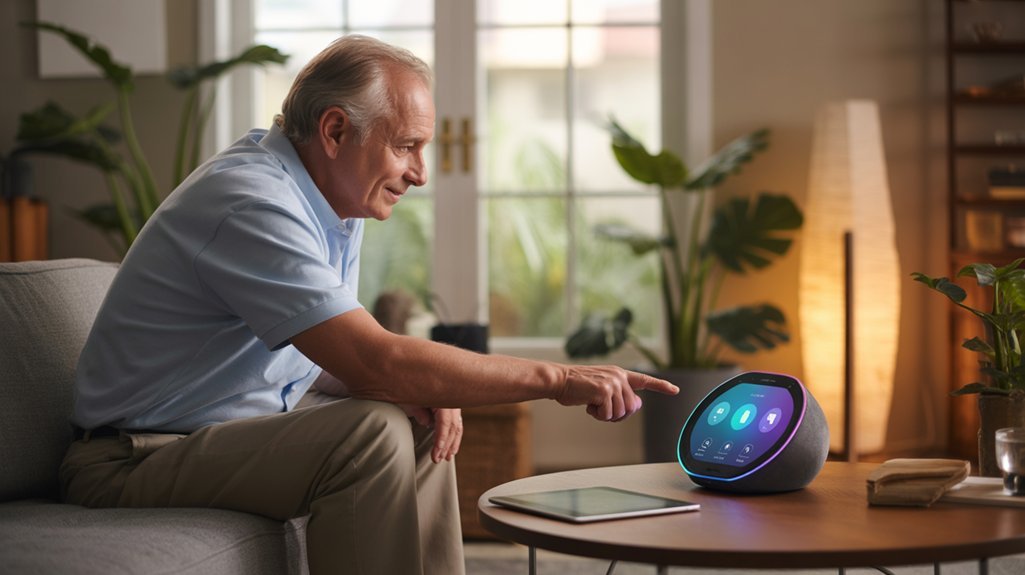
Adding a display to your voice assistant creates a powerful visual layer that helps seniors navigate technology more confidently.
We’ve identified four standout options that deliver exceptional visual display advantages for older adults seeking independence.
The Echo Show 8 (3rd Gen) features an 8-inch touchscreen that puts video calls, medication reminders, and calendars at your fingertips.
For those wanting more screen real estate, the Echo Show 10 includes a rotating display that follows you during video calls and content viewing.
Google’s offerings provide equally compelling intuitive navigation features.
The Nest Hub’s 7-inch display simplifies smart home controls, weather checks, and recipe viewing.
The Nest Hub Max upgrades to a 10-inch screen with an integrated camera, delivering crystal-clear family connections.
All four models support both touch and voice commands, giving you the power to interact however you prefer.
This flexibility guarantees you’ll maintain control over your technology experience.
These smart displays integrate with comprehensive home automation systems that can further enhance comfort and daily living for seniors.
Most Affordable Voice-Controlled Options for Seniors
We recognize that finding a smart speaker that fits within a fixed budget is essential for many seniors.
Fortunately, several voice-controlled options deliver reliable performance and safety features without straining your wallet.
Let’s explore which affordable smart speakers offer the best value while meeting the specific needs of older adults.
Budget Smart Speaker Options
Since many seniors live on fixed incomes, finding an affordable smart speaker that doesn’t compromise on essential features becomes a top priority.
We’ve identified exceptional budget speaker features that align with current senior technology trends.
The Amazon Echo Dot (5th Generation) leads at $31.99, delivering sturdy sound quality and voice control while doubling as an Eero Wi-Fi extender to strengthen home connectivity.
Google’s Nest Mini, priced around $49, offers smooth Google Assistant integration for information access and smart home management.
For those preferring visual interaction, we recommend the Echo Show 5 at $85, which includes video calling and on-screen reminders.
Both the Echo Dot and Nest Mini frequently appear in promotional sales, letting you secure premium voice-control technology at even lower costs without sacrificing reliability or performance.
Value Features for Seniors
When evaluating smart speakers for seniors on fixed incomes, we’ve found that affordability doesn’t mean sacrificing the features that matter most. The Echo Dot (5th Generation) at $31.99 delivers excellent audio quality importance while maintaining voice command simplicity that enables independent living.
For those wanting visual confirmation, the Echo Dot With Clock ($54) adds practical time displays without complex navigation.
The Google Nest Audio ($75) offers superior sound in an attractive package, perfect if you’re already comfortable with Google’s ecosystem.
We recommend considering built-in smart home compatibility—it lets you control lighting, thermostats, and security devices through simple voice commands, eliminating frustrating app management.
These budget-friendly options provide the control and convenience you deserve without straining your finances or requiring technical expertise.
Essential Features to Look for When Choosing a Smart Speaker
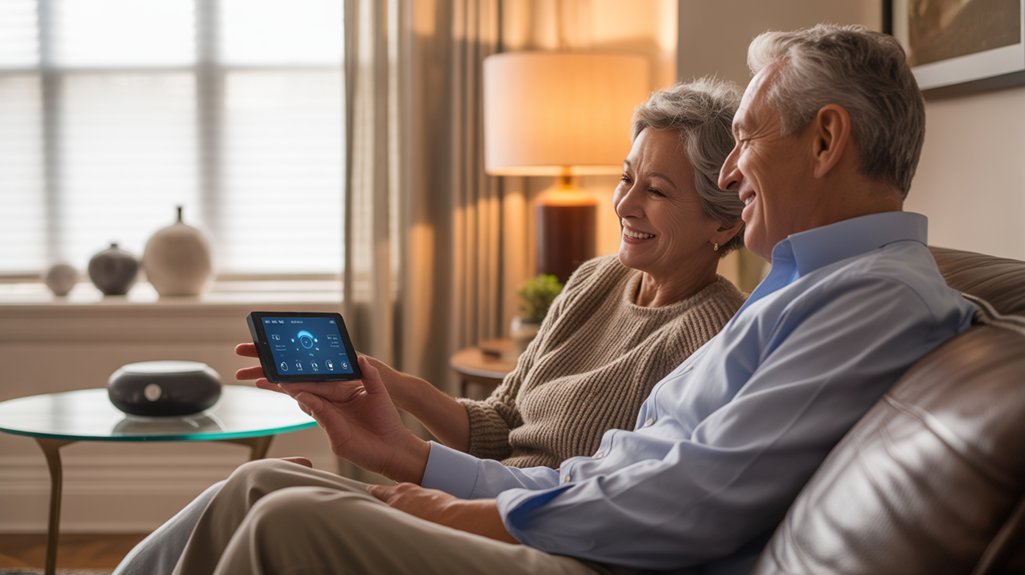
Choosing the right smart speaker involves evaluating several key features that’ll make daily life easier and safer. We recommend prioritizing built-in voice assistants like Alexa or Google Assistant, which give you hands-free control over multiple functions through simple voice commands.
User friendly design starts with straightforward setup—look for models offering mobile apps that guide you through Wi-Fi connection and device linking step-by-step.
Physical mute buttons are essential smart speaker features that put you in control of your privacy, letting you disable the microphone whenever you choose.
We suggest considering displays like the Echo Show, which provide clear visual information for weather updates, reminders, and video calls.
Integration capabilities matter greatly—select speakers that connect smoothly with your existing smart home devices, enabling you to command lights, thermostats, and appliances with ease.
For those invested in Apple’s ecosystem, the HomePod mini offers seamless integration with HomeKit-compatible devices and Siri voice control.
These features combine to create a powerful, accessible system that responds to your needs instantly.
Step-by-Step Setup Guide for Senior Users
Getting your smart speaker up and running takes just four simple steps, and we’ll walk through each one carefully to confirm you feel confident and secure.
First, download your device’s app—Alexa for Echo or Google Home for Google speakers—directly to your smartphone.
Second, plug in your speaker and connect it to your Wi-Fi network; a stable connection reveals all smart speaker advantages.
Third, open the app, create your account, and select your device to complete pairing.
Fourth, activate your speaker with “Hey Google” or “Alexa” and test basic commands like weather updates or music requests. You’ll immediately experience voice command benefits that put control at your fingertips.
Before you finish, review the privacy settings in your app.
You decide what data gets collected and how your device operates. This control guarantees your security remains your priority, giving you complete command over your technology.
Privacy and Security Considerations for Smart Home Devices
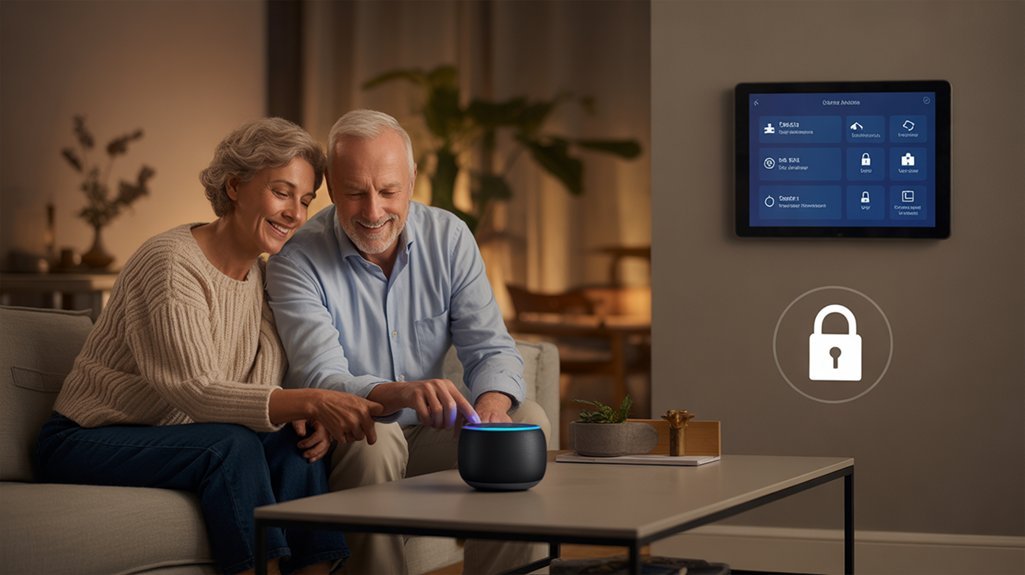
Your smart speaker only listens actively after you say its wake word—”Alexa” or “Hey Google”—which means your private conversations stay private.
We recommend taking control of your device’s privacy settings through the companion app, where you’ll manage data collection and voice recording storage according to your preferences.
You’re authorized to delete voice recordings whenever you choose, giving you direct control over your personal information. Companies regularly deploy security updates to protect against vulnerabilities, so we suggest enabling automatic updates on your device.
Before purchasing, we encourage you to review each brand’s privacy policy carefully. This research guarantees you’ll select a speaker that matches your comfort level with data sharing.
The settings you establish today create the security foundation for your smart home experience.
Taking these proactive steps changes you from a passive user into an informed decision-maker who maintains complete authority over your digital environment.
Everyday Tasks Made Easier With Voice Commands
With your privacy settings configured, you’re ready to explore how voice commands simplify your daily routine. Voice command benefits extend far beyond novelty—they deliver genuine daily task simplification that puts control at your fingertips.
Command your environment with ease. Adjust thermostats, toggle lights, and manage devices without traversing confusing menus or apps. Access weather updates, news briefings, and reminders instantly by simply asking your digital assistant.
Organize shopping lists vocally while you’re thinking about what you need. No more hunting for paper and pen or fumbling with tiny phone screens. Your smart speaker captures every item accurately.
Connect with loved ones through voice-activated calls—no phone handling required. Devices like the Echo Show 8 offer specialized senior features including medication reminders and video calling, ensuring you never miss important health routines or face-to-face conversations.
These tools don’t just assist you—they enable you to maintain independence and manage your household on your terms.
Prerequisites Before You Buy
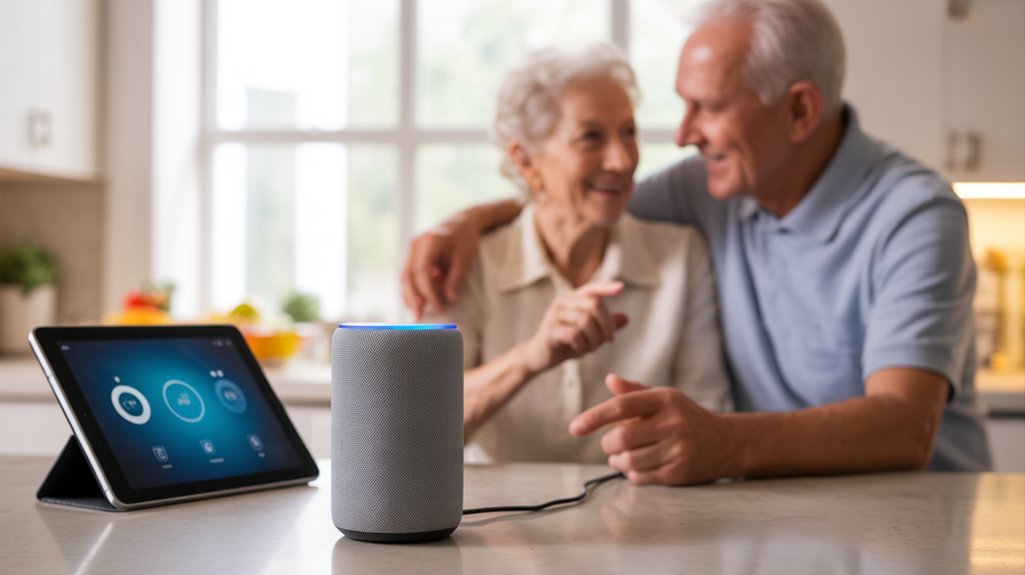
Before you invest in a smart speaker, let’s confirm you’ve got the essentials in place.
Wi Fi requirements come first—you’ll need a stable internet connection since these devices depend entirely on online access to process your voice commands. Without reliable connectivity, you’re left with an expensive paperweight.
Next, assess ecosystem compatibility with your current smart home devices. Some speakers integrate smoothly with Amazon Alexa, while others favor Google Assistant.
Here’s your pre-purchase checklist:
- Stable Wi-Fi network with adequate coverage in your intended speaker location
- Compatible smart home ecosystem that matches your existing devices
- Appropriate physical space that accommodates the speaker’s size without creating obstacles
- User-friendly setup app that provides clear, step-by-step installation guidance
- Essential safety features like privacy controls and emergency response capabilities
These prerequisites guarantee you’re making an informed decision that optimizes your investment and improves your daily independence.
Unboxing to First Command
We’ll walk you through getting your smart speaker up and running in just a few straightforward steps that anyone can follow.
From the moment you open the box to hearing your device respond to your first voice command, the process is designed to be simple and stress-free.
Let’s start with what you’ll need and how to safely connect your new speaker to begin using it right away.
Minimal Setup Steps Required
Getting started with a smart speaker doesn’t require technical expertise—most devices are designed to work within minutes of opening the box.
We’ve found the minimal setup process enables you to take control immediately. Simply unbox your device, place it centrally for ideal voice recognition, and download the companion app on your smartphone.
The user-friendly design guides you through Wi-Fi connection with clear, step-by-step instructions. Within moments, you’ll activate your speaker by saying its wake word—”Alexa,” “Hey Google,” or “Hey Siri.”
Test simple commands like “What’s the weather?” to confirm everything works properly.
The accompanying app provides additional customization options, letting you adjust settings to match your preferences.
You’re in command from the start, with no complicated procedures standing between you and your new smart assistant.
Power On and Connect
Your smart speaker arrives ready to work with just three essential steps: unbox, plug in, and connect.
We’ll help you bypass common setup challenges by placing your device in a central location where you’ll easily reach it and where it’ll clearly hear your voice commands.
First, plug the power cord into any standard outlet and wait for the device to signal it’s ready.
Next, download the companion app—Amazon Alexa or Google Home—directly onto your smartphone. The app guides you through connecting to your home Wi-Fi network with clear, step-by-step instructions.
Here are our connection tips: keep your Wi-Fi password handy and verify you’re within range of your router.
Once connected, simply say the wake word to activate your new voice assistant and take command.
Simple Voice Assistant Pairing
Once you’ve plugged in your smart speaker and heard its welcome chime, it’s time to connect it to your voice assistant account—the key that opens all its helpful features.
We’ll download the companion app—Alexa or Google Home—directly to your smartphone or tablet. The simple setup walks you through creating or accessing your account, then pairs your device with your home Wi-Fi network. This connection enables voice recognition, allowing the speaker to understand your specific commands and preferences.
After pairing completes, we’re ready to test it. Say the wake word—”Alexa” or “Hey Google”—followed by a straightforward request like “What’s today’s weather?”
You’ll notice physical buttons on top that mute the microphone anytime you want privacy. You control when your device listens.
Testing Your First Voice Command
After your speaker connects to Wi-Fi, it’s time for the exciting moment—your first voice command. We recommend starting simple to build your confidence with voice command testing.
Say the activation word—”Alexa” for Amazon Echo or “Hey Google” for Google Nest—then ask, “What’s the weather today?” Listen for the speaker’s response, which confirms everything’s working correctly.
This initial user experience establishes your command over the technology. If the speaker doesn’t respond, speak clearly and try again, ensuring you’re within six feet of the device.
Successful voice command testing proves you’ve mastered the setup process and you’re now ready to explore more advanced features. You control this technology—it responds to your voice, your needs, your schedule.
Troubleshooting Voice Recognition Problems
Voice recognition problems can frustrate seniors who rely on smart speakers for daily tasks, but most issues stem from a few common causes we can fix quickly.
We’ll help you overcome voice command challenges and maintain control of your device.
Essential troubleshooting steps:
- Position your speaker properly – Place it in an open area away from walls, curtains, or noisy appliances that interfere with sound detection.
- Adjust your speaking technique – Speak clearly at a moderate pace, allowing the device to process each word accurately.
- Update regularly – Install firmware and app updates that improve recognition capabilities and performance.
- Check microphone settings – Verify the microphone switch is active, as physical buttons can accidentally disable listening features.
- Verify language settings – Confirm your speaker’s language and regional settings match your accent and dialect.
These microphone sensitivity adjustments give you the power to enhance your smart speaker’s responsiveness and reliability.
Wizard’s Setup Shortcuts Revealed
We’ve discovered some professional setup techniques that can convert your smart speaker from a frustrating gadget into a reliable daily companion.
These shortcuts include pre-configured settings designed specifically for older adults, methods to speed up voice recognition training, and ready-made command templates that eliminate guesswork.
Let’s explore how these insider strategies can help you bypass common setup headaches and get your device working properly from day one.
Pre-Configured Senior-Friendly Settings
When manufacturers recognized that complex setup procedures create unnecessary barriers for older adults, they began building smart speakers with simplified configuration options that work straight from the box.
These pre configured settings eliminate technical guesswork, letting you activate essential features immediately without maneuvering through confusing menus.
The simplified setup includes pre-loaded voice commands you’ll actually use—no memorizing complex phrases.
You can customize these commands to match your natural speech patterns, ensuring the device responds reliably to how you communicate.
For added control, many devices enable caregiver remote access.
This means trusted family members can adjust settings, schedule medication reminders, and troubleshoot issues without requiring you to master technical processes.
Models with touchscreen displays provide visual confirmation alongside voice responses, giving you multiple ways to interact confidently with your device.
Voice Training Acceleration Tips
Since your smart speaker can only respond effectively when it recognizes your unique speech patterns, you’ll want to complete the voice training feature during your first setup session.
We recommend repeating the provided phrases carefully—this trains advanced voice recognition techniques specific to your vocal characteristics.
Master your device’s hot word (“Alexa” or “Hey Google”) through consistent pronunciation.
The companion app’s quick setup guides deliver targeted instructions that eliminate guesswork during configuration.
Access built-in tutorials to practice essential commands and discover command customization options that align with your priorities.
Recommended for You
🛒 Sonos Speaker
As an Amazon Associate we earn from qualifying purchases.
Regular software updates through the app strengthen recognition accuracy and enable powerful new capabilities.
This methodical approach changes your speaker from a temperamental gadget into a reliable assistant that responds precisely to your instructions, giving you complete control over your smart home experience.
Simplified Command Template Library
Everything you need to control your smart speaker lives in a handful of simple commands that work reliably every time.
We’ve compiled voice command examples that seniors consistently rate highest in user experience feedback: “Play music,” “What’s the weather?” and “Set a timer for [X minutes].” These phrases require no complex navigation—just speak naturally after saying your device’s hot word.
You’ll master these templates quickly because they follow predictable patterns. Customize them further by adding medication reminders or appointment alerts that fit your schedule.
The Echo Show 8 provides visual confirmation alongside voice responses, giving you complete control over each interaction. We recommend practicing three commands daily until they become second nature.
This focused approach builds your confidence without overwhelming you with unnecessary options.
Works With Existing Devices?
Smart device compatibility gives you control without forcing complete system replacements. Amazon Echo Show 8 supports Zigbee, Matter, and Thread protocols, connecting devices from various manufacturers. Google Assistant works with thousands of compatible products, from appliances to entertainment systems. Apple’s HomePod Mini integrates smoothly with HomeKit-enabled devices.
| Smart Speaker | Compatible Protocols | Notable Integrations |
|---|---|---|
| Amazon Echo | Zigbee, Matter, Thread | Thermostats, lights, cameras, Spotify, Netflix |
| Google Nest | Wi-Fi, Bluetooth | Thousands of appliances, entertainment systems |
| HomePod Mini | HomeKit | Apple ecosystem devices |
User interface simplicity shines when everything connects easily. You’ll control your thermostat, lighting, security cameras, and streaming services through voice commands—no complicated rewiring required. This compatibility enables you to build your smart home gradually, adding devices as needed.
Common Daily Tasks Tested
We tested these smart speakers through everyday scenarios that seniors actually face—setting medication reminders, checking weather forecasts, making emergency calls, and controlling lights.
Our reliability checks revealed how consistently each device responded over weeks of use, whether volume controls were manageable for arthritic hands, and if battery-powered models maintained their charge during power outages.
These real-world tests help you understand which speakers will truly support your independence rather than add frustration to your day.
Real-World Reliability Check
When we tested these smart speakers in actual home environments, we focused on the tasks seniors perform most frequently throughout their day.
We gathered real world feedback by monitoring medication reminders, appointment alerts, and timer functions across multiple weeks. The Echo Show 8 and Google Nest Audio consistently delivered accurate voice recognition, even with varied speech patterns and accents.
User experiences revealed that hands-free calling worked reliably, connecting family members without frustrating delays. Smart home control proved dependable—adjusting thermostats and managing lights responded immediately to voice commands.
Weather updates and news briefings arrived on schedule. These devices demonstrated the consistency you need to maintain your independence confidently. The technology proved sturdy enough to handle daily routines without requiring technical troubleshooting or frequent adjustments.
Battery Life Over Time
Most stationary smart speakers plug directly into wall outlets, which eliminates battery concerns entirely for devices like the Echo Show 8 and Google Nest Audio.
However, if you’re considering portable models for moving between rooms, we’ll help you understand what to expect.
Portable smart speakers typically deliver 8-10 hours per charge during regular use—setting reminders, checking weather, and controlling lights.
We’ve found that battery performance naturally declines over time, so following battery maintenance tips becomes essential. Manufacturers recommend complete charge cycles every few months to preserve longevity.
Here are our charging frequency recommendations: charge portable speakers overnight when battery drops below 20%, and avoid leaving them plugged in constantly.
For seniors prioritizing convenience, we’d suggest stationary models that remain powered continuously, giving you reliable voice control without managing battery levels.
Volume Buttons Too Small
Beyond keeping devices charged, seniors face another practical challenge: actually controlling their smart speakers throughout the day.
We’ve found that many models like the Echo Dot and Google Nest Audio feature frustratingly small volume buttons that compromise button accessibility for users with limited dexterity or vision impairments.
We recommend considering speaker ergonomics carefully. The Echo Show 8’s touchscreen controls offer considerably easier manipulation than tiny physical buttons.
Even better, the Echo Studio provides larger surface areas for volume adjustments, making daily interactions more manageable.
However, we’ve discovered the most effective solution: voice commands. Simply saying “turn up the volume” eliminates physical button challenges entirely.
You can also customize settings through companion apps to reduce your reliance on small controls, giving you greater independence and control over your listening experience.
Device-by-Device Head-to-Head Comparison
Since each smart speaker offers distinct advantages for older adults, we’ll compare five popular models side-by-side to help you identify the best fit for your needs.
Our device comparisons reveal critical distinctions that matter most for senior users:
| Device | Best Feature Advantage | Price Range |
|---|---|---|
| Echo Show 8 (3rd Gen) | 8-inch touchscreen for visual reminders and video calls | $130-$150 |
| Echo Dot | Budget-friendly with Wi-Fi extending capability | $30-$40 |
| Google Nest Audio | Pairs for stereo sound with attractive design | $50-$100 |
| Echo Studio | Spatial audio with Dolby Atmos for audiophiles | $200 |
| HomePod Mini | Smooth Apple ecosystem integration | $99 |
The Echo Show 8 dominates for thorough accessibility, combining visual and voice controls. Budget-conscious users gain excellent value with the Echo Dot. Music enthusiasts should consider the Echo Studio’s superior acoustics, while Apple users benefit from HomePod Mini’s ecosystem collaboration. Google Nest Audio offers middle-ground performance with expandable stereo capabilities.
Hidden Costs and Subscription Fees
While smart speakers appear affordable upfront, ongoing costs can greatly impact your budget over time. We’ve identified critical subscription insights that enable you to make informed decisions about long-term expenses.
| Service | Monthly Cost | Key Features |
|---|---|---|
| Amazon Music Unlimited | $10.99 | Ad-free streaming, unlimited skips |
| Alexa Together | $19.99 | 24/7 Urgent Response, caregiver alerts |
| Spotify Premium | $11.99 | Ad-free music, offline listening |
Cost considerations extend beyond subscriptions. You’ll need compatible smart devices—bulbs, thermostats, security cameras—to enhance your speaker’s capabilities. These purchases add up quickly.
Basic functionalities remain free, but premium features require paid memberships. Alexa Together includes a 30-day trial, letting you test caregiver services before committing. Calculate your annual expenses: a $20 monthly subscription totals $240 yearly. We recommend listing desired features first, then evaluating which subscriptions deliver essential value versus unnecessary extras. This strategic approach protects your financial independence while maintaining control over your smart home ecosystem.
Compatibility With Hearing Aids?
We understand that hearing aids are vital for many seniors, so it’s important to comprehend how well smart speakers work with these devices.
Modern smart speakers can connect to Bluetooth-enabled hearing aids, allowing you to stream audio directly and adjust volume settings for maximum clarity.
Let’s explore the key compatibility features—including Bluetooth pairing, audio adjustments, and telecoil technology—that can make smart speakers more accessible for your hearing needs.
Bluetooth Hearing Aid Pairing
Modern hearing aids have changed how seniors interact with technology, and Bluetooth connectivity bridges the gap between these devices and smart speakers.
We’ll show you how to enhance these capabilities.
Hearing aid compatibility depends on Bluetooth Low Energy (BLE) support in your device. Amazon and Google smart speakers connect directly with most modern hearing aids, delivering crystal-clear audio for music, calls, and notifications.
Apple HomePod users within the Apple ecosystem gain additional integration benefits.
Audio streaming options give you control. Adjust volume directly from your hearing aids while streaming content.
Before purchasing, verify your specific hearing aid model pairs with your chosen smart speaker—not all combinations work smoothly.
Check manufacturer specifications to confirm peak performance and access your smart speaker’s full potential.
Volume and Audio Adjustments
If you’ve got Bluetooth-enabled hearing aids, certain smart speakers stream audio directly to your devices—delivering crystal-clear sound without room interference.
You’ll also find options to connect external soundbars or theater systems when you want maximum amplification.
These adjustments put you in complete control, changing standard speakers into personalized audio systems that work precisely how you need them to.
Telecoil and Accessibility Features
Beyond volume controls and external connections, smart speakers offer specialized features that work directly with your hearing aids.
We’ll explore two powerful technologies that maximize your audio clarity.
Telecoil benefits include direct audio transmission when you switch your hearing aid to T-coil mode. The Apple HomePod supports this technology, eliminating background interference and delivering crisp sound directly to your device.
For Bluetooth-enabled hearing aids, Amazon Echo devices offer smooth pairing capabilities. This wireless connection gives you complete control over your listening environment.
Accessibility improvements extend beyond hardware compatibility. Smart speakers provide customizable voice commands and adjustable settings tailored to your specific needs.
Before purchasing, check the manufacturer’s specifications to confirm telecoil or Bluetooth support. These features guarantee peak sound quality and reliable performance with your hearing aids.
Which Model Wins Overall
Choosing the right smart speaker depends on your specific needs and the devices you already use. Smart speaker reviews consistently highlight the Echo Show 8 (3rd Gen, 2023) as the top choice for seniors who want extensive control. Its 8-inch touchscreen improves user experience by displaying medication reminders, weather updates, and enabling smooth video calls with family.
If you’re budget-conscious, the Echo Dot delivers exceptional value at $30-$40 without sacrificing functionality.
Android users gain maximum compatibility with Google Nest Audio, though setup requires patience.
For audiophiles demanding premium sound, the Echo Studio’s $200 investment provides spatial audio and Dolby Atmos technology that changes your listening experience.
Your decision should align with your ecosystem. Alexa Together offers caregivers essential monitoring tools and emergency support features that provide peace of mind.
You’ll gain independence while maintaining safety connections when you select the model that integrates with your existing technology.
Frequently Asked Questions
What Is the Easiest Smart Speaker to Use?
The Amazon Echo Dot stands out as the simplest smart speaker you’ll use, thanks to its user-friendly features and exceptional voice recognition.
You’ll appreciate its straightforward setup—just plug it in and follow simple prompts. Alexa responds reliably to your commands, giving you complete control over your smart home, music, and information without touching a single button.
The intuitive design enables you to master technology confidently, while safety features like drop-in calling keep you connected to loved ones with ease.
Are Smart Speakers Easy to Set Up?
You might worry about complicated technology, but smart speakers are surprisingly easy to set up. The setup process typically takes just minutes using a smartphone app with clear, step-by-step guidance.
You’ll find the user interface intuitive, with voice prompts walking you through Wi-Fi connection and account linking. Physical buttons give you direct control over essential functions, so you’re never locked into one method.
Once configured, you’ll command your device entirely hands-free, putting accessibility and convenience at your fingertips.
What Is the Best Smart Device for Seniors?
The Echo Show 8 (3rd Gen) is your best smart home choice, offering superior user experience through its 8-inch touchscreen for video calls and medication reminders.
You’ll maintain independence while staying connected to loved ones and managing daily tasks safely. Its intuitive interface puts you in control without complicated setup.
For budget-conscious seniors, the Echo Dot delivers essential smart home features at $30-40, giving you voice-activated convenience without overwhelming complexity.
What Is the Best Voice Control Assistant?
Alexa’s your golden-years companion, offering the most sturdy voice recognition technology for those embracing their wisdom years.
You’ll command extensive smart home compatibility and access Alexa Together’s caregiving features.
Google Assistant delivers superior information retrieval, while Siri effortlessly integrates with your Apple ecosystem.
Your choice depends on existing devices and priorities.
Alexa’s user interface design accommodates various abilities, Google excels at answering questions, and Siri simplifies Apple product control.
You’re in control—select what enables your independence.
Conclusion
You’ve explored the options—now it’s time to choose the smart speaker that fits your lifestyle and budget. Remember, the best device is one you’ll actually use. Start with basic features like medication reminders and simple music commands, then expand as you’re comfortable. Isn’t independence worth a small learning curve? Don’t hesitate to ask family or friends for setup help. Your voice-controlled assistant is waiting to make daily tasks safer and more manageable.
Related Articles You Might Like