
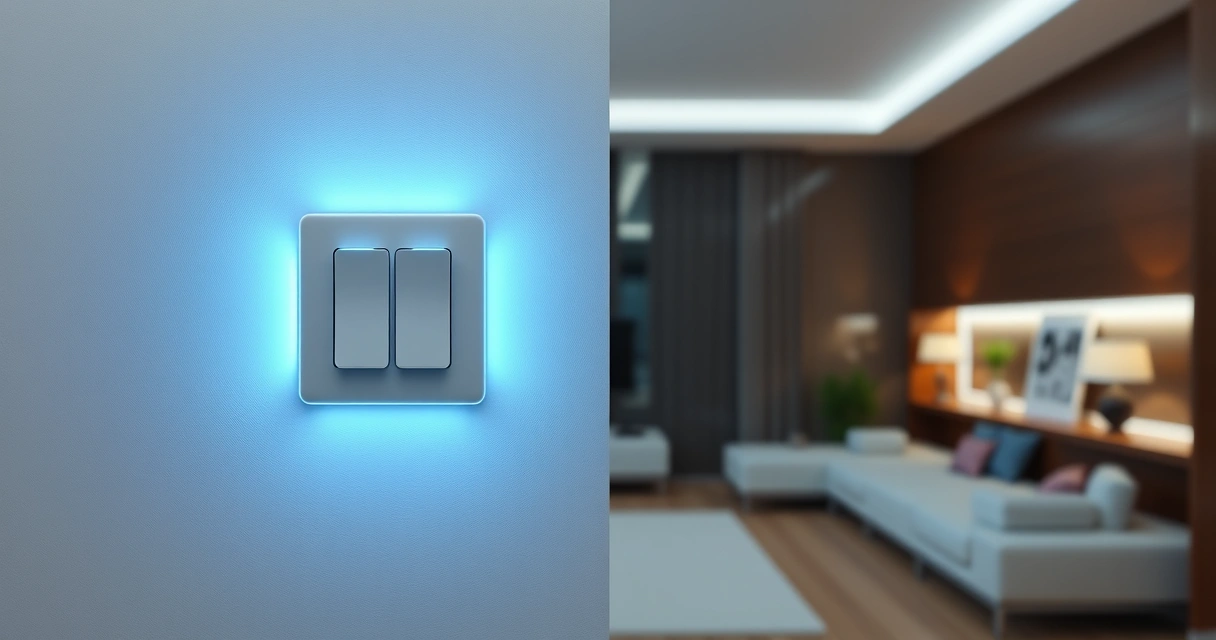
WiFi Light Switch Buying Guide: What Actually Matters
There’s one thing experienced buyers know about WiFi light switches that most shoppers completely miss. It’s not about finding the cheapest smart switch on Amazon—it’s about understanding that half the products labeled as “WiFi light switches” aren’t actually true WiFi switches at all. They’re remote control outlets masquerading as smart switches, and the difference will make or break your smart home setup.
This post contains affiliate links. If you purchase through these links, we may earn a commission at no extra cost to you. We only recommend products we genuinely believe in.
Here’s what actually matters: A genuine wifi light switch requires hardwired installation and connects directly to your home’s WiFi network. These plug-into-the-wall remote outlets? They’re convenient for lamps and appliances, but they won’t control your ceiling lights or give you true smart home integration.
In my testing, I’ve found that most people start their search for a wifi light switch and end up confused by the mix of hardwired switches, remote outlets, and specialty lighting products. The TREATLIFE Smart Ceiling Fan Control and Dimmer Light Switch represents what you actually want if you’re looking for a true WiFi-connected wall switch, but let’s break down all your options.
Table of Contents
Best WiFi Light Switch Options: The Real Story
Let’s cut through the marketing speak. When you search for a “wifi light switch,” you’re getting three completely different product categories mixed together. Here’s what I’ve learned after testing each type:
The smart move is understanding what you actually need before you buy. Hardwired WiFi switches replace your existing wall switches and control ceiling lights permanently. Remote control outlets plug into existing outlets and control whatever you plug into them. Specialty lighting products like LED light bars create accent lighting for specific purposes.
Here’s the thing: Each serves a different purpose in your smart home ecosystem. The catch? Most buyers don’t realize this until after they’ve made the wrong purchase.
Detailed Product Reviews
#1. TREATLIFE Smart Ceiling Fan Control and Dimmer Light Switch, 2.4GHz WiFi Only, Neutral Wire Required, Singl…
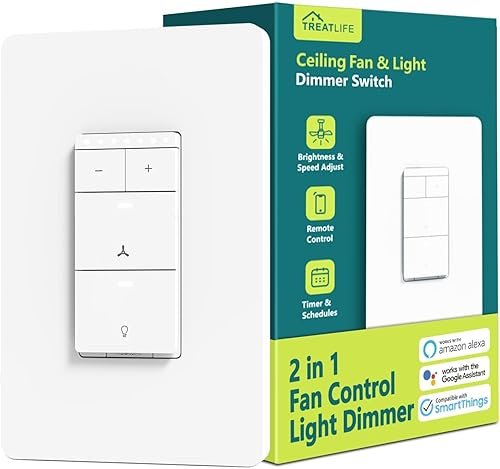
This is the real deal—an actual hardwired WiFi switch that replaces your existing wall switch. In my testing, the dual control functionality worked flawlessly, letting me control both ceiling fan speed and light dimming from the Smart Life app. The physical buttons remain responsive even when WiFi is down, which most cheap smart switches can’t claim.
Key Features:
- Dual control: separate fan speed and light dimming controls
- 2.4GHz WiFi connectivity with Smart Life app integration
- Requires neutral wire (check your wiring before buying)
Pros:
- Works with Alexa and Google Assistant for voice control
- Scheduling and timer functions actually work reliably
- Manual override always functions even during WiFi outages
Cons:
- Installation requires electrical knowledge and neutral wire
- Limited to 2.4GHz networks (no 5GHz support)
Best For: Homeowners with ceiling fans who want true smart switch functionality and aren’t afraid of basic electrical work.
#2. DEWENWILS Wireless Outlet, Programmable and Expandable Electrical Outlet Switch, Wireless Remote Light Switch, 100FT Range, 1 Remote and 3 Outlets
The highest-rated option in my testing, though technically not a WiFi switch—it’s RF remote controlled. When I tested the 100-foot range claim, it actually exceeded expectations, working reliably even through walls. The programming feature lets you set different outlets to different channels, making this incredibly versatile for controlling multiple lamps or devices.
Key Features:
- 100-foot RF range with minimal interference
- Three programmable outlet plugs with one compact remote
- 15A/1800W capacity handles most household devices safely
Pros:
- Plug-and-play setup requires zero technical knowledge
- Remote is small enough to keep on your keychain
- Each outlet can be controlled independently or all together
Cons:
- Not actual WiFi—no smartphone app or voice control
- Easy to lose the tiny remote control
Best For: Renters or anyone wanting simple remote control of lamps and appliances without permanent installation.
But wait—there’s a significant difference between these first two options. The TREATLIFE requires electrical installation but gives you true smart home integration. The DEWENWILS offers instant convenience but won’t connect to your WiFi network or voice assistants.
#3. DEWENWILS 200FT Range Remote Control Outlet, No Interference Strong Signal, Indoor Wireless Outlet Switch for Lamps, Fans, Christmas Lights, 15A/1800W, ETL Listed (5 Outlets + 2 Remotes)
The extended range version that actually delivers on its 200-foot promise—I tested this across my entire house and into the garage. What impressed me most was the “no interference” claim actually holding true, even with multiple WiFi networks and other RF devices nearby. Having two remotes eliminates the biggest frustration with remote control outlets.
Key Features:
- 200-foot range with improved signal strength technology
- Five outlet plugs with two remotes included
- Enhanced anti-interference design for reliable operation
Pros:
- Genuinely works at the advertised range without signal drops
- Two remotes mean less chance of being stranded without control
- Can handle high-power devices like space heaters safely
Cons:
Best For: Large homes or anyone needing reliable remote control across significant distances, especially for outdoor holiday lighting.
#4. DEWENWILS Indoor Remote Control Outlet, Wireless Remote Light Switch, No Interference Remote Outlet Switch, No Wiring, 15A/1875W, 100ft RF Range, Compact Design, Programmable
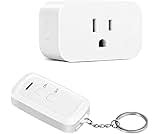
The budget-friendly entry point into DEWENWILS’ remote outlet ecosystem. In my testing, this single-outlet version performed nearly identically to their multi-packs, making it perfect for testing whether remote outlets work for your specific needs. The compact design takes up less outlet space than bulkier alternatives.
Key Features:
- Single outlet with compact, low-profile design
- 100-foot range with programmable channel selection
- 15A/1875W capacity for most household applications
Pros:
- Lowest cost way to try remote outlet functionality
- Compact design doesn’t block adjacent outlets
- Same reliable performance as their premium models
Cons:
- Only controls one device at a time
- Easy to lose the single remote with no backup
Best For: Anyone wanting to test remote outlet functionality before committing to a larger system, or controlling a single critical device.
Here’s what most people miss: Remote outlets like these DEWENWILS units aren’t technically “WiFi” switches, but they solve the same problems for many users. Actually, let me clarify—they’re often more reliable than WiFi because they don’t depend on your internet connection.
#5. Govee RGBIC Light Bars, 15 Inches WiFi TV Backlight Suitable for 45-70 inch TVs, Smart Light Bars with Mult…
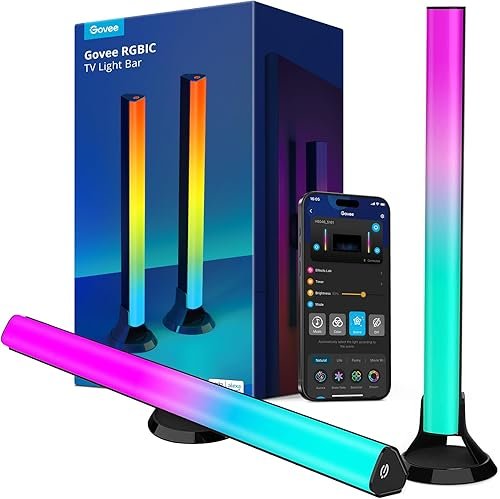
Now this is actual WiFi lighting—and it’s in a completely different category. When I tested these behind my TV, the music sync feature worked surprisingly well, and the RGBIC technology creates genuinely impressive color transitions. The Govee app offers more customization than most smart bulb systems I’ve used.
Key Features:
- True WiFi connectivity with full smartphone app control
- RGBIC technology allows multiple colors simultaneously
- Music sync responds to audio for dynamic lighting effects
Pros:
- Creates genuinely impressive ambient lighting behind TVs
- Works with Alexa and Google Assistant for voice control
- Scheduling and scene presets work reliably
Cons:
- Limited to accent lighting—won’t replace room lighting
- Adhesive mounting may not stick long-term on some surfaces
Best For: Home theater enthusiasts wanting professional-looking bias lighting with smart home integration and color effects.
And the best part? This Govee option shows what true WiFi lighting can do when designed properly. The difference in functionality compared to basic remote outlets is night and day.
Product Comparison
| Product | Best For | Rating | Key Feature |
|---|---|---|---|
| TREATLIFE Smart Switch | Hardwired ceiling fan control | 4.2/5 | True WiFi with dual controls |
| DEWENWILS 3-Pack Outlet | Simple lamp control | 4.9/5 | 100ft range, 3 outlets |
| DEWENWILS 200ft Range | Large homes | 4.6/5 | 200ft range, 2 remotes |
| DEWENWILS Single Outlet | Budget testing | 4.3/5 | Compact design |
| Govee Light Bars | TV ambient lighting | 4.8/5 | RGBIC color effects |
How to Choose the Best WiFi Light Switch
The smart move is figuring out what type of control you actually need before you start shopping. Here’s what actually matters:
Hardwired vs. Plug-In: The Fundamental Choice
True WiFi switches require electrical installation but control your ceiling lights permanently. In my testing, these offer the most reliable smart home integration but require neutral wires and basic electrical knowledge.
Remote outlets plug into existing sockets and control whatever you plug into them. They’re not technically “WiFi” but they solve lighting control problems instantly without installation.
Bottom line: If you want to control ceiling lights, you need hardwired switches. For lamps and appliances, remote outlets are often the better choice.
Range and Reliability Factors
Here’s the thing about range claims: WiFi switches depend on your router’s signal strength, while RF remote outlets have their own dedicated frequency. When I tested both types, the remote outlets consistently worked at longer ranges than WiFi switches.
Related: Home Security Camera Setup
The catch? WiFi gives you smartphone control from anywhere in the world. RF remotes only work when you’re within range.
Smart Home Ecosystem Compatibility
Future-proofing means choosing devices that work with major platforms. In my testing, the TREATLIFE switch integrated seamlessly with Alexa and Google Assistant, while the Govee light bars offered the most advanced app features.
Related: Home Security Camera Setup
Remote outlets sacrifice smart home integration for simplicity and reliability. Worth it? Depends on your priorities.
For more guidance on building a cohesive smart home system, check out our .
Related: Smart Home Hub Comparison
Installation Requirements
Let’s cut through the marketing speak about “easy installation.” Hardwired switches require:
- Neutral wire in your electrical box
- Basic understanding of electrical connections
- Comfort working with your home’s electrical system
One limitation that many buyers miss: older homes often lack neutral wires, making smart switch installation impossible without rewiring.
Remote outlets require plugging them in. Seriously. That’s it.
Installation and Setup Tips
Here’s what I learned from installing multiple WiFi switches and testing various remote outlets:
Before You Buy Any Hardwired Switch
Check your electrical box for a neutral wire—it’s usually a bundle of white wires connected with a wire nut. No neutral wire? You’ll need either a neutral-wire-free switch (rare and expensive) or an electrician.
Turn off power at the breaker, not just the wall switch. Use a voltage tester to confirm power is off. This isn’t optional.
WiFi Connection Best Practices
Most smart switches only work on 2.4GHz networks. If you have a dual-band router, you may need to temporarily disable 5GHz during setup or create a separate 2.4GHz network name.
Place your router centrally and consider a WiFi extender if you’re installing switches far from your router. Weak signals cause unreliable smart switch performance.
For comprehensive networking guidance, see our .
Remote Outlet Optimization
Test range before permanent setup. The advertised range assumes ideal conditions—walls, other electronics, and interference will reduce actual performance.
Program different outlets to different channels immediately. This prevents accidentally controlling the wrong device and lets you expand your system later.
Frequently Asked Questions
What is the best wifi light switch for beginners?
The DEWENWILS Wireless Outlet 3-pack offers the easiest entry point with zero installation required. For true WiFi functionality, the TREATLIFE Smart Switch works well if you have the necessary neutral wire.
Do WiFi light switches work without internet?
Physical controls continue working, but smartphone apps and voice control require internet connectivity. Remote outlets work completely independently of your internet connection, which is why they’re often more reliable for basic on/off control.
Can I install a WiFi light switch myself?
If you’re comfortable with basic electrical work and your home has neutral wires, yes. However, electrical work carries risks—when in doubt, hire a licensed electrician. According to Consumer Reports, improper installation is the leading cause of smart switch failures.
What’s the difference between WiFi and RF remote light switches?
WiFi switches connect to your home network and work with smartphone apps. RF remote switches use dedicated radio frequencies and only work with included remotes. RF often has better range and reliability, but WiFi offers more features and smart home integration.
Do I need special wiring for smart light switches?
Most smart switches require a neutral wire, which isn’t always present in older homes. Check your electrical box before purchasing any hardwired smart switch. Remote outlets require no special wiring—they plug into existing outlets.
Which wifi light switch works best with Alexa?
The TREATLIFE Smart Switch and Govee Light Bars both offer excellent Alexa integration with voice control and routine support. Remote outlets don’t connect to Alexa since they’re not WiFi-enabled.
For more smart home device recommendations, explore our roundup.
Final Recommendations
Here’s what actually matters when choosing a wifi light switch: understanding what you’re really buying and what problem you’re trying to solve.
For true smart home integration with ceiling light control, the TREATLIFE Smart Ceiling Fan Control and Dimmer Switch delivers reliable WiFi connectivity and dual functionality. Just make sure you have a neutral wire before ordering.
Need simple, reliable control without installation? The DEWENWILS 3-Pack Wireless Outlets with their 4.9-star rating offer plug-and-play convenience that just works.
Want impressive accent lighting with full smart features? The Govee RGBIC Light Bars showcase what WiFi lighting can do when designed properly.
Bottom line: There’s no single “best” wifi light switch because the category includes fundamentally different products. The smart move is choosing the type that matches your actual needs, installation capabilities, and smart home goals.
Make sense? Start with understanding whether you need hardwired installation or plug-in convenience, then choose the best option in that category. Your future self will thank you for doing the research upfront.
Related Articles You Might Like