- Transforming Your Space with Smart Lighting: A Practical Approach
- Understanding Smart Lighting Protocols
- The Backbone of Smart Home Integration
- Setting Up Smart Lighting in Minutes
- Simplicity at Its Best
- Creating Smart Lighting Scenes
- Taking a Strategic Approach to Smart Lighting
- Don’t Rush the Smart Home Setup
- Key Takeaways
- Listen to the Episode
- Collapsible Transcript
- Join Our Community
- Related Articles
This article contains affiliate links. We may earn a commission at no extra cost to you. Full disclosure.
Transforming Your Space with Smart Lighting: A Practical Approach
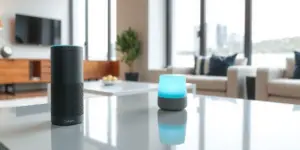
Smart lighting is revolutionizing the way we interact with our homes. As technology continues to advance, nearly 70% of US households are projected to adopt smart home devices by 2025. This staggering statistic points to the growing demand for convenience and efficiency in home management. Imagine walking into a room, and with a simple command, your lights illuminate, creating an atmosphere that feels just right for the moment. In this blog post, we’ll explore how you can achieve that seamless experience with a smart lighting setup in just ten minutes.
Understanding Smart Lighting Protocols
The Backbone of Smart Home Integration
To maximize the benefits of smart lighting, it’s essential to understand the various protocols that govern how these devices communicate. Among the most popular options are Zigbee, Z-Wave, and Wi-Fi.
- Zigbee: Known for its low-power mesh networking capabilities, Zigbee is particularly effective for larger homes where multiple rooms need coverage. Devices like the Lutron Caseta have proven to be reliable and easy to set up, providing consistent performance over extended distances.
- Z-Wave: Another robust choice, especially for users focusing on home security. Z-Wave tends to have fewer compatibility issues but can be slower in communication than Zigbee.
- Wi-Fi: Ideal for those who want an immediate setup without additional hubs or routers. Brands like Philips Hue harness this protocol effectively, but remember that your home’s Wi-Fi network must be well-managed to avoid connectivity issues.
Setting Up Smart Lighting in Minutes
Simplicity at Its Best
If you’re intimidated by the idea of setting up smart lighting, fear not! It’s as simple as replacing a standard bulb. Here’s how:
- Choose your smart bulb. Brands like Philips Hue and Wyze]”>Wyze offer great options.
- Screw in the smart bulb just as you would a regular bulb.
- Download the corresponding app and follow the setup instructions. Most smart bulbs come with user-friendly guides.
- Connect the bulb to your home Wi-Fi or smart hub.
Once operational, you can control your lighting through your smartphone or voice commands, making it incredibly easy to adjust the ambiance with just a few taps or a simple “Hey Google, turn on the living room lights.”
Creating Smart Lighting Scenes
One of the standout features of smart lighting is the ability to create scenes. This allows you to control multiple lights with a single command, ideal for transitioning from active to relaxed settings.
- Consider defining scenes like “Movie Night” where the living room dims automatically, or “Reading Corner” where lights focus on your favorite nook.
- For troubleshooting, ensure your bulb is within range of the hub. If connectivity issues arise, this is often the culprit!
Taking a Strategic Approach to Smart Lighting
Don’t Rush the Smart Home Setup
When diving into the world of smart lighting, take a moment to assess your daily routine. Prioritize areas based on your habits. A common pitfall is overspending on high-end tech that doesn’t substantially enhance your experience.
- Opt for devices with motion sensors to automatically dim or turn off lights based on occupancy.
- Start with essential rooms like the living room, kitchen, or home office before expanding to other areas of your home.
- Define sequences that maximize your comfort: for instance, setting lights to a warm glow for evening relaxation.
Key Takeaways
- Smart lighting is accessible to everyone with just a few easy steps.
- Understanding communication protocols like Zigbee, Z-Wave, and Wi-Fi is crucial for a reliable setup.
- Creating lighting scenes can significantly enhance your home environment.
- Prioritize your smart lighting purchases based on your daily habits for the best value.
- Always troubleshoot range issues to maintain connectivity and responsiveness.
Listen to the Episode
For a deeper dive into the world of smart lighting and to hear more practical tips, check out the latest episode of SmartHome Wizardry:
[EMBED_PLAYER]
Collapsible Transcript
Join Our Community
As you venture further into enhancing your smart home experience, stay informed by subscribing to our newsletter! You’ll receive weekly tips, exclusive discounts on smart home products, and a complimentary e-guide on the Best Smart Home Devices Under $100. Sign up today and embark on your journey towards a more connected and efficient home!
🔍 Our Top Pick
**Editor’s Pick:** For effortless lawn care, upgrade to the **Rachio 3 Smart Sprinkler Controller**—precision watering with smart.
Make Your Home Smarter
Device reviews, automations, and the deals worth grabbing.
Related Articles You Might Like