- Key Takeaways
- The Hidden Costs Behind Smart Home Device Purchases
- Breaking Down Common Smart Home Subscription Services
- What Features Typically Require Paid Subscriptions
- Cloud Storage and Recording
- Advanced AI Detection Features
- How Much Smart Home Enthusiasts Actually Spend Per Year
- Free Alternatives and Workarounds to Subscription Services
- Open-Source Smart Home Platforms
- DIY Local Storage Solutions
- Comparing Subscription Models Across Major Brands
- When Subscriptions Actually Provide Real Value
- The Long-Term Financial Impact of Smart Home Subscriptions
- Making an Informed Decision About Your Smart Home Budget
- Frequently Asked Questions
- Can I Share One Subscription Across Multiple Homes or Properties?
- What Happens to My Stored Data if I Cancel My Subscription?
- Do Subscription Prices Increase Over Time and How Often?
- Are There Family Plans or Multi-User Discounts for Smart Home Subscriptions?
- Can I Temporarily Pause My Subscription During Vacations or Extended Absences?
- Conclusion
- Related Reading



Smart home subscriptions aren’t universally worth it—your value depends on usage patterns. You’ll spend $120-$800+ annually depending on your setup, with costs potentially exceeding hardware prices within 2-3 years. Cloud storage, AI detection, and continuous recording typically require paid tiers ($3-$30 monthly per device). However, free alternatives like Home Assistant and local storage exist. Basic users might justify essential subscriptions, while tech-savvy homeowners can avoid recurring fees entirely. The sections below break down specific costs, alternatives, and calculation methods to determine your best approach.
Key Takeaways
- Hidden costs like subscriptions ($3-$30/month) and installation fees ($100-$300) can exceed hardware investment within two years of ownership.
- Power users spend over $800 annually on subscriptions, while basic users pay $120-$300 for essential cloud storage and monitoring services.
- Premium features including AI detection, facial recognition, and continuous recording are locked behind paid subscription tiers at most providers.
- Open-source alternatives like Home Assistant and local NAS storage eliminate recurring fees while maintaining full control over devices.
- Subscription costs typically increase 5-15% annually, with multi-device households experiencing exponential growth in total expenses over time.
The Hidden Costs Behind Smart Home Device Purchases

When you purchase a smart thermostat or video doorbell, the advertised price rarely tells the complete story.
You’ll encounter hidden fees that manufacturers strategically omit from initial marketing materials. Cloud storage for security cameras typically requires monthly subscriptions ranging from $3 to $30, converting a one-time purchase into perpetual payments.
Advanced features you assumed were included often sit behind paywalls. Motion detection zones, continuous recording, and facial recognition demand premium tiers.
These unexpected expenses compound rapidly across multiple devices, potentially exceeding your original hardware investment within two years.
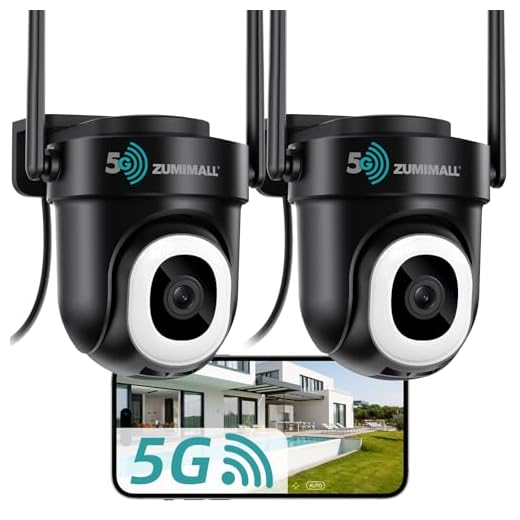
Professional installation adds another layer of costs. While DIY setup seems feasible, complex integrations with existing systems frequently necessitate expert intervention at $100-$300 per device.
Ring’s subscription model exemplifies this approach, where basic person and package detection alerts require a Ring Home Plan, sold separately from their hardware devices.
The economic reality demands careful evaluation: calculate total ownership costs over 3-5 years before committing.
Before purchasing smart home devices, project all subscription fees, installation costs, and premium feature expenses across multiple years to understand true financial commitment.
You’re not simply buying hardware—you’re entering long-term financial agreements that grant you control, but at escalating prices.
Breaking Down Common Smart Home Subscription Services
Smart home subscription services fall into three primary categories that extract recurring revenue from your connected ecosystem.
Security and monitoring services command $10-30 monthly, offering professional surveillance, emergency dispatch, and cloud video storage. You’ll find smart device compatibility varies greatly—Ring and Nest dominate but tie you into their proprietary ecosystems.
Enhanced functionality tiers reveal advanced features already built into your hardware. Wyze Cam Plus ($2/month) and Arlo Secure ($5-13/month) gate AI detection, extended recording, and rich notifications behind paywalls.
Integration platforms like Home Assistant Cloud ($6.50/month) and SmartThings Premium provide cross-platform control and automation capabilities.
The emerging Matter standard promises improved interoperability across different smart home brands and subscription services, potentially reducing ecosystem lock-in.
Subscription service comparisons reveal a strategic pattern: manufacturers artificially limit base functionality to drive recurring revenue.
You’re basically paying rental fees for features your hardware can technically perform. Before committing, evaluate whether these services provide genuine value or simply charge you for revealing capabilities you’ve already purchased.
What Features Typically Require Paid Subscriptions

Smart home manufacturers typically offer basic device functionality without ongoing fees, but they reserve their most powerful features for paid subscription tiers.
You’ll find that cloud storage for video recordings and advanced AI detection capabilities consistently sit behind paywalls across major brands.
These subscription-gated features change devices from simple sensors and cameras into extensive security and automation systems with extended memory and intelligent analysis.
Cloud Storage and Recording
Video footage storage represents the most common paid feature across smart home camera systems, with manufacturers typically offering limited free storage—often 24 to 48 hours—before requiring a subscription.
You’ll find cloud storage options tiered by retention periods: seven-day plans cost $3-5 monthly, while 30 or 60-day access requires $10-20.
Recording quality directly impacts your storage capacity and cost—4K footage consumes considerably more space than 1080p, forcing you to choose between resolution and retention length.
Premium tiers enable continuous recording versus motion-triggered clips, giving you complete coverage rather than potentially missing critical moments.
Some systems offer local storage through SD cards or base stations, eliminating recurring fees but sacrificing remote access and automated backup protection that cloud solutions provide.
Advanced AI Detection Features
Basic motion detection comes standard with most smart cameras, but distinguishing between a passing car and a package thief requires artificial intelligence that manufacturers reserve for paying subscribers.
You’ll access person detection, facial recognition, and pet identification through these premium tiers. AI analytics can differentiate between delivery personnel, family members, and unknown visitors, then trigger customized responses. Advanced systems identify specific activities like loitering, package removal, or unusual movement patterns.
You’re also paying for predictive maintenance capabilities that monitor device performance and alert you before failures occur. These algorithms learn your household patterns, reducing false alerts while improving threat detection accuracy.
Some subscriptions include sound recognition that identifies breaking glass, smoke alarms, or crying babies—transforming your security system into an all-encompassing monitoring solution.
How Much Smart Home Enthusiasts Actually Spend Per Year
Annual spending on smart home subscriptions varies dramatically based on how deeply users integrate these services into their daily lives.
Smart device costs compound quickly when you’re managing multiple platforms simultaneously.
Managing multiple smart home platforms creates a cascade of subscription fees that multiply faster than most users anticipate.
Consider these typical annual spending tiers:
- Basic Users ($120-300): You’ll maintain essential services like cloud storage for one security camera, basic thermostat features, and perhaps a single streaming music service for smart speakers.
- Intermediate Users ($300-800): Your portfolio expands to include advanced security monitoring, multi-camera cloud storage plans, improved automation features, and premium voice assistant capabilities across several devices.
- Power Users ($800-2,000+): You’re fully committed—professional security monitoring, unlimited cloud storage across multiple cameras, advanced AI detection features, energy management systems, and premium integration services that reveal maximum automation potential.
Annual spending escalates rapidly when you demand thorough ecosystem control.
Most enthusiasts underestimate subscription accumulation until they audit their recurring charges.
Free Alternatives and Workarounds to Subscription Services

You can eliminate recurring subscription costs by implementing open-source smart home platforms like Home Assistant, OpenHAB, or Domoticz, which provide extensive device management without monthly fees.
These solutions run on local hardware such as Raspberry Pi devices, giving you complete control over your smart home ecosystem and data privacy.
For video storage needs, network-attached storage (NAS) systems or dedicated hard drives connected to your router offer one-time hardware investments that replace cloud subscription services indefinitely.
Open-Source Smart Home Platforms
While subscription-based smart home services dominate the market, open-source platforms offer strong alternatives that eliminate recurring fees without sacrificing functionality.
These systems deliver cost efficiency through one-time hardware investments and community support that rivals commercial offerings.
Leading Open Source Platforms:
- Home Assistant – Supports 2,000+ devices with advanced automation capabilities and user customization options that exceed proprietary systems.
- OpenHAB – Provides vendor-agnostic integration across protocols, enabling complete ecosystem control without platform lock-in.
- Hubitat Elevation – Combines local processing with open-source flexibility, ensuring privacy and reliability independent of cloud services.
You’ll gain unprecedented control over your smart home infrastructure while avoiding subscription dependency.
Community support networks provide extensive documentation, troubleshooting assistance, and continuous feature development—empowering you to build sophisticated automation without ongoing costs.
DIY Local Storage Solutions
Smart home cameras and security systems typically require cloud subscriptions for video storage, but local storage alternatives eliminate these recurring costs through self-hosted solutions.
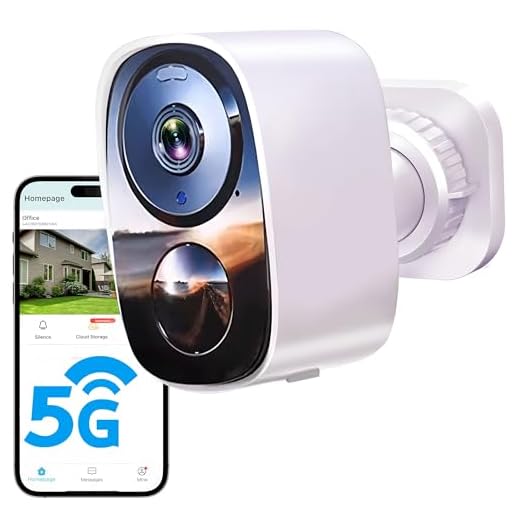
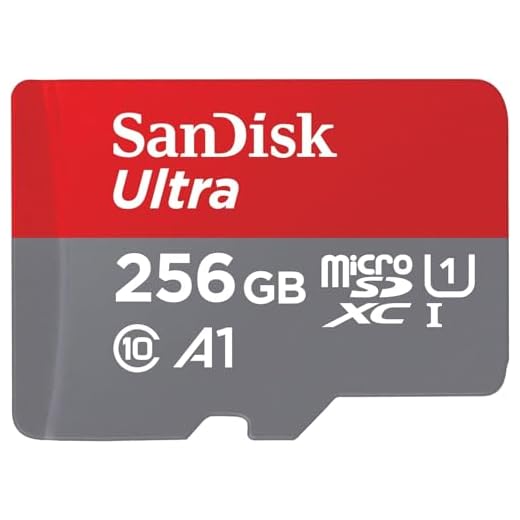
You’ll gain complete control by implementing Network Attached Storage (NAS) devices or dedicated microSD cards in your cameras. These solutions store footage on-premises, removing monthly fees while maintaining 24/7 recording capabilities.
Budget considerations favor local storage considerably—a one-time hardware investment replaces perpetual subscription payments. You can configure systems using Blue Iris software, Frigate NVR, or manufacturer-provided local options.
Advanced users utilize Raspberry Pi devices or repurposed computers as recording servers.
However, you’re responsible for hardware maintenance, backup management, and security configurations. Remote access requires port forwarding or VPN setup.
Despite technical demands, local storage delivers sovereignty over your data and substantial long-term savings.
Comparing Subscription Models Across Major Brands
Major smart home brands have adopted distinctly different subscription pricing strategies that directly impact your long-term costs and feature access.
Understanding these brand comparisons enables you to enhance value while maintaining control over your smart home ecosystem.

Key pricing models include:
- Ring (Amazon): Basic plan at $4.99/month per device or $10/month for unlimited cameras, offering 180-day video history and advanced motion detection.
- Nest Aware (Google): Tiered structure from $6/month (30-day history) to $12/month (60-day history), with intelligent alerts and facial recognition across all devices.
- Arlo Secure: Premium tier at $12.99/month delivers 30-day cloud storage, advanced object detection, and e911 emergency response.
Your feature analysis should prioritize storage duration, AI-powered detection capabilities, and device limits.
Ring provides the most economical multi-device coverage, while Nest excels in intelligent automation.
Arlo commands premium pricing but delivers thorough security integration.
Calculate total annual costs based on your device count before committing.
When Subscriptions Actually Provide Real Value

Although subscription services often feel like unnecessary recurring expenses, specific scenarios convert them from optional add-ons into essential investments that deliver measurable returns.
Your value assessment should prioritize critical-use environments. Multi-property owners gain cost justification through centralized monitoring across locations. Security-focused households require continuous video recording during extended absences. Professional environments demand guaranteed uptime and priority support.
| Scenario | Subscription Benefit | ROI Indicator |
|---|---|---|
| Multiple Properties | Unified monitoring dashboard | Time saved managing systems |
| High-value Assets | 24/7 professional monitoring | Insurance premium reductions |
| Extended Travel | Continuous cloud recording | Incident documentation capability |
You’ll enhance value when subscriptions provide capabilities impossible through one-time purchases: AI-powered threat detection, cellular backup connectivity, or insurance discounts that offset monthly fees. Calculate your break-even point by comparing subscription costs against potential losses from system failures or security breaches. Services delivering quantifiable protection or operational efficiency warrant their recurring investment.
The Long-Term Financial Impact of Smart Home Subscriptions
When compounding monthly fees across multiple devices and service tiers, your smart home ecosystem can accumulate costs exceeding your initial hardware investment within 2-3 years. This reality demands rigorous budget planning to maintain financial control over your connected infrastructure.
Calculate your five-year total cost of ownership using these critical factors:
- Subscription escalation patterns: Annual price increases typically range 5-15%, compounding your baseline costs considerably over extended deployment periods.
- Multi-device multiplication: Each camera, doorbell, or sensor requiring separate plans creates exponential cost growth that manufacturers deliberately obscure in marketing materials.
- Feature lock-in expenses: Premium tiers controlling essential functionality like extended storage or advanced AI detection force sustained payments to preserve your system’s operational capabilities.
Strategic assessment reveals that long term savings materialize only when subscription benefits—professional monitoring, cloud redundancy, continuous feature updates—demonstrably outweigh self-hosted alternatives or one-time purchase solutions.
Quantify your breakeven threshold before committing capital.
Making an Informed Decision About Your Smart Home Budget

Before allocating funds to subscription-based smart home services, you must establish a thorough decision framework that accounts for both immediate expenses and lifecycle costs.
Effective budget planning requires you to calculate the total ownership expense across your intended usage period, not merely the monthly fee. Your cost analysis should quantify the value proposition of premium features against free alternatives—cloud storage versus local recording, professional monitoring versus self-monitoring capabilities.
You’ll need to assess which subscriptions deliver strategic advantages for your specific requirements. Prioritize services that improve security, streamline energy consumption, or provide measurable time savings.
Evaluate each provider’s contract terms, cancellation policies, and price lock guarantees to protect against unexpected increases.
Consider staggering your subscriptions rather than committing simultaneously. This approach lets you test services individually, eliminating those that underdeliver.
Your financial strategy should maintain flexibility while securing the advanced functionalities that genuinely boost your smart home’s operational efficiency and control capabilities.
Frequently Asked Questions
Can I Share One Subscription Across Multiple Homes or Properties?
Most smart home subscriptions don’t support multi property management under one plan—you’ll typically need separate subscriptions per location.
However, some premium-tier services offer shared access features that let you control multiple properties through a single account, though at higher costs.
You’re fundamentally paying for additional administrative control rather than proportional savings.
If you’re managing several properties, evaluate whether enterprise-level plans with multi-location capabilities provide better value than maintaining individual subscriptions for each home.
What Happens to My Stored Data if I Cancel My Subscription?
When you cancel your subscription, you’ll face immediate subscription cancellation consequences that vary by provider.
Most companies delete your cloud recordings within 30-90 days, though some offer grace periods. You should review each platform’s data retention policies carefully—they’re not standardized.
Download critical footage before canceling, as you’ll typically lose remote access immediately.
Some providers let you keep device functionality but eliminate cloud storage, while others disable features entirely, limiting your control.
Do Subscription Prices Increase Over Time and How Often?
You’ll face price increases practically every millisecond in today’s subscription economy.
Price fluctuation trends show most smart home services raise rates annually, with some implementing biennial adjustments.
You’ll encounter changes during your subscription renewal frequency—typically at your 12-month mark.
Major platforms have increased prices 15-30% over three years.
You can’t predict exact timing, but you should anticipate incremental hikes that’ll impact your long-term budget calculations and strategic planning for home automation investments.
Are There Family Plans or Multi-User Discounts for Smart Home Subscriptions?
You’ll find family plan options across major smart home platforms, though availability varies considerably.
Ring and Nest offer multi-user savings through shared access at no additional cost, while Arlo and SimpliSafe provide tiered pricing structures that accommodate multiple cameras and users.
You’re looking at potential savings of 20-40% compared to individual subscriptions.
However, you’ll need to evaluate whether the provider’s multi-user management features align with your household’s specific access control requirements.
Can I Temporarily Pause My Subscription During Vacations or Extended Absences?
Most smart home subscription services don’t offer true pause functionality, limiting your subscription flexibility.
You’ll typically need to maintain active billing or cancel entirely, losing your settings and automations.
However, some providers like Ring and SimpliSafe offer vacation modes that reduce monitoring features at lower costs.
Google Nest Aware doesn’t provide vacation options—you’re locked into monthly commitments.
This inflexibility represents a significant drawback when evaluating long-term value and control over your smart home investment.
Conclusion
You’re standing at a financial crossroads where convenience meets ongoing costs. Smart home subscriptions aren’t inherently good or bad—they’re tools that either sharpen your home’s capabilities or slowly drain your wallet. Calculate your actual usage patterns, weigh the features you’ll genuinely use against free alternatives, and remember: today’s $10 monthly fee becomes $1,200 over a decade. Your smart home should work for your budget, not against it.
🔌 Editor’s Pick
Editor’s Pick: A smart home hub paired with a thermostat, plugs, lights, and doorbell.
Make Your Home Smarter
Device reviews, automations, and the deals worth grabbing.
Related Articles You Might Like