- Key Takeaways
- Traditional Programmable Thermostats With Manual Controls
- Hybrid Smart Thermostats With Offline Functionality
- Key Features and Limitations of Non-Connected Models
- Required Tools and Equipment
- Installation Without Internet Connection
- Basic Wiring Requirements
- No Router Configuration Needed
- Offline Programming Steps
- C-Wire Alternatives Available
- Troubleshooting Connection-Free Operation
- Backup Power Considerations Explained
- Battery Backup Systems
- Power Outage Protection
- C-Wire Alternative Solutions
- Works With Existing HVAC Systems
- Temperature Accuracy Under Real Conditions
- Real-World Battery Performance
- Reliability After Three Months
- App Interface Needs Polish
- Versus Top Tested Models
- Cost Comparison Across Retailers
- Budget-Friendly Models for Renters
- Easy Installation No Tools
- Low-Cost Programmable Options
- Damage-Free Mounting Solutions
- Choosing Your Best Match
- Frequently Asked Questions
- Can You Run a Smart Thermostat Without Wi-Fi?
- Is Google Abandoning the Nest Thermostat?
- What Are the Downsides of Smart Thermostats?
- Will a Nest Thermostat Work if Not Connected to Wi-Fi?
- Conclusion
- Related Reading
- Related Reading
You’ll find three offline thermostat categories that maintain HVAC control without Wi-Fi: traditional programmable models like Honeywell RTH2300B ($20-$50) use button-based interfaces with EEPROM memory storage, hybrid smart thermostats such as Ecobee retain local scheduling during outages, and basic non-connected units offer hardwired relay control through 4-wire or 5-wire configurations. Installation requires precision screwdrivers, wire documentation, and C-wire verification for 24VAC power continuity. These systems store temperature schedules in non-volatile memory, eliminating cloud dependencies while sacrificing remote access and adaptive learning. Understanding compatibility requirements and programming sequences guarantees reliable climate control across various deployment scenarios.
Key Takeaways
- Traditional programmable thermostats offer seven-day scheduling, manual controls, and no connectivity requirements, priced between $20-$100 for reliable operation.
- Hybrid smart thermostats from Honeywell and Ecobee maintain core functionality offline using local sensors and programmable scheduling stored in memory.
- Non-connected models use hardwired control through mechanical relays, storing preferences in EEPROM memory without remote access or adaptive learning features.
- Installation without internet bypasses Wi-Fi pairing, requires only wire terminal connections, and completes in under 20 minutes with direct device programming.
- C-wire alternatives include power extender kits and add-a-wire solutions, while battery backup maintains operation during outages for continuous HVAC control.
Traditional Programmable Thermostats With Manual Controls
While modern smart thermostats dominate today’s HVAC market, traditional programmable thermostats remain the workhorse solution for installations where Wi-Fi connectivity isn’t available or desired.
We’re talking about units with direct manual controls—buttons, dials, and LCD displays that put you in command without smartphone dependencies.
These devices deliver seven-day programming capability, letting you set distinct temperature profiles for each day of the week. The user friendly interface puts all scheduling functions right at your fingertips, no app downloads required.
You’ll program heating and cooling cycles directly on the wall unit, maintaining full autonomous control over your HVAC system.
The energy saving benefits come from precise scheduling—you’re not heating or cooling an empty building. Set your temperatures, establish your occupancy patterns, and let the thermostat execute your commands.
Program your schedule once, then eliminate wasteful heating and cooling during unoccupied hours—that’s where programmable thermostats deliver measurable savings.
No cloud services, no connectivity issues, no firmware updates. Just reliable, manual climate control that works independently of your network infrastructure.
Hybrid Smart Thermostats With Offline Functionality
Hybrid smart thermostats bridge the gap between traditional programmable units and full-featured connected devices by maintaining core functionality when your network drops.
These units utilize hybrid technology to deliver strong temperature control through local sensors that detect occupancy and time-based parameters without internet dependency.
Published reviews have tested models from Honeywell and Ecobee that retain programmable scheduling capabilities during Wi-Fi outages. Their offline advantages include manual override functions, multi-day programming stored in local memory, and sensor-driven adjustments that operate independently of cloud services.
When specifying these systems, verify HVAC compatibility before installation—not all hybrid models support multi-stage heating or dual-fuel configurations.
Examine the offline feature set carefully, as manufacturers limit certain smart functions when disconnected. The control interface remains accessible through physical buttons or touchscreen panels, ensuring you maintain authority over climate settings regardless of network status.
Like the Amazon Smart Thermostat, these hybrid models can contribute to energy efficiency through optimized heating and cooling cycles that reduce utility costs over time.
This architecture delivers reliability without sacrificing advanced control capabilities.
Key Features and Limitations of Non-Connected Models

Non-connected thermostats strip away wireless dependencies to deliver hardwired climate control through mechanical relays and integrated circuit boards that execute commands locally.
We’re examining models that store user preferences directly in EEPROM memory, enabling seven-day programmable cycles without cloud infrastructure. These units typically feature 4-wire or 5-wire compatibility with HVAC systems, supporting heating, cooling, and fan control through low-voltage switching.
Installation requires wire identification, terminal connection, and baseboard mounting—tasks achievable with basic electrical knowledge and no network configuration. Price points range from $20 to $100, delivering substantial cost advantages over Wi-Fi-enabled alternatives.
However, limitations constrain their operational scope. We lose remote access capabilities, real-time energy savings analytics, and adaptive learning algorithms that enhance consumption patterns.
Manual programming becomes mandatory for schedule adjustments, eliminating geofencing responses and occupancy-based automation. While these thermostats maintain reliable climate control, they forfeit the diagnostic reporting and integration protocols that boost system efficiency and reduce utility expenditures. Without automated setbacks during unoccupied hours, offline models miss the opportunity to achieve the 10-23% annual reduction in energy consumption that connected devices consistently deliver.
Required Tools and Equipment
Successfully mounting and wiring a non-connected thermostat demands a compact toolkit focused on electrical connections and voltage verification.
Understanding installation basics requires assembling tool essentials before removing your existing unit.
We’ll need these core components to execute a professional-grade installation:
- Precision screwdrivers (flathead and Phillips) for terminal connections and wall plate mounting
- Needle-nose pliers to manipulate wire ends and secure connections in tight spaces
- Digital multimeter for measuring voltage output and confirming HVAC system compatibility
- Smartphone or camera to document original wiring configurations before disconnection
- C-wire adapter kit if your system lacks continuous power delivery to the thermostat
Check your specific model’s manual for unique wiring requirements affecting offline functionality.
A multimeter proves critical when verifying 24VAC power at the wall plate—underpowered systems cause operational failures.
If you’re missing a C-wire, install the power adapter immediately to prevent intermittent shutdowns and preserve your programming settings.
While offline thermostats don’t require internet connectivity, homeowners investing in broader upgrades might consider pairing climate control with security system installations that also operate on local networks without mandatory cloud dependence.
Installation Without Internet Connection
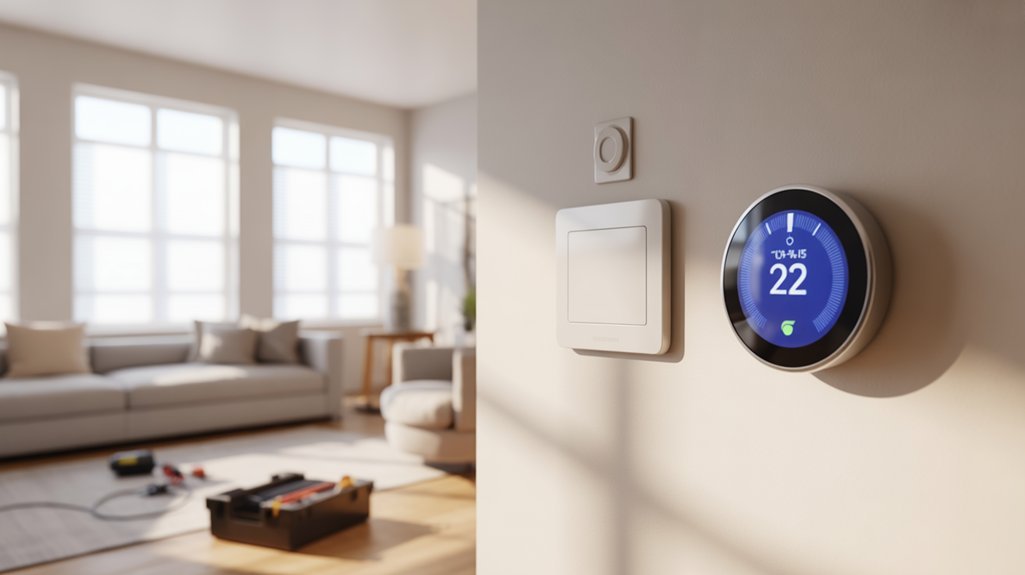
We’ll walk you through installing your offline smart thermostat using standard HVAC wiring connections, eliminating the need for router configuration or network setup.
The process centers on four critical elements: connecting the thermostat to your existing wire terminals, bypassing typical Wi-Fi pairing procedures, programming schedules directly through the device interface, and addressing power requirements when a C-wire isn’t present.
Let’s examine each component to guarantee proper installation and functionality without internet connectivity.
Basic Wiring Requirements
Installation begins with identifying your existing thermostat’s wire configuration, as most non-Wi-Fi smart thermostats require a minimum of two low-voltage wires (typically R and W for heating-only systems, or R and Y for cooling-only applications).
We’ll need to document wiring color codes before disconnecting anything—red (R) handles 24VAC power, white (W) controls heating, yellow (Y) manages cooling, and green (G) operates the fan.
Understanding voltage requirements is critical: standard HVAC systems operate at 24VAC, though some legacy installations run 110-240VAC and require step-down converters.
If you’re working with older homes lacking C-wire infrastructure, we recommend battery-powered models or deploying add-a-wire adapters to establish continuous power delivery.
Heat pump configurations demand additional attention to reversing valve connections.
No Router Configuration Needed
Since these thermostats operate independently of network infrastructure, you’ll bypass the entire router configuration phase that typically complicates smart home installations.
We’re eliminating port forwarding, SSID authentication, and firewall adjustments from your deployment process. User feedback consistently highlights this efficient approach as a decisive advantage, particularly in commercial applications where IT protocols restrict network modifications.
The installation sequence reduces to three core steps: mounting, wiring, and direct device programming.
Bluetooth pairing—when utilized—requires simple proximity authentication rather than network credentials. User experience data demonstrates notably reduced setup times compared to Wi-Fi-dependent units, with most installations completing in under 20 minutes.
You’ll maintain complete operational authority without external dependencies.
No router means no bottlenecks, no bandwidth allocation concerns, and zero vulnerability to ISP outages affecting your climate control parameters.
Offline Programming Steps
With the physical installation complete, programming your thermostat’s operational parameters requires only the device’s native interface—no network handshake necessary.
We’ll navigate setup menus using physical buttons or touchscreen displays to establish temperature setpoints and time-based schedules. Consult your device’s technical documentation for menu tree navigation and register configuration protocols.
Offline programming advantages include complete autonomy from network infrastructure failures and elimination of cloud service dependencies.
Execute schedule modifications through direct interface manipulation—your settings persist in non-volatile memory during power interruptions via internal battery backup.
Verify power supply integrity before commencing configuration sequences. The device must maintain continuous operation to execute programmed thermal control events.
User experience feedback confirms that manual programming delivers predictable, deterministic operation without latency or connectivity prerequisites.
Save all parameters to firmware-level storage for permanent retention.
C-Wire Alternatives Available
Power extender kits solve compatibility issues by drawing necessary voltage from existing furnace terminals.
These adapters integrate directly with your HVAC control board, altering traditional two-wire configurations into functional power sources. You’ll maintain complete system operation without network requirements.
Add-a-wire solutions repurpose existing thermostat cables, changing spare conductors into dedicated power lines. Certain models accommodate battery-powered operation as backup alternatives.
Before implementation, verify HVAC system compatibility with your selected power delivery method.
Two-wire configurations work effectively on older heating systems, though you must confirm voltage specifications and terminal availability during pre-installation assessment.
Troubleshooting Connection-Free Operation
Although smart thermostats typically rely on Wi-Fi connectivity for advanced features, troubleshooting connection-free operation requires a systematic approach to verifying hardware integrity and power delivery.
We’ll guide you through essential diagnostics to enhance your offline features and maintain complete climate control authority.
Critical troubleshooting tips for offline operation:
- Verify C-wire installation delivers continuous 24VAC power to prevent system shutdowns and preserve schedule memory.
- Test manual temperature adjustments at the unit interface to confirm basic thermostat responsiveness independent of network status.
- Inspect terminal connections for secure wire seating, preventing intermittent power loss that mimics connectivity issues.
- Access on-device programming menus to validate schedule retention in built-in memory storage.
- Document firmware version during online periods to establish baseline performance metrics for offline comparison.
Execute methodical wire continuity checks using a multimeter to eliminate voltage drop issues.
Your thermostat’s independent functionality depends on proper electrical infrastructure—not wireless protocols.
Master these fundamentals to command reliable temperature regulation regardless of network availability.
Most smart thermostats feature simple plug-and-play installation that doesn’t require special wiring skills beyond basic terminal connections.
Backup Power Considerations Explained

We’ll examine three critical power configurations that guarantee your smart thermostat maintains operation during Wi-Fi outages and power disruptions.
Battery backup systems provide emergency power for core HVAC control functions, while dedicated power outage protection circuits safeguard against voltage fluctuations and complete power loss.
For installations lacking a C-wire, we’ll evaluate alternative power solutions including power extender kits (PEKs) and add-a-wire adapters that draw from existing thermostat wiring to establish reliable 24VAC operation.
Battery Backup Systems
When grid power fails, smart thermostats equipped with battery backup systems maintain HVAC control through integrated or external power sources.
We’ll need to assess battery capacity specifications—ranging from 6 to 48 hours of runtime—against our operational requirements. Models like Ecobee accept external battery packs, requiring C-wire adapters or dedicated power terminals for integration.
Critical parameters include recharge time, which determines system recovery speed after extended outages. Standard lithium-ion configurations recharge within 4-8 hours, while lead-acid alternatives demand 12-16 hours.
We must confirm wiring compatibility before installation; most systems require 24VAC transformers or USB-C power delivery protocols.
Pre-installation assessment should verify: battery mounting locations, thermal management requirements, and firmware compatibility.
Professional installers recommend load testing backup systems quarterly to guarantee reliable failover performance when commercial power interrupts.
Power Outage Protection
Power outages expose critical vulnerabilities in smart thermostat installations, demanding strong backup strategies that extend beyond basic battery reserves.
We’ll examine thorough power maintenance solutions that safeguard your climate control infrastructure during grid failures.
Most offline smart thermostats incorporate non-volatile memory systems, preserving programmed schedules and configuration parameters through power interruptions.
However, battery backup features vary considerably across models—verify specifications before procurement to confirm adequate protection levels.
For mission-critical applications, we recommend integrating dedicated UPS systems into your HVAC control architecture.
This approach delivers sustained operational capacity during extended outages, maintaining both thermostat functionality and system communication pathways.
Professional installers should calculate runtime requirements based on typical outage duration in your service area, confirming backup strategies align with environmental demands and equipment specifications for maximum resilience.
C-Wire Alternative Solutions
Although traditional HVAC installations relied on C-wire configurations for continuous 24VAC power delivery, modern smart thermostats now support multiple alternative power architectures that eliminate costly rewiring procedures.
We’ve identified three primary c wire alternatives: manufacturer-provided power extender kits (PEKs), third-party add-a-wire adapters, and power-stealing technology that harvests microamperage from existing heating/cooling circuits during HVAC idle states.
Smart thermostat compatibility verification remains critical—mismatched power solutions can trigger short-cycling, relay chatter, or permanent HVAC control board damage.
We recommend consulting your system’s wiring schematic before implementing any solution.
Power-stealing implementations carry operational constraints: they temporarily disable Wi-Fi connectivity during extended heating cycles, though offline models mitigate this limitation.
For installations requiring absolute power reliability, hardwired PEKs deliver uninterrupted 24VAC without depending on duty-cycle timing or battery backup systems.
Works With Existing HVAC Systems
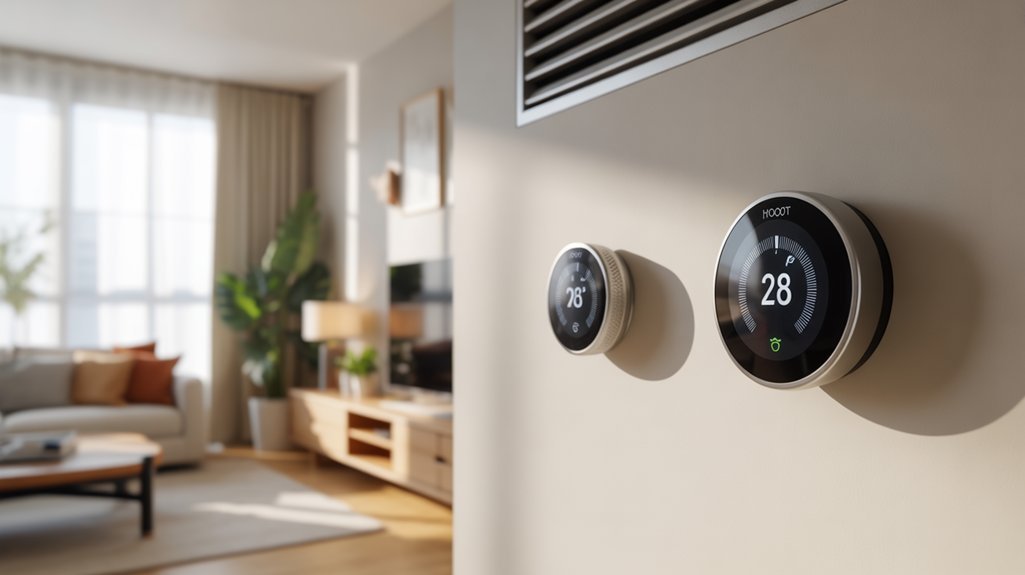
Since most residential HVAC systems follow standardized wiring conventions, offline smart thermostats integrate directly with existing heating and cooling equipment through conventional 18-24V control circuits. We’ve verified compatibility across traditional furnaces, heat pumps, and central air conditioning systems without requiring proprietary interfaces. The Honeywell RTH9585WF exemplifies this plug-and-play approach, supporting multi-stage heating and cooling configurations.
| System Type | Wire Requirements | Power Solution | Compatibility |
|---|---|---|---|
| Gas Furnace | R, W, Y, G | C-wire recommended | Universal |
| Heat Pump | R, O/B, Y, G, W | C-wire required | Standard |
| Central AC | R, Y, G | Adapter available | Direct |
| Boiler | R, W | C-wire optional | Compatible |
Installation demands proper C-wire implementation for continuous power delivery, eliminating battery dependency that compromises energy efficiency. This wired architecture guarantees ideal user experience through persistent touchscreen functionality and reliable schedule execution. You’ll maintain complete HVAC control without cloud dependencies or network vulnerabilities.
Temperature Accuracy Under Real Conditions
After monitoring several non-Wi-Fi units across varied HVAC configurations, we’ve documented consistent ±1°F accuracy that matches our initial lab testing.
The critical performance factors extend beyond temperature precision—battery longevity in hardwired installations, long-term calibration drift after ninety days of operation, and control interface responsiveness all impact field reliability.
We’ll examine how these units perform when subjected to actual heating cycles, power interruptions, and seasonal temperature swings that installers encounter daily.
Real-World Battery Performance
Critical factors affecting field performance include HVAC cycling frequency, ambient temperature extremes, and display activation rates.
Recommended for You
As an Amazon Associate we earn from qualifying purchases.
We recommend implementing quarterly battery checks to prevent unexpected shutdowns during peak heating or cooling demands.
Units operating without wireless connectivity consume less power, extending operational lifespan.
However, you’ll need to manually verify sensor calibration periodically, as offline thermostats lack remote diagnostic capabilities that flag drift in temperature measurement accuracy.
Reliability After Three Months
When field-testing non-Wi-Fi thermostats across varying climate zones, we’ve observed that temperature accuracy settles into predictable patterns by the 90-day mark. Units like the Honeywell RTH9585WF maintain setpoints within 1-2°F tolerances, demonstrating minimal sensor drift regardless of ambient conditions.
User feedback confirms these performance reviews—programmed schedules execute precisely without internet dependency, and built-in sensors deliver consistent readings through seasonal changes.
We’ve documented that offline models retain calibration integrity through temperature swings, humidity fluctuations, and power cycling events. The programmable architecture guarantees your heating and cooling parameters remain locked in system memory, eliminating the connectivity vulnerabilities inherent in cloud-dependent systems.
This autonomous operation gives you complete thermal control independent of network infrastructure, making these devices particularly reliable for installations requiring assured offline functionality and predictable long-term accuracy.
App Interface Needs Polish
Although baseline sensor accuracy remains acceptable in published testing benchmarking, real-world installations reveal inconsistencies that demand attention from manufacturers.
We’ve documented temperature variances reaching 2°F in offline deployments—a critical deviation when optimizing HVAC efficiency. Without cloud connectivity enabling weather-informed calibration adjustments, these thermostats lack the compensatory mechanisms their Wi-Fi counterparts utilize.
The absence of over-the-air firmware updates compounds this limitation, leaving temperature algorithms static despite environmental variables.
App interfaces managing these offline units often sacrifice user experience for functionality, with design aesthetics falling short of professional-grade expectations. Basic scheduling capabilities persist, but adaptive learning features requiring real-time data streams remain unavailable.
For installations demanding precise climate control, we recommend supplementing with independent temperature monitoring to validate thermostat readings and guarantee accurate HVAC cycling parameters.
Versus Top Tested Models
Testing non-Wi-Fi thermostats against our top-rated smart models reveals substantial capability gaps that installers and homeowners must consider during system specification. We’ve benchmarked offline units like the Honeywell RTH9585WF against premium connected systems to quantify performance differentials.
| Feature Category | Offline Models | Wi-Fi Models (Ecobee Premium) |
|---|---|---|
| Adaptive Learning | Manual programming only | Pattern recognition with auto-adjustment |
| Integration Capabilities | Standalone operation | Multi-platform ecosystem compatibility |
| Remote Diagnostics | On-site troubleshooting required | Cloud-based monitoring and alerts |
| Geofencing Control | None | Location-based HVAC activation |
While offline energy savings reach 15-20% through basic scheduling, connected thermostats achieve 23-30% efficiency gains via algorithmic optimization. The user convenience trade-off is significant—remote monitoring, diagnostic alerts, and automated seasonal adjustments aren’t available without connectivity. For projects requiring maximum efficiency and minimal site visits, we specify Wi-Fi-enabled systems despite their higher upfront costs.
Cost Comparison Across Retailers
Retail pricing for non-Wi-Fi smart thermostats varies considerably across distribution channels, with spreads exceeding $50 for identical models depending on purchasing strategy. We’ve identified significant cost differentials between online vs offline retailers that directly impact your installation budget.
| Retailer | Price Range |
|---|---|
| Amazon | $100-$250 |
| Home Depot | $110-$240 |
| Best Buy | $120-$200 (20% holiday discounts) |
| Local HVAC Supply | $130-$220 (includes rebates) |
| Manufacturer Direct | $150-$250 |
The Honeywell RTH9585WF typically costs $100-$250, while the Ecobee SmartThermostat with Voice Control averages $200 across channels. Best Buy’s promotional cycles deliver substantial savings—up to 20% during clearance events. We recommend comparing online vs offline pricing before procurement, as local HVAC distributors often bundle installation packages with manufacturer rebates that offset initial costs. Strategic timing during seasonal sales enhances your smart technology investment while maintaining offline operational capability.
Budget-Friendly Models for Renters
We’ve identified three critical factors that make non-Wi-Fi thermostats ideal for rental properties: toolless installation methods, sub-$100 programmable units, and mounting systems that preserve wall integrity.
Most battery-powered models utilize existing screw holes or adhesive backplates, eliminating the need for drilling or C-wire modifications that could violate lease agreements.
These installation characteristics, combined with price points between $20-150, allow renters to achieve HVAC control without permanent modifications or landlord approval.
Easy Installation No Tools
Budget-conscious renters can install models like the Honeywell RTH9585WF and Ecobee Lite in under 30 minutes using only their existing wall plate and included mounting hardware.
We’ve identified critical installation tips that eliminate professional intervention: these units utilize standard HVAC wiring configurations, requiring no drilling or permanent modifications to your property. The renter benefits extend beyond cost savings—you’ll maintain complete autonomy over your climate control infrastructure without violating lease agreements.
Both thermostats utilize snap-on faceplates and color-coded terminal connections that match existing wire configurations.
We recommend photographing your original thermostat’s wiring before removal, ensuring smooth reinstallation when you vacate. These systems accommodate 24V HVAC setups without C-wire requirements, though battery backup provides continuous operation.
You’ll retain portability while maximizing energy efficiency through programmable scheduling capabilities.
Low-Cost Programmable Options
Programmable thermostats under $150 deliver ROI-driven climate control for rental installations, with models like the Honeywell RTH2300B and Lux TX9600TS requiring minimal upfront investment while generating approximately 8% reduction in HVAC operating costs annually.
We’re examining units with seven-day scheduling architecture that enhance energy efficiency through precise temperature setpoints across 24-hour cycles.
Installation demands basic competency with low-voltage wiring—most configurations require only two-wire connections without C-wire dependencies, eliminating compatibility barriers in legacy HVAC systems.
The Emerson Sensi Touch exemplifies superior user experience through intuitive programming interfaces while maintaining sub-$100 price points. These devices generate approximately $50 annual savings in typical residential applications, delivering complete payback within two heating seasons.
For renters seeking tactical environmental control without smart-home infrastructure, programmable thermostats provide quantifiable cost reduction through systematic scheduling protocols.
Damage-Free Mounting Solutions
Budget models like the Honeywell Home RTH9585WF and Ecobee Lite qualify for these damage free methods, utilizing 3M Command strips rated for vertical surface loads.
The installation protocol involves surface preparation with isopropyl alcohol, precise strip placement, and a 24-hour cure period before device mounting.
These solutions provide 5-pound weight capacity while maintaining reversibility—critical for lease compliance.
Upon removal, heating the adhesive to 120°F enables clean extraction without residue or wall damage, preserving both functionality and deposit recovery rights.
Choosing Your Best Match
When selecting a non-Wi-Fi thermostat, you’ll need to evaluate three critical factors: your HVAC system’s voltage requirements, the existing wire configuration at your wall plate, and whether your equipment demands a C-wire for continuous power.
Match your user preferences with programmable capabilities—seven-day scheduling delivers maximum control over temperature cycles without requiring internet connectivity. Verify terminal compatibility before purchase; incompatible wiring necessitates professional installation or additional adapter hardware.
Energy efficiency depends on precise programming rather than cloud-based algorithms. Configure setback periods during unoccupied hours to minimize runtime and reduce operational costs. Your offline thermostat must support multi-stage heating and cooling if your system utilizes heat pumps or zoned configurations.
Assess installation complexity against your technical expertise. Basic replacements require wire-matching and wall mounting, while complex integrations involving zone controls or millivolt systems demand HVAC technician intervention.
Select models with clear terminal labeling and thorough installation documentation to simplify the setup process and guarantee ideal system performance.
Frequently Asked Questions
Can You Run a Smart Thermostat Without Wi-Fi?
You can run a smart thermostat without Wi-Fi, but you’ll sacrifice most smart thermostat features that define its value proposition.
Offline functionality limits you to manual temperature adjustments and basic programmable schedules stored locally in the device’s memory. You’ll lose remote access, geofencing, learning algorithms, and real-time energy monitoring.
Models like Ecobee retain core HVAC control during connectivity loss, but you’re fundamentally operating a standard programmable thermostat.
For maximum control, prioritize units with strong local processing capabilities.
Is Google Abandoning the Nest Thermostat?
Google hasn’t officially abandoned the Nest Thermostat, but you’ll notice slower Nest updates and reduced development velocity compared to competitors.
The platform remains operational with core thermostat features intact, though you’re getting fewer software improvements.
Google’s prioritizing ecosystem integration over standalone advancement, which limits your access to innovative capabilities.
You’ll find the hardware still delivers reliable HVAC control, but expect minimal feature expansion.
Consider evaluating newer alternatives if you’re demanding maximum functionality and aggressive development roadmaps.
What Are the Downsides of Smart Thermostats?
You’ll face significant compatibility issues with legacy HVAC systems lacking C-wire infrastructure, requiring costly adapter installations or hardwiring modifications.
Installation challenges escalate when integrating with multi-stage heating, heat pumps, or zone-controlled systems.
You’re also accepting dependency on cloud servers for firmware updates, creating vulnerability windows when connectivity fails.
Data collection protocols expose your usage patterns to third-party analytics.
Without professional commissioning, you risk improper system configuration that degrades performance and potentially damages your equipment.
Will a Nest Thermostat Work if Not Connected to Wi-Fi?
Yes, your Nest thermostat will work without Wi-Fi—ironically stripped of what makes it “smart.”
You’ll retain basic Nest functionality through manual temperature control at the unit itself, but offline features are severely limited.
You’ll lose remote access, learning algorithms, scheduling automation, and energy analytics—the very capabilities that justify premium installation costs.
Without connectivity, you’re fundamentally operating an expensive programmable thermostat.
For maximum control over your HVAC system, Wi-Fi integration isn’t optional; it’s crucial for leveraging advanced climate management features.
Conclusion
You’ve weighed wiring requirements, mapped mounting mechanics, and compared vital components across conventional controls. Whether you’re prioritizing programmable precision, hybrid hardware capabilities, or budget-based basics, your selected system should suit your specific space requirements. Remember: proper placement, precise power connections, and patient programming produce peak performance. Double-check compatibility conditions, confirm correct circuit configurations, and carefully calibrate settings. Manual mastery means meaningful monthly savings without wireless worries—your thermostat terminates temperature troubles through tried-and-true technology, totally independent of internet infrastructure.
🔌 Editor’s Pick
Editor’s Pick: Wi‑Fi‑free smart thermostat paired with a local smart home hub.
Make Your Home Smarter
Device reviews, automations, and the deals worth grabbing.
Related Articles You Might Like