- Key Takeaways
- Understanding Smart Hub Ecosystems and Compatibility
- Assessing Your Current and Future Device Needs
- Voice Assistant Preferences: Alexa, Google Assistant, or Siri
- Budget Considerations and Value for Money
- Comparing Top Smart Hub Platforms
- Installation, Setup, and Ease of Use
- Frequently Asked Questions
- Can Smart Hubs Work Without an Internet Connection?
- How Do Smart Hubs Affect My Home’s Electricity Bill?
- Are Smart Hubs Secure From Hackers and Data Breaches?
- Can I Control My Smart Hub When Away From Home?
- What Happens to My Devices if the Hub Stops Working?
- Conclusion
- Related Reading
- Related Reading


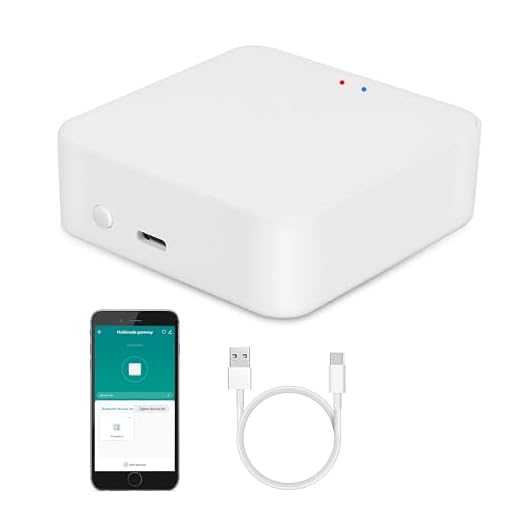


Choose a smart hub by first evaluating protocol support—Zigbee, Z-Wave, Thread, and Matter compatibility guarantees you’re not locked into limited device options. Consider your preferred voice assistant ecosystem, as Amazon Alexa, Google Assistant, and Apple Siri each offer different integration strengths. Calculate your current device count and multiply by 3-5x for future scalability. Budget $50-$300 depending on automation complexity, factoring in subscription costs. Prioritize hubs with local processing for reliability and security. The following breakdown examines platform-specific capabilities to match your technical requirements.
Key Takeaways
- Evaluate ecosystem compatibility by checking support for protocols like Zigbee, Z-Wave, Thread, and Matter based on your devices.
- Choose a hub with 3-5x your current device capacity to accommodate future expansions and maintain optimal performance.
- Select based on your preferred voice assistant: Alexa for compatibility, Google for intelligence, or Siri for privacy.
- Budget $50-$300 depending on needs, factoring in total ownership costs including compatible devices and potential subscription fees.
- Consider setup complexity and user interface design to ensure the system matches your technical proficiency level.
Understanding Smart Hub Ecosystems and Compatibility

Smart hub ecosystems function as closed or semi-open platforms that determine which devices you can control and how they communicate with each other.
You’ll encounter three primary hub types: proprietary systems like Apple HomeKit, open-source platforms such as Home Assistant, and hybrid solutions including Samsung SmartThings. Each architecture impacts your deployment flexibility and device selection.
Ecosystem integration defines your operational capabilities. Proprietary hubs limit you to certified devices but deliver smooth performance and strong security protocols.
Open-source platforms grant you unlimited customization potential and support virtually any connected device, though they’ll require technical proficiency to configure properly.
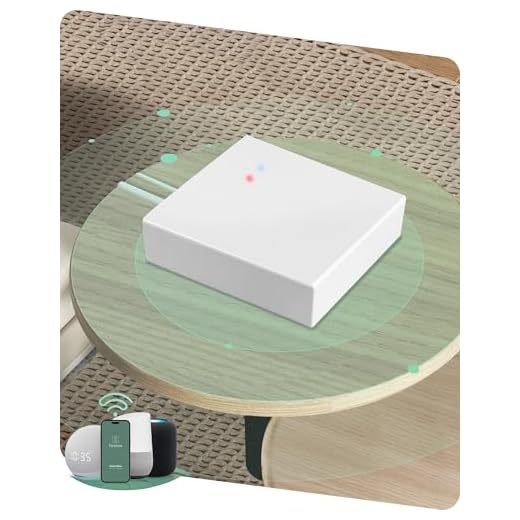
You must evaluate protocol support—Zigbee, Z-Wave, Thread, and Matter—before committing to any platform.
Cross-platform compatibility through Matter protocol enables you to break traditional ecosystem barriers, but adoption remains limited.
Your choice should align with your existing infrastructure, technical capabilities, and expansion requirements. Don’t sacrifice long-term scalability for short-term convenience.
Voice-controlled hubs like Google Home and Amazon Echo serve as central interfaces for managing your smart lighting, doorbells, locks, cameras, and security systems across different manufacturers.
Assessing Your Current and Future Device Needs
How many devices will you integrate into your smart home within the next three years? Strategic planning requires cataloging your existing infrastructure and projecting expansion trajectories. Document current device types—lighting systems, thermostats, security cameras, locks, entertainment equipment, and appliances. This inventory establishes your baseline requirements.
Next, identify future upgrades you’ll implement. Will you expand outdoor automation? Add voice-controlled blinds? Integrate advanced HVAC zoning? Each addition demands hub compatibility and sufficient processing capacity.
Every planned upgrade—from automated shades to multi-zone climate control—requires verification of hub compatibility and adequate processing power.
Calculate bandwidth requirements based on simultaneous device connections. Entry-level hubs support 20-30 devices; enterprise-grade solutions handle 200+. Factor in protocol diversity—your hub must accommodate Zigbee, Z-Wave, Wi-Fi, and Thread device types concurrently.
Don’t select a hub that barely meets today’s needs. You’ll compromise performance and limit scalability. Choose hardware with 3-5x your current capacity. This overhead guarantees smooth operation as your ecosystem grows and prevents costly mid-cycle replacements that disrupt established automation routines.
Consider camera hubs that offer dual functionality as security monitoring devices and central control points, providing both surveillance capabilities and ecosystem management in a single unit.
Voice Assistant Preferences: Alexa, Google Assistant, or Siri

Your voice assistant selection fundamentally determines which smart hub ecosystems you can deploy. Each platform offers distinct capabilities that’ll dictate your home automation architecture.
Amazon Alexa dominates smart speaker integration with extensive third-party device compatibility. Google Assistant excels at contextual understanding and search integration. Apple’s Siri provides superior privacy controls but restricts you to HomeKit-certified devices.
| Platform | Primary Advantage |
|---|---|
| Amazon Alexa | Broadest device ecosystem, superior skills marketplace |
| Google Assistant | Advanced natural language processing, search capabilities |
| Apple Siri | End-to-end encryption, smooth iOS integration |
| Multi-platform | Maximum flexibility, redundant control pathways |
| Platform-agnostic hubs | Future-proofed architecture, vendor independence |
Your choice impacts available voice assistant features, routine complexity, and expansion potential. Power users often deploy multi-platform strategies, leveraging each assistant’s strengths while maintaining vendor independence through protocol-agnostic hubs supporting Matter, Zigbee, and Z-Wave standards.
Budget Considerations and Value for Money
Platform selection establishes your technical framework, but financial planning determines implementation scope and long-term viability.
You’ll find smart hubs ranging from $50 entry-level devices to $300+ premium controllers, each delivering distinct capabilities that justify their price points.
Cost effective options like Amazon Echo Dot and Google Nest Mini provide core automation functionality without premium features.
Entry-level smart hubs deliver essential automation capabilities at minimal investment, trading advanced features for accessible pricing and straightforward functionality.
Mid-tier hubs ($100-$150) offer expanded protocol support, processing power, and local control—essential for serious implementations.
Feature prioritization drives best investment decisions. Identify your automation requirements: do you need Zigbee/Z-Wave compatibility, or will Wi-Fi suffice?
Require offline processing? Budget accordingly.
Calculate total ownership costs beyond initial purchase. Factor in compatible devices, potential subscription services, and ecosystem lock-in implications.
Premium hubs often reduce long-term expenses through broader protocol support, eliminating costly bridges and adapters.
Your budget allocation should reflect deployment scale and performance requirements, not arbitrary spending limits.
Comparing Top Smart Hub Platforms

While hardware specifications matter, real-world performance stems from each platform’s architectural approach to device integration and automation logic.
You’ll find Amazon Alexa excels at voice control and third-party integrations, while Google Home utilizes superior natural language processing and contextual awareness.
Apple HomeKit prioritizes security through end-to-end encryption but limits compatible devices. SmartThings offers the broadest protocol support, enabling complex automation scenarios across Zigbee, Z-Wave, and Wi-Fi devices simultaneously.
Evaluate smart hub features against your deployment requirements. Does the platform support local processing, or does it rely on cloud connectivity?
Can you create conditional logic with multiple triggers? Samsung’s SmartThings and Hubitat provide advanced rule engines that power users demand, while mainstream options like Alexa sacrifice granular control for simplicity.
Platform updates frequency directly impacts security and functionality.
Amazon and Google push updates regularly, maintaining compatibility with emerging standards like Matter. Legacy platforms risk obsolescence without consistent development support.
Installation, Setup, and Ease of Use
Most smart hubs ship with efficient onboarding processes, but setup complexity varies greatly based on your network infrastructure and device ecosystem. You’ll need to evaluate the installation process against your technical capabilities and time constraints.
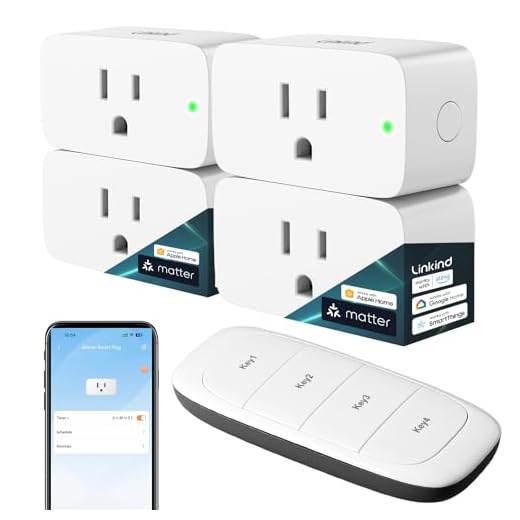
The user interface determines how quickly you’ll master device management and automation rules. Professional-grade platforms offer granular control but demand steeper learning curves.
| Platform | Initial Setup Time | Interface Complexity |
|---|---|---|
| SmartThings | 15-20 minutes | Moderate |
| Hubitat | 25-35 minutes | Advanced |
| Home Assistant | 45-90 minutes | Expert-level |
You’ll want native mobile apps with responsive controls and logical menu structures. Advanced users should prioritize platforms supporting custom integrations through APIs or scripting languages. Consider whether you prefer cloud-dependent systems with automatic updates or local processing that grants complete network autonomy. Your infrastructure requirements—including Ethernet connectivity, power backup, and Z-Wave antenna positioning—directly impact long-term reliability and performance optimization.
Frequently Asked Questions
Can Smart Hubs Work Without an Internet Connection?
Yes, you’ll maintain local control with many smart hubs even when your internet drops.
Your hub can still execute automations and communicate with connected devices through protocols like Zigbee, Z-Wave, or Thread.
However, device compatibility matters—you’ll need locally-controlled devices, not cloud-dependent ones.
Check your hub’s offline capabilities before purchasing.
You won’t access remote features or voice assistants without connectivity, but your core automation infrastructure will continue operating independently.
How Do Smart Hubs Affect My Home’s Electricity Bill?
Your smart hub won’t drain your wallet remotely as much as you’d think—most consume merely 2-5 watts, costing under $5 annually.
You’ll actually achieve significant cost savings through improved energy efficiency when you utilize your hub’s automation capabilities.
By orchestrating device schedules, monitoring consumption patterns, and eliminating phantom power drain, you’ll slash overall household electricity usage by up to 30%.
Your hub becomes an investment that pays dividends through intelligent energy management and reduced utility expenditures.
Are Smart Hubs Secure From Hackers and Data Breaches?
Smart hub security varies greatly by manufacturer.
You’ll want devices with WPA3 encryption, automatic firmware updates, and two-factor authentication to minimize vulnerabilities.
Top-tier hubs implement end-to-end encryption for data privacy, but cheaper models often lack strong protections.
To maintain control, you should segment your smart home network, disable unnecessary features, and regularly audit connected devices.
While no system’s completely breach-proof, implementing these security layers substantially reduces your exposure to hackers and unauthorized data access.
Can I Control My Smart Hub When Away From Home?
Yes, you’ll control your smart hub remotely through its dedicated mobile app from anywhere with internet connectivity.
Most enterprise-grade hubs offer strong remote access via encrypted cloud servers, letting you manage devices, execute automation routines, and monitor security systems globally.
You’ll need to enable remote access in your hub’s settings and make certain your network’s properly configured with port forwarding or VPN protocols.
This capability gives you complete command over your smart home infrastructure, regardless of your physical location.
What Happens to My Devices if the Hub Stops Working?
If your hub fails, you’ll lose centralized control and automation—but individual device functionality typically remains intact.

Most smart devices connect directly to Wi-Fi and can still operate through their native apps.
You’ve got hub alternatives: immediately switch to manufacturer apps, deploy a backup hub, or migrate to a cloud-based platform.
Helpful hint: architect redundancy from the start by choosing devices that support multiple control protocols, ensuring you’re never completely locked out of your ecosystem.
Conclusion
You’ve navigated the smart home labyrinth—now it’s time to find your thread out. Choose the ecosystem that aligns with your devices, budget, and preferred voice assistant. Don’t let analysis paralysis stop you; even Rome wasn’t automated in a day. Start with one hub, expand strategically, and you’ll build a cohesive system that actually works. Your connected home journey begins with a single, informed decision—make it count.
🔌 Editor’s Pick
Editor’s Pick: Bluetooth/Zigbee smart hub with voice control for thermostats, plugs, bulbs, and doorbells.
Make Your Home Smarter
Device reviews, automations, and the deals worth grabbing.
Related Articles You Might Like