- Key Takeaways
- Understanding Smart Home Communication Protocols and Standards
- Evaluating Device Compatibility Before You Buy
- Check Communication Protocol Standards
- Verify Hub Requirements Needed
- Choosing the Right Hub or Central Platform for Your Ecosystem
- Popular Hub Options Compared
- Compatibility and Protocol Support
- Step-by-Step Device Setup and Pairing Process
- Resolving Common Integration and Connectivity Problems
- Building Automation Routines Across Multiple Devices
- Managing Security and Privacy in a Connected Home
- Expanding Your System While Maintaining Stability
- Frequently Asked Questions
- Can I Control My Smart Home Devices When the Internet Is Down?
- How Much Does It Cost Monthly to Maintain a Smart Home System?
- Will My Smart Devices Work During a Power Outage?
- Can Guests Temporarily Access My Smart Home Devices Without Full System Access?
- Do Smart Home Devices Significantly Increase My Electricity Bill?
- Conclusion
- Related Reading
- Related Reading
- Related Reading
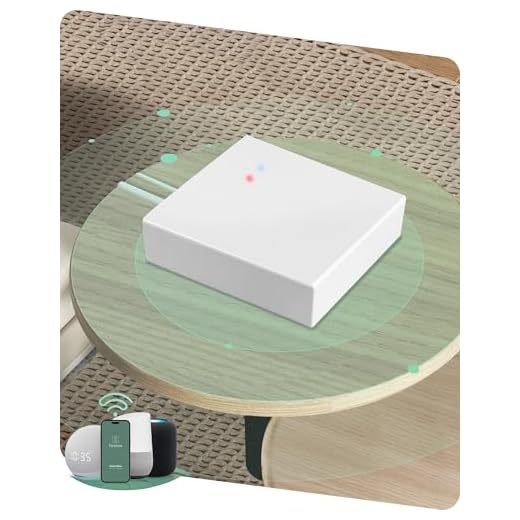
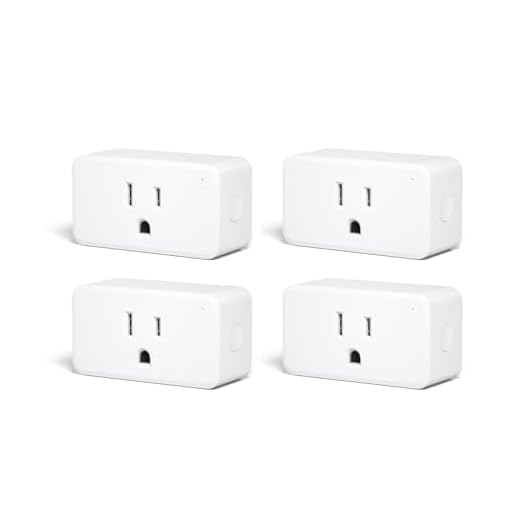


You’ll achieve smooth smart home integration by first verifying your new device’s communication protocol—whether Zigbee, Z-Wave, Wi-Fi, or Thread—matches your existing hub’s capabilities. Download the manufacturer’s app, verify your router broadcasts 2.4GHz Wi-Fi, then initiate pairing mode on the device. If connection fails, power-cycle the device and disable AP isolation on your router. For complex ecosystems, consider Matter-compatible devices that bridge multiple protocols. The implementation details below cover hub selection, troubleshooting connectivity issues, building automation routines, and maintaining security across your expanding network.
Key Takeaways
- Verify device compatibility with your existing communication protocols (Zigbee, Z-Wave, Wi-Fi, Matter) before purchasing new smart home devices.
- Download the manufacturer’s app, enable device discovery mode, and connect to your 2.4GHz Wi-Fi network for successful pairing.
- Select a central hub that supports multiple protocols and matches your current infrastructure to avoid requiring additional bridge devices.
- Power-cycle the device and check router settings like AP isolation and UPnP if initial connection attempts fail during setup.
- Add new devices incrementally while monitoring network performance to maintain system stability and prevent bandwidth congestion issues.
Understanding Smart Home Communication Protocols and Standards

Smart home devices speak different languages, and your integration success depends on choosing the right communication protocol for your specific requirements.
Zigbee advantages include low power consumption and mesh networking capabilities, while Z Wave benefits center on superior range and reduced interference. However, Wi Fi limitations like bandwidth constraints and power demands make it unsuitable for battery-operated sensors.
Bluetooth applications excel in personal device control but lack whole-home coverage. Thread protocol delivers IPv6-native mesh networking, positioning it as infrastructure for the Matter standard—your pathway to solving interoperability issues across ecosystems.

HomeKit integration demands Apple’s certification but guarantees smooth iOS control. For DIY solutions, prioritize protocols supporting local processing and avoiding cloud dependencies.
Future trends indicate Matter’s dominance in eliminating compatibility barriers, consolidating fragmented ecosystems into unified control planes. Major platforms like Google TV are expanding their smart home hub functionality to support Matter compatibility across devices. Master these protocols now to architect scalable, reliable smart home networks that adapt to emerging technologies.
Evaluating Device Compatibility Before You Buy
Before purchasing any smart home device, you’ll need to verify it supports your existing communication protocol—whether that’s Zigbee, Z-Wave, Wi-Fi, or Matter.
You must also determine if the device requires a dedicated hub or if it connects directly to your network, as this impacts both cost and system architecture.
Cross-referencing these compatibility requirements against your current infrastructure prevents costly mistakes and guarantees smooth integration from day one.
The Matter standard represents a significant step toward increased interoperability between different smart home ecosystems and devices.
Check Communication Protocol Standards
| Protocol | Range | Device Limit |
|---|---|---|
| Zigbee | 10-100m | 65,000+ |
| Z-Wave | 30-100m | 232 |
| Wi-Fi | 50m+ | Router-dependent |
Match your protocol choice to your deployment scale. Zigbee excels in sensor-heavy installations, while Z-Wave dominates whole-home automation. Wi-Fi suits standalone devices requiring direct internet access. Your hub must support your chosen protocol natively.
Verify Hub Requirements Needed
Understanding compatibility requirements prevents costly purchasing mistakes that plague 40% of first-time smart home buyers. You’ll need to identify which hub types your ecosystem demands before investing in new devices.
Critical Hub Assessment Steps:
- Match protocol to hub capabilities – Verify your hub supports Zigbee, Z-Wave, Thread, or Matter protocols that your target devices require.
- Calculate bandwidth allocation – Determine if your current hub can handle additional device requirements without performance degradation.
- Confirm firmware compatibility – Check if your hub’s current version supports your device’s minimum firmware specifications.
Bridge devices solve single-protocol limitations, but they add network complexity.
You’ll enhance control by selecting devices that communicate directly with your existing infrastructure. Cross-reference manufacturer specifications against your hub’s technical documentation to guarantee smooth integration and avoid compatibility conflicts that compromise system performance.
Choosing the Right Hub or Central Platform for Your Ecosystem

You’ll need to select a central hub that matches your existing devices and supports the protocols they use—whether that’s Zigbee, Z-Wave, Wi-Fi, Thread, or Matter.
Compare platforms like SmartThings, Home Assistant, Hubitat, and Apple HomeKit based on their native protocol support, third-party integrations, and local versus cloud processing capabilities.
Your choice determines which devices you can connect now and which ecosystems you can expand into later, so evaluate compatibility requirements before committing to a platform.
Popular Hub Options Compared
The smart home hub market offers three dominant platforms—Samsung SmartThings, Hubitat Elevation, and Home Assistant—each engineered for different implementation priorities and technical requirements.
Your hub comparisons reveal distinct architectural advantages:
- Samsung SmartThings: Cloud-dependent architecture delivers smooth mobile access and extensive third-party integrations, though you’ll sacrifice local control during internet outages.
- Hubitat Elevation: Local processing guarantees millisecond response times and network independence, ideal for mission-critical automations requiring zero latency.
- Home Assistant: Open-source framework provides unlimited customization potential and community-driven protocol support, demanding technical proficiency for peak deployment.
User experiences consistently demonstrate that SmartThings excels in plug-and-play scenarios, Hubitat dominates reliability metrics, and Home Assistant conquers complex integration challenges.
Select based on your control requirements, not marketing promises.
Compatibility and Protocol Support
Seven wireless protocols—Zigbee, Z-Wave, Wi-Fi, Thread, Matter, Bluetooth, and proprietary standards—fragment the smart home landscape, and your hub’s protocol stack directly determines which devices you can deploy.
You’ll face interoperability challenges when mixing protocols, requiring bridge devices or multiple hubs that complicate your architecture.
Evaluate each hub’s native protocol support before committing. Multi-protocol hubs like SmartThings or Hubitat eliminate single-protocol limitations, while Matter-certified controllers promise cross-platform compatibility.
However, legacy devices won’t automatically gain Matter support—you’ll need firmware updates or replacements.
Document your existing smart device ecosystems and map protocol requirements. If you’re running Zigbee sensors, Philips Hue lights, and Ring cameras, you need a hub supporting Zigbee, proprietary Hue protocols, and cloud API integration.
Choose hubs that enhance native compatibility while offering strong API access for unsupported devices.
Step-by-Step Device Setup and Pairing Process
Setting up your first smart home device requires three core components: a stable Wi-Fi network, the manufacturer’s mobile app, and the physical device itself. Device initialization begins immediately after you’ve connected power to your hardware.
The pairing process follows this sequence:
- Download and authenticate – Install the manufacturer’s app, create your account, and enable location services for network detection.
- Initiate discovery mode – Press the device’s pairing button until you see a flashing LED indicator, signaling readiness for connection.
- Complete network binding – Select your device from the app’s discovery list, enter your Wi-Fi credentials, and confirm successful connection through the status indicator.
Modern user friendly interfaces have optimized this workflow considerably. You’ll receive real-time feedback during each stage, with most devices completing pairing within two minutes.
If connection fails, power-cycle the device and verify your network operates on the correct frequency band—many smart devices require 2.4GHz rather than 5GHz connectivity.
Resolving Common Integration and Connectivity Problems

Even with enhanced pairing protocols, you’ll encounter integration challenges that disrupt device connectivity and platform communication. Master these troubleshooting tips to maintain system dominance.
When devices fail to connect, execute a network audit first. Verify your router’s 2.4GHz and 5GHz band configurations—most smart devices require 2.4GHz exclusively. Disable AP isolation and confirm UPnP remains active for uninterrupted device discovery.
For persistent connectivity solutions, implement static IP assignments to prevent DHCP conflicts. Reset your hub’s Z-Wave or Zigbee mesh network when response times exceed acceptable thresholds. Position signal repeaters strategically to eliminate dead zones that compromise system integrity.
Address firmware mismatches immediately—outdated software creates protocol incompatibilities. Force-update all ecosystem components simultaneously to maintain version parity.
If integration still fails, execute a complete device exclusion, then re-pair using manufacturer-specific reset sequences. Document your network topology to expedite future diagnostics and maintain operational control.
Building Automation Routines Across Multiple Devices
Once you’ve stabilized your device connections, automation routines convert isolated components into a coordinated system.
Device synchronization enables sophisticated sequences that respond to triggers across your entire ecosystem.
Strategic Routine Optimization Framework:
- Conditional Triggers – Program multi-device responses based on compound conditions (time + motion + temperature). When you arrive home after sunset, simultaneously open doors, activate pathway lighting, adjust thermostats, and disable security cameras in occupied zones.
- Sequential Execution – Chain actions with precise timing delays. Morning routines can gradually increase bedroom lighting over 10 minutes, trigger coffee makers at 50% brightness, then activate bathroom heating systems.
- Fallback Protocols – Define alternative actions when primary devices fail. If smart locks malfunction, routines should trigger notification alerts and activate backup security measures automatically.
Test routines individually before deploying complex sequences.
Monitor execution logs to identify bottlenecks and refine timing parameters for maximum reliability.
Managing Security and Privacy in a Connected Home

How do you protect dozens of internet-connected devices without compromising the convenience they’re designed to provide?
Implement network segmentation first—isolate IoT devices from critical systems through VLANs or separate networks. Configure device authentication using strong, unique credentials and enable two-factor verification wherever possible.

Separate your IoT devices from critical infrastructure using VLANs, then lock them down with unique credentials and two-factor authentication.
Establish granular user permissions that limit access based on actual needs. Review privacy policies before deployment to understand data collection practices, then apply data minimization principles—disable unnecessary telemetry and sharing features.
Enable data encryption for both storage and transmission across all endpoints. Schedule quarterly security audits to identify vulnerabilities and outdated firmware. Deploy threat detection systems that monitor unusual traffic patterns or unauthorized access attempts.
Create an access control matrix documenting which users and services interact with each device. Your security framework should evolve continuously. Update authentication protocols, rotate credentials regularly, and maintain detailed logs of all system modifications and access events.
Expanding Your System While Maintaining Stability
With your security foundation established, growth introduces new complexity vectors that can destabilize your entire ecosystem.
System scalability demands strategic architecture planning before adding devices. You’ll need performance optimization protocols to prevent network congestion and processing bottlenecks.
Implement these expansion principles:
- Segment by function and bandwidth requirements – Separate high-traffic devices (cameras, streaming) from low-power sensors using VLANs or dedicated access points. This prevents IoT devices from choking critical infrastructure.
- Establish baseline metrics before integration – Document current network throughput, hub response times, and automation execution speeds. You’ll identify degradation immediately when new devices create conflicts.
- Deploy incrementally with load testing – Add devices in batches of 3-5, running automation sequences for 48 hours between additions. This isolates problematic integrations before they cascade.
Control expansion velocity. Your system’s resilience depends on methodical growth that preserves performance standards while scaling capability.
Frequently Asked Questions
Can I Control My Smart Home Devices When the Internet Is Down?
You’ll retain control over many smart home devices through local control protocols like Zigbee, Z-Wave, or Matter, even when your internet’s down.
Your hub processes commands directly without cloud dependency, ensuring offline functionality. However, you must configure local processing beforehand—devices relying solely on cloud services won’t respond.
Implement a strong local network infrastructure and choose devices with native offline capabilities.
You’ll maintain command over lighting, locks, and sensors, though voice assistants and remote access won’t function.
How Much Does It Cost Monthly to Maintain a Smart Home System?
Your wallet won’t bleed dry—most smart home systems cost $0-30 monthly in direct expenses.
You’ll face subscription fees for premium features like cloud storage ($3-10 per camera) and security monitoring ($10-30).
Factor in negligible maintenance costs: occasional battery replacements and firmware updates you’ll handle yourself.
Energy consumption adds mere dollars monthly.
You’re in command of expenses—eliminate subscriptions by choosing local-processing devices and self-monitored security.
The real power? Selecting components that enhance automation while minimizing recurring monthly expenses.
Will My Smart Devices Work During a Power Outage?
Most smart devices won’t function during power outages unless you’ve implemented battery backup systems.
You’ll need an uninterruptible power supply (UPS) for critical hubs and routers to maintain device resilience.
Smart locks with physical keys and battery-powered sensors continue operating independently.
To optimize control during outages, invest in cellular backup for your network and guarantee primary devices have dedicated battery systems.
This infrastructure gives you continuous command over essential smart home functions regardless of grid status.
Can Guests Temporarily Access My Smart Home Devices Without Full System Access?
You’ll utilize guest access features built into most smart home platforms to grant temporary control.
Create time-limited accounts with restricted device permissions—limiting guests to specific functions like lights or thermostats while blocking security cameras and locks.
Use your system’s sharing protocols to establish expiration dates and revoke access remotely.
This segmented approach guarantees you maintain administrative control while providing visitors necessary functionality.
Most platforms support granular permission settings for maximum authority over your ecosystem.
Do Smart Home Devices Significantly Increase My Electricity Bill?
Think of smart home devices as sipping water, not gulping it—they won’t dramatically spike your electricity bill.
Most smart devices prioritize energy efficiency, consuming minimal power in standby mode. Your device usage patterns matter more: streaming cameras and always-on displays draw more than motion sensors or smart plugs.
You’ll actually reduce costs by automating lighting schedules and optimizing HVAC settings.
Monitor your network’s power consumption through smart meter integrations to maintain total command over energy expenditure.
Conclusion
You’ll find that successful smart home integration coincidentally mirrors software development—both demand careful planning, compatible frameworks, and systematic testing. You’ve now got the protocols, compatibility checks, and troubleshooting methods to deploy devices confidently. It’s no coincidence that homes with sturdy central hubs coincidentally experience fewer connectivity issues. Apply these implementation strategies methodically: verify compatibility first, establish strong network infrastructure, then scale gradually. Your connected ecosystem will maintain stability precisely because you’ve built it on proven technical foundations rather than impulse purchases.
🔌 Editor’s Pick
Editor’s Pick: Smart home hub for seamless connection of your thermostat, plugs, lights, and doorbell.
Make Your Home Smarter
Device reviews, automations, and the deals worth grabbing.
Related Articles You Might Like