- Key Takeaways
- Common Causes of Smart Home Lag and Disconnections
- Optimizing Your Wi-Fi Network for Smart Devices
- Router Placement and Signal Strength Solutions
- Managing Device Interference and Network Congestion
- Identifying Common Interference Sources
- Optimizing Router Channel Selection
- Prioritizing Smart Home Traffic
- Firmware Updates and Device Maintenance Best Practices
- Scheduling Automatic Firmware Updates
- Regular Device Health Checks
- Choosing the Right Communication Protocols for Your Setup
- When to Upgrade Your Network Infrastructure
- Frequently Asked Questions
- Can Power Outages Permanently Damage My Smart Home Devices?
- Do Smart Home Devices Increase My Monthly Electricity Bill Significantly?
- Are Certain Smart Home Brands More Compatible With Each Other?
- Can Neighbors Access My Smart Home Devices Through Shared Networks?
- Do Smart Home Devices Work During Internet Outages?
- Conclusion
- Related Reading
- Related Reading


Your smart home lag stems from three primary bottlenecks: Wi-Fi congestion on overcrowded 2.4GHz channels, outdated device firmware causing processing delays, or protocol mismatches between incompatible standards like Zigbee and Z-Wave. Start by conducting spectrum analysis to identify interference sources, then verify your router’s centrally positioned and operating on channels 1, 6, or 11. Check if packet loss exceeds 2% or latency surpasses 200ms—both signal immediate infrastructure needs. The systematic diagnostic approach below reveals exactly which variable is throttling your automation commands.
Key Takeaways
- Network congestion from bandwidth saturation and Wi-Fi interference causes packet collisions; conduct spectrum analysis and reconfigure to less crowded channels.
- Position routers 5-7 feet above ground in central locations, avoiding metal barriers to maintain signal strength above -67dBm RSSI thresholds.
- Outdated firmware creates processing bottlenecks; schedule automatic updates during low-traffic periods with rollback protocols for performance degradation exceeding 20%.
- Implement QoS protocols to prioritize smart home traffic and prevent latency spikes from competing devices on the network.
- Monitor baseline metrics every 24-48 hours; latency exceeding 200ms or packet loss above 2% signals infrastructure upgrade requirements.
Common Causes of Smart Home Lag and Disconnections

When smart home devices fail to respond or exhibit delayed reactions, the underlying issues typically stem from three protocol layers: network infrastructure, device firmware, and communication stack inefficiencies.
Your network’s bandwidth saturation occurs when multiple devices compete for limited throughput, creating packet collisions and transmission delays. Wi-Fi congestion on overlapping channels compounds this problem, particularly in dense residential environments where neighboring networks interfere with your 2.4GHz signals.
Device firmware issues manifest as processing bottlenecks within outdated controller software. You’ll encounter these when manufacturers haven’t enhanced command parsing algorithms or memory management routines, causing execution lag between command reception and action initiation.

Smart hub compatibility failures emerge from protocol mismatches—when your controller doesn’t fully implement Zigbee, Z-Wave, or Thread specifications. This creates translation overhead as the hub attempts to bridge incompatible communication standards.
Additionally, mesh network topology errors prevent efficient routing paths, forcing commands through unnecessarily long device chains before reaching their destination.
The Matter standard represents a significant advancement in addressing these interoperability challenges by establishing unified communication protocols across different smart home ecosystems.
Optimizing Your Wi-Fi Network for Smart Devices
Before implementing device-level optimizations, you’ll need to establish a strong wireless foundation through strategic channel allocation and access point positioning.
Execute a spectrum analysis to identify congested 2.4GHz and 5GHz bands, then manually configure your router to operate on channels with minimal interference—typically channels 1, 6, or 11 for 2.4GHz deployments.
Position your primary access point centrally, eliminating physical obstructions between transmitters and IoT endpoints.
Deploy mesh networks when coverage gaps exceed -67dBm RSSI thresholds, ensuring uninterrupted roaming without authentication delays.
Verify device compatibility across 802.11 standards—legacy devices operating on 802.11b/g protocols can throttle entire network performance.
Implement band steering to force dual-band devices onto 5GHz frequencies, reserving 2.4GHz bandwidth for single-band sensors and controllers.
Enable QoS (Quality of Service) protocols to prioritize smart home traffic over background data transfers.
Configure DHCP reservations for critical devices, preventing IP conflicts that trigger reconnection cycles and latency spikes.
Prioritize Wi-Fi 6 enabled devices like the Aqara Camera E1 when upgrading your smart home ecosystem, as newer wireless standards provide improved throughput and reduced latency for multiple concurrent connections.
Router Placement and Signal Strength Solutions

Although wireless signal propagation follows predictable physics, you’ll need to account for material-specific attenuation coefficients when positioning your router. Concrete walls impose 10-15 dB loss, metal structures create 20+ dB degradation, and water-bearing materials considerably impede 2.4/5 GHz transmissions.
Enhance router height by mounting it 5-7 feet above floor level—this minimizes ground-plane interference and optimizes coverage volume through spherical radiation pattern exploitation. You’ll achieve superior results when positioning centrally within your deployment zone.
Eliminate signal barriers through strategic placement: avoid enclosures, metal cabinets, and appliance proximity. Deploy your router with antennas perpendicular to target device locations—vertical orientation for floor-distributed devices, horizontal for multi-story penetration.
Execute site surveys using spectrum analyzers to identify interference sources and dead zones. Measure RSSI values at critical device locations; you’ll need minimum -67 dBm for reliable smart home operation.
Deploy additional access points when single-router coverage proves inadequate for your topology requirements.
Managing Device Interference and Network Congestion
Network congestion occurs when multiple devices compete for bandwidth on overlapping channels, creating latency spikes in your smart home ecosystem.
You’ll need to identify interference sources through spectrum analysis, then reconfigure your router to operate on less crowded channels—typically channels 1, 6, or 11 for 2.4GHz networks.
Implement Quality of Service (QoS) protocols to allocate bandwidth priority to time-sensitive smart home devices over less critical traffic.
Identifying Common Interference Sources
When your smart home devices exhibit latency spikes or connection drops, electromagnetic interference (EMI) and radio frequency (RF) congestion typically emerge as primary culprits.
You’ll need to systematically identify wireless interference sources within your environment. Common electronic devices—microwaves, cordless phones, baby monitors, and Bluetooth peripherals—operate on overlapping 2.4GHz frequencies, creating signal degradation.
Physical obstructions compound these issues. Dense materials like concrete walls, metal ducting, and large aquariums attenuate RF signals, forcing packet retransmission and escalating latency. Water and mirrors particularly disrupt propagation patterns.
Network congestion manifests when multiple devices simultaneously compete for bandwidth. Deploy a spectrum analyzer to map interference sources, then relocate conflicting hardware or migrate devices to less-saturated 5GHz channels.
Document baseline measurements to establish performance thresholds.
Optimizing Router Channel Selection
After identifying interference sources, you’ll implement strategic channel selection to minimize packet collision and improve throughput.
Analyze your router bands using spectrum analysis tools to identify congestion patterns. On 2.4GHz networks, select channels 1, 6, or 11 exclusively—these non-overlapping frequencies prevent channel overlap that degrades performance.
Deploy 5GHz bands on DFS channels when available, as they’re typically less saturated. Execute a site survey using WiFi analyzers to map neighboring networks and their signal strengths.
Configure your router’s channel width strategically: 20MHz for 2.4GHz maintains stability, while 80MHz on 5GHz optimizes bandwidth.
Disable auto-channel selection—manual configuration based on empirical data delivers superior results. Monitor channel utilization metrics continuously, adjusting selections as environmental RF conditions evolve.
This methodical approach guarantees ideal wireless performance across your smart home infrastructure.
Prioritizing Smart Home Traffic
Quality of Service (QoS) configuration establishes traffic hierarchy that guarantees time-sensitive smart home devices receive bandwidth priority over non-critical applications.
You’ll implement smart device prioritization through strategic traffic management techniques that eliminate latency bottlenecks.
Configure your router’s QoS settings using these protocol-specific parameters:
- Assign MAC addresses of critical devices (security cameras, door locks, thermostats) to high-priority queues with guaranteed minimum bandwidth allocation.
- Set DSCP markings for smart home protocols (Zigbee, Z-Wave, Matter) to assure packet prioritization at the network layer.
- Throttle bandwidth-intensive applications (streaming services, file downloads) during peak automation hours through rate limiting.
- Enable WMM (Wi-Fi Multimedia) to classify IoT traffic into access categories with differentiated medium access priorities.
Monitor queue statistics to confirm enforcement effectiveness.
Firmware Updates and Device Maintenance Best Practices
You’ll maintain ideal smart home performance by implementing systematic firmware update protocols and device maintenance routines.
Schedule automatic updates during low-traffic periods (typically 2-4 AM) to minimize disruption while ensuring security patches and performance enhancements deploy promptly.
Establish weekly diagnostic checks that monitor device response times, connection stability, and resource utilization to identify latency issues before they impact your network.
Scheduling Automatic Firmware Updates
When properly configured, automatic firmware updates execute during designated maintenance windows to minimize service disruption and prevent latency spikes during peak usage hours.
You’ll maintain peak network performance by implementing strategic firmware scheduling protocols that align with your operational requirements.
Configure your automatic updates using these parameters:
- Set maintenance windows between 2:00-4:00 AM when network traffic reaches minimum thresholds and device utilization drops below 15%.
- Enable staggered deployment schedules to update device clusters sequentially, preventing simultaneous reboots that compromise network availability.
- Implement rollback protocols that automatically revert firmware versions if post-update latency exceeds baseline measurements by 20%.
- Configure pre-update system snapshots to preserve current configurations and enable rapid recovery if updates introduce compatibility conflicts.
Monitor post-update metrics for 48 hours to verify performance stability.
Regular Device Health Checks
Beyond scheduled firmware deployments, systematic device health monitoring identifies performance degradation before it manifests as user-facing latency.
You’ll need to establish baseline metrics for each device: response times, packet loss rates, signal strength, and memory utilization. Implement automated health checks every 24-48 hours, logging deviations exceeding 15% from established thresholds.
Monitor CPU load patterns across your network—sustained utilization above 80% indicates impending failure modes. Track device performance through SNMP polling or manufacturer APIs, correlating anomalies with network topology changes.
You’re looking for early warning indicators: increased retry attempts, authentication delays, or dropped packets.
Deploy monitoring agents that execute diagnostic routines during low-traffic windows. When health monitoring reveals consistent degradation, initiate targeted remediation protocols before cascading failures compromise your entire smart home infrastructure.
Choosing the Right Communication Protocols for Your Setup

Which communication protocol delivers the ideal balance between latency, range, and power consumption for your specific smart home architecture?
Protocol Selection Framework:
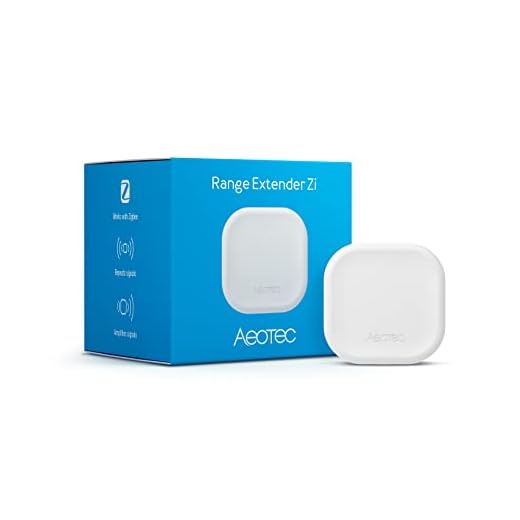
- Zigbee advantages and Z Wave benefits dominate low-power mesh networking scenarios, offering 10-100ms latency with superior device compatibility across 300+ feet communication range, while Thread protocol emerging as IPv6-native alternative.
- Wi Fi limitations include higher power consumption and network congestion, though MQTT capabilities over Wi-Fi enable efficient message queuing for non-latency-critical applications requiring cloud integration.
- Bluetooth applications excel in proximity-based control within 30-foot ranges, delivering sub-50ms response times for immediate device interactions without hub dependency.
- LoRaWAN usage targets outdoor sensors requiring multi-mile communication range with minimal power draw, accepting higher latency trade-offs (1-5 seconds) for battery longevity.
Analyze your topology’s node density, power availability, and latency requirements.
Deploy Zigbee/Z-Wave for responsive mesh networks, Wi-Fi for bandwidth-intensive devices, and Bluetooth for direct-control scenarios.
When to Upgrade Your Network Infrastructure
Your smart home network demands immediate infrastructure upgrades when round-trip latency exceeds 200ms consistently, packet loss surpasses 2%, or hub CPU utilization remains above 80% during normal operations.
Deploy network monitoring tools like iperf3 and Wireshark to establish baseline metrics before committing to network upgrades.
Calculate your ecosystem’s bandwidth requirements by auditing device specifications: 4K video streams consume 25Mbps, while Z-Wave devices require minimal throughput but demand stable RF channels.
You’ll need gigabit Ethernet backbones when managing 50+ concurrent IoT devices or multiple HD surveillance cameras.
Replace consumer-grade routers with managed switches offering VLAN segmentation and QoS prioritization.
Upgrade to Wi-Fi 6 (802.11ax) access points when experiencing congestion across 2.4GHz bands—the protocol delivers 4x capacity improvements in dense deployments.
Don’t defer infrastructure investments when diagnostic data confirms bottlenecks.
Your automation responsiveness depends on eliminating network constraints systematically.
Frequently Asked Questions
Can Power Outages Permanently Damage My Smart Home Devices?
Power outages themselves won’t permanently damage your devices, but the subsequent surge when power returns can.
You’ll need strong power surge protection on all critical hubs and controllers to maintain system integrity.
If you’ve experienced an outage, execute proper device reset procedures systematically—starting with your network gateway, then secondary controllers, and finally endpoint devices.
This protocol guarantees you’re restoring power hierarchy correctly and preventing cascading failures that could compromise your system’s operational control.
Do Smart Home Devices Increase My Monthly Electricity Bill Significantly?
Smart home devices add minimal energy consumption—typically $1-3 monthly per device.
You’ll actually achieve cost savings through automated controls that eliminate phantom power draw and enhance HVAC cycles.
Deploy a power monitor to establish baseline metrics, then track consumption patterns post-installation.
Strategic implementation of scheduling protocols and occupancy sensors yields 10-20% energy reduction.
Your ROI timeline depends on device density and automation sophistication, but increased control over energy management delivers measurable financial advantages through systematic efficiency gains.
Are Certain Smart Home Brands More Compatible With Each Other?
Yes, you’ll achieve ideal performance through strategic brand compatibility.
Major ecosystems—Amazon Alexa, Google Home, Apple HomeKit, and Samsung SmartThings—offer superior ecosystem integration when you stick within their native platforms.
However, you can utilize Matter protocol (the new cross-platform standard) to break vendor lock-in.
Diagnose your network topology first: devices using identical communication protocols (Zigbee, Z-Wave, Thread) demonstrate reduced latency and fewer connection drops.
You’ll enhance control by selecting protocol-aligned brands.
Can Neighbors Access My Smart Home Devices Through Shared Networks?
Like a fortress with open gates, shared networks expose your devices to unauthorized access.
No, neighbors can’t access your devices if you’ve implemented proper network security protocols.
You’ll maintain device privacy by configuring WPA3 encryption, establishing unique SSIDs, and deploying network segmentation through VLANs.
Execute MAC address filtering and disable WPS to fortify your perimeter.
You’re commanding complete control when you’ve authenticated these security layers—your smart home ecosystem remains isolated from external intrusion attempts.
Do Smart Home Devices Work During Internet Outages?
Your smart device functionality becomes severely limited during internet outages, though some offline operations remain available.
You’ll retain local control over devices with dedicated hubs—lights, locks, and thermostats maintain basic functionality.
However, you’ll lose cloud-dependent features: voice assistants, remote access, and automation routines requiring external servers.
To enhance resilience, you should prioritize devices supporting Zigbee or Z-Wave protocols, which enable hub-based local control independent of your internet connection’s status.
Conclusion
You’ve now got the diagnostic framework to cut through the noise and isolate your smart home connectivity issues. Start with systematic network assessment—measure signal strength, document interference patterns, and audit your device ecosystem. Don’t throw money at upgrades until you’ve exhausted optimization protocols. Apply firmware patches methodically, verify mesh topology efficiency, and maintain proper channel separation. When empirical data confirms infrastructure limitations rather than configuration errors, then you’ll know it’s time to invest in network hardware expansion.
🔗 Related From Our Network
🔌 Editor’s Pick
Editor’s Pick: A dual-band Wi-Fi smart home hub for stable connections across your thermostat, plugs, bulbs, and doorbell.
Make Your Home Smarter
Device reviews, automations, and the deals worth grabbing.
Related Articles You Might Like