- Key Takeaways
- Understanding Your Current Home Infrastructure and Automation Goals
- Phase One: Starting With Smart Lighting and Climate Control Systems
- Choosing Compatible Smart Bulbs
- Thermostat Installation and Setup
- Integration and Automation Schedules
- Phase Two: Implementing Security and Monitoring Solutions
- Phase Three: Upgrading Entertainment and Audio Systems
- Phase Four: Automating Kitchen and Laundry Appliances
- Phase Five: Integrating Voice Control and Central Hub Management
- Budgeting Strategies and Cost-Effective Product Selection
- Ensuring Compatibility and Future-Proofing Your Smart Home Setup
- Choose Universal Communication Protocols
- Plan for System Scalability
- Frequently Asked Questions
- How Long Does Each Automation Phase Typically Take to Complete?
- Can I Automate My Home if I’m Renting Instead of Owning?
- What Happens to My Smart Home During Internet or Power Outages?
- Do Smart Home Systems Increase Property Value When Selling?
- How Difficult Is It to Remove Automation When Moving Out?
- Conclusion
- Related Reading
- Related Reading


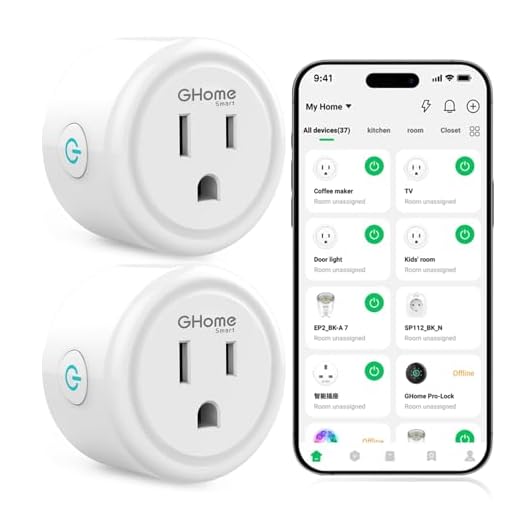


Start by evaluating your home’s electrical capacity and Wi-Fi coverage to identify infrastructure gaps. Phase your upgrades strategically: begin with smart lighting and thermostats (35% of budget), then layer in security cameras and sensors, followed by entertainment systems and appliances. You’ll need a central hub supporting multiple protocols like Zigbee, Z-Wave, and Matter for smooth integration. Allocate 40% of your budget to backbone infrastructure—routers, hubs, and wiring—to guarantee scalability. This systematic approach prevents costly compatibility issues while building toward extensive automation that adapts to your lifestyle patterns.
Key Takeaways
- Assess home infrastructure first by documenting electrical capacity, Wi-Fi coverage, and protocol compatibility requirements before purchasing devices.
- Allocate budget strategically: 40% for central infrastructure, 35% for core automation functions, and 25% for expansions.
- Begin with smart lighting and climate control, establishing simple automation rules before progressing to complex sequences.
- Select devices using widely-adopted protocols like Zigbee, Z-Wave, or Matter to ensure long-term compatibility and scalability.
- Integrate security systems and appliances into a central hub, creating unified control through voice commands and personalized dashboards.
Understanding Your Current Home Infrastructure and Automation Goals

Before investing in smart devices and automation platforms, you’ll need to conduct a thorough assessment of your home’s existing infrastructure.
Start your home assessment by documenting your electrical system’s capacity, Wi-Fi coverage zones, and existing wiring configurations. Identify dead zones, evaluate your router’s bandwidth capabilities, and determine whether your electrical panel can handle additional smart device loads.
Document your electrical capacity, map Wi-Fi dead zones, and verify your infrastructure can support your smart home ambitions before purchasing devices.
Next, define your automation objectives with precision. Are you targeting energy optimization, security improvement, or convenience integration?
Prioritize systems that deliver maximum control—lighting, climate, security, and entertainment represent foundational layers you’ll build upon.
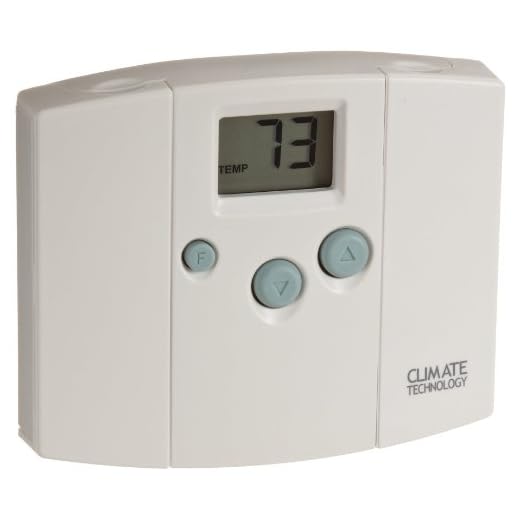
Map your current devices to your long-term vision. You’ll avoid costly replacements by selecting protocols that scale with your ambitions.
Document compatibility requirements now: Z-Wave, Zigbee, Wi-Fi, or Matter-enabled devices each offer distinct advantages. The Matter standard represents a significant step toward increased interoperability across different smart home ecosystems and devices.
This groundwork establishes your automation architecture’s framework. You’re not just adding gadgets—you’re engineering a responsive ecosystem that adapts to your commands and anticipates your needs.
Phase One: Starting With Smart Lighting and Climate Control Systems
Your first automation phase centers on two high-impact systems: smart lighting and climate control.
You’ll need to select bulbs that match your existing fixtures and hub compatibility, install a smart thermostat that integrates with your HVAC system, and configure automation schedules that align with your daily routines.
This foundational layer establishes the control framework you’ll build upon in subsequent phases.
Smart lighting systems offer versatile solutions with room-specific options that can enhance ambiance, support entertainment setups, improve security, and promote wellbeing throughout your home.
Choosing Compatible Smart Bulbs
Smart bulb compatibility hinges on three critical factors: your hub ecosystem, wireless protocol support, and fixture specifications.
You’ll need to verify whether you’re investing in Zigbee, Z-Wave, Wi-Fi, or Thread-enabled devices based on your existing infrastructure. Leading smart bulb brands like Philips Hue, LIFX, and Nanoleaf offer distinct advantages—Hue excels in ecosystem integration, while LIFX provides direct Wi-Fi control without requiring hubs.
Don’t overlook energy efficiency ratings; LED smart bulbs consuming 9-12 watts deliver equivalent 60-watt incandescent brightness while reducing operational costs by 80%.
Check your dimmer switch compatibility, as legacy dimmers cause flickering and degraded performance. For recessed fixtures, verify heat dissipation ratings to prevent premature failure.
Your investment demands strategic selection—choose bulbs supporting firmware updates to future-proof your lighting infrastructure against protocol obsolescence.
Thermostat Installation and Setup
While smart lighting establishes your home automation foundation, climate control integration delivers the most substantial energy savings—typically 10-23% on heating and cooling costs annually.
Understanding thermostat types determines your implementation strategy:
| Thermostat Type | Installation Complexity |
|---|---|
| WiFi-enabled | Low (C-wire recommended) |
| Learning models | Medium (requires programming) |
| Multi-zone systems | High (professional advised) |
Installation tips you’ll need: First, photograph your existing wiring configuration before disconnecting anything. Verify C-wire presence—it powers most smart thermostats continuously. If absent, install a C-wire adapter or select battery-powered alternatives.
Mount your thermostat on interior walls, avoiding direct sunlight, drafts, and doorways that skew temperature readings. Configure geofencing parameters within your automation app to adjust settings based on occupancy patterns. Enable scheduling algorithms that learn your preferences while optimizing efficiency.
Integration and Automation Schedules
After configuring individual devices, you’ll gain maximum value by connecting your lighting and climate systems to work together.
Create schedules that trigger your thermostat to adjust temperatures when lights indicate room occupancy. You’ll experience automation benefits immediately: reduced energy costs and improved comfort without manual intervention.
Integration challenges typically involve device compatibility and network protocols. Verify your systems support common standards like Zigbee, Z-Wave, or Matter before purchasing additional components.
Configure automation rules through your central hub, establishing if-then scenarios that execute based on time, sensor data, or manual triggers.
Start with simple schedules—lights dimming when your thermostat enters sleep mode, or climate adjustments following your departure routines.
You’ll master complex automation sequences once you’ve validated basic functionality and identified your usage patterns.
Phase Two: Implementing Security and Monitoring Solutions
Once you’ve established your foundational home automation infrastructure, security and monitoring systems become your next critical implementation priority.
You’ll need to evaluate security camera options based on resolution requirements, field of view, and weatherproofing specifications. Select cameras offering 1080p minimum resolution with night vision capabilities for thorough coverage.
Remote monitoring systems should integrate smoothly with your existing platform, enabling real-time alerts and video access from any location. Deploy motion sensors at entry points and vulnerable areas, configuring them to trigger automated responses like lighting activation or alarm notifications.
Install smart locks with encrypted protocols and biometric authentication options for maximum access control. Configure your system to send instant alerts for unauthorized entry attempts or unusual activity patterns.
Implement environmental sensors detecting water leaks, smoke, and carbon monoxide. These devices provide critical early warnings, protecting your property investment.
Position cameras strategically to eliminate blind spots while respecting privacy zones, ensuring complete perimeter surveillance without unnecessary interior monitoring.
Phase Three: Upgrading Entertainment and Audio Systems
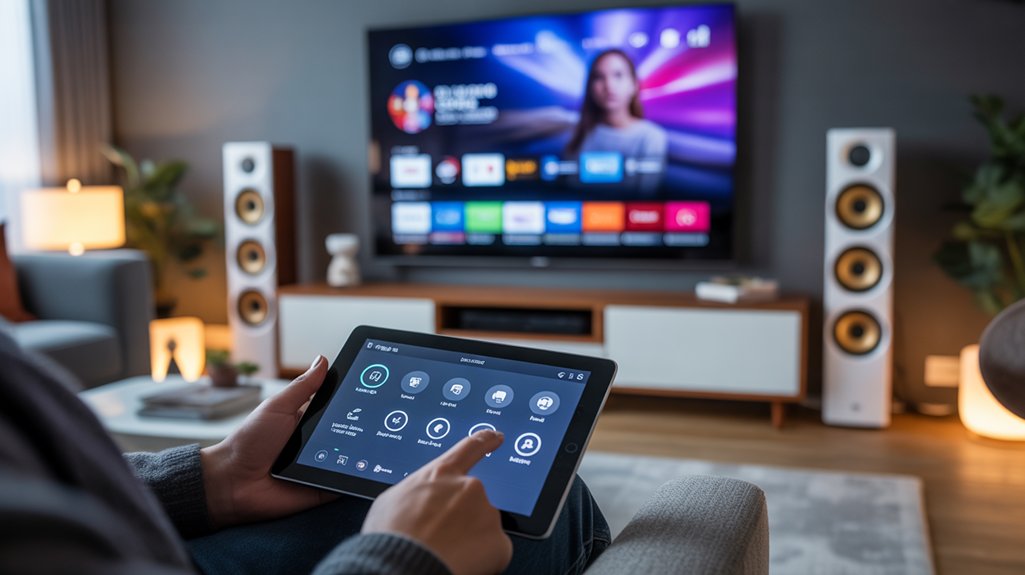
Your entertainment infrastructure represents the convergence of audio-visual technology and automated control, demanding careful component selection and systematic integration planning.
Modern entertainment systems demand strategic technology choices and deliberate integration architecture to achieve seamless multi-platform control and long-term performance reliability.
You’ll establish command over your media ecosystem by deploying centralized control systems that unify streaming options across all zones. Your home theater requires 4K-capable receivers with Dolby Atmos processing for immersive surround sound experiences that rival commercial installations.
Multi-room integration delivers synchronized audio throughout your property, letting you orchestrate distinct soundscapes or unified playback. Smart speakers anchor voice-controlled operations while premium amplification guarantees superior audio quality in every space.
You’ll configure user interfaces that provide intuitive media control—touchpanels, mobile apps, and voice commands working in concert.
Priority one: wire Cat6 ethernet and in-wall speaker cables during construction or renovation phases.
Priority two: select platforms offering strong API support for future expansion. Your systematic approach eliminates compatibility issues while maximizing your investment’s longevity and scalability potential.
Phase Four: Automating Kitchen and Laundry Appliances
When you integrate smart appliances into your kitchen and laundry spaces, you’re establishing command over the most resource-intensive operations in your home.
Smart refrigerator features deliver inventory tracking, expiration monitoring, and adaptive temperature zones that reduce waste while optimizing energy consumption. You’ll access remote diagnostics and receive maintenance alerts before failures occur.
Automated dishwasher benefits extend beyond convenience—you’re programming cycles during off-peak energy hours, adjusting wash intensity based on load sensors, and receiving completion notifications that prevent mildew growth.
Install models with leak detection systems that shut off water supply automatically.
For laundry automation, deploy washers and dryers with load-sensing technology, remote start capabilities, and detergent auto-dispensing.
You’ll schedule operations during low-rate utility periods and monitor cycle completion from anywhere. Connect these appliances to your central automation hub for unified control.
This phase positions you to minimize utility costs while maximizing operational efficiency across high-consumption zones.
Phase Five: Integrating Voice Control and Central Hub Management

How do you unify dozens of disparate smart devices into a cohesive automation ecosystem? Phase Five establishes centralized command through strategic hub selection and voice integration.
You’ll select between platform-specific hubs (Amazon Echo, Google Nest, Apple HomePod) or universal controllers like Home Assistant and Hubitat that support multiple protocols simultaneously.
Configure your central hub by importing all previously installed devices—lighting, climate, security, and appliances—into a single interface.
Map device relationships, establish hierarchical control structures, and create cross-device automations that weren’t possible with standalone systems.
Transform isolated devices into an intelligent network where your lights, locks, and thermostats work together through coordinated automation rules.
Next, activate voice assistant features across your ecosystem. Program custom commands that trigger complex scenarios: “leaving home” simultaneously arms security, adjusts thermostats, and closes motorized blinds.
Utilize hub customization options to build personalized dashboards displaying real-time device status and energy consumption metrics.
This phase changes isolated smart devices into an integrated system responding to unified commands, delivering the smooth control you’ve architected throughout previous implementation phases.
Budgeting Strategies and Cost-Effective Product Selection
While smart home technology delivers unprecedented convenience, uncontrolled spending will quickly derail your automation project before it reaches operational status.
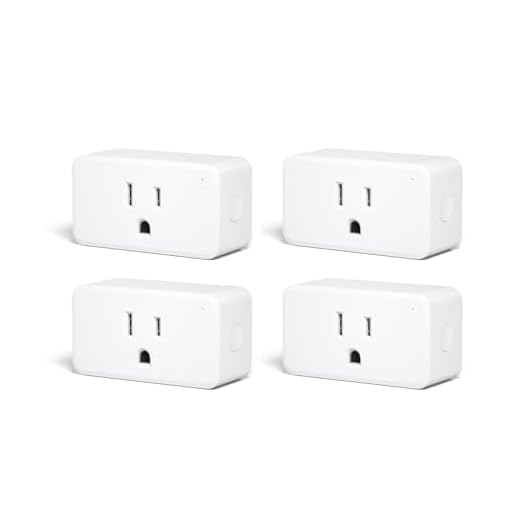
You’ll need strategic budget allocation across each implementation phase, prioritizing infrastructure investments over aesthetic improvements.
Begin with rigorous product comparison—analyze specifications, compatibility requirements, and ecosystem lock-in implications before committing capital. Focus on devices offering open protocols like Zigbee or Z-Wave rather than proprietary systems that’ll inflate long-term costs.
Allocate 40% of your budget to central infrastructure: hubs, routers, and backbone components. Reserve 35% for primary automation functions—lighting, climate, and security. Dedicate the remaining 25% to additional features and future scalability.
You’ll optimize ROI by selecting mid-tier products with proven reliability rather than bleeding-edge releases with premium pricing. Refurbished enterprise-grade equipment often outperforms consumer flagships at a fraction of the cost.
Track per-room expenditures meticulously, ensuring you’re building thorough coverage without redundant capabilities that drain resources without delivering proportional functionality gains.
Ensuring Compatibility and Future-Proofing Your Smart Home Setup

You’ll need to select smart home devices that communicate through widely-adopted protocols like Zigbee, Z-Wave, or Matter to guarantee smooth integration across manufacturers.
Your system architecture should accommodate adding new devices and expanding automation routines without requiring a complete infrastructure overhaul.
Prioritize hubs and controllers that support multiple protocols simultaneously, giving you flexibility to integrate both current and emerging smart home technologies as your needs evolve.
Choose Universal Communication Protocols
Because smart home devices speak different languages, selecting the right communication protocol forms the foundation of a cohesive, expandable system.
You’ll enhance control and minimize compatibility issues by prioritizing universal protocols over proprietary alternatives.
Core communication standards to implement:
- Zigbee – Low-power mesh network supporting 65,000+ devices with manufacturer-agnostic interoperability
- Z-Wave – Secure, dedicated frequency band eliminating Wi-Fi interference while enabling multi-brand integration
- Matter – Industry-backed standard ensuring cross-platform compatibility across Apple, Google, Amazon ecosystems
- Wi-Fi 6 – High-bandwidth protocol for data-intensive devices requiring direct internet connectivity
- Thread – IPv6-based mesh network offering strong device-to-device communication without hub dependency
Deploy multiple protocols strategically.
Match each device category to its ideal standard, then integrate through a unified hub that bridges these communication standards smoothly.
Plan for System Scalability
Your smart home infrastructure requires room to grow beyond today’s devices. Architect your network with enterprise-grade equipment that supports bandwidth-intensive applications and multiple simultaneous connections.
You’ll need scalability options that accommodate 50+ devices without performance degradation. Deploy modular controllers capable of managing expanded automation zones.
Select platforms offering API access and webhook integrations—this enables custom development as your requirements evolve. Configure VLANs to segment traffic and maintain system responsiveness during future expansion.
Document your hub capacity, protocol limitations, and power requirements now. This technical roadmap prevents bottlenecks when adding security cameras, environmental sensors, or voice assistants.
Reserve IP addresses and maintain naming conventions that scale logically. Invest in controllers supporting over-the-air firmware updates.
You’ll enhance hardware longevity while accessing emerging protocols and security patches.
Frequently Asked Questions
How Long Does Each Automation Phase Typically Take to Complete?
You’ll need 2-4 weeks per phase for proper implementation.
Phase duration depends on your home’s complexity and existing infrastructure.
Basic automation timelines start with lighting and climate (Phase 1), followed by security integration (Phase 2), then entertainment systems (Phase 3).
You can accelerate automation timelines by pre-wiring during renovations, but rushing compromises system reliability.
Smart homeowners complete full automation in 3-6 months, ensuring each phase integrates smoothly before advancing.
You’re building a command center, not installing gadgets.
Can I Automate My Home if I’m Renting Instead of Owning?
You can absolutely automate while renting—nearly 68% of renters now use smart home technology.
Focus on portable devices like smart plugs, wireless sensors, and battery-powered locks that you’ll take when you move. These solutions bypass renting limitations since they don’t require permanent installation or wall modifications.
You’re building a transferable ecosystem that delivers full control without risking your security deposit. Start with plug-and-play hubs and voice assistants—they’re your foundation for scalable, landlord-approved automation that moves with you.
What Happens to My Smart Home During Internet or Power Outages?
During outages, your smart home’s resilience depends on your backup systems and offline functionality.
You’ll maintain control over devices with local processing—like Z-Wave and Zigbee hubs—that don’t require internet connectivity.
Install UPS battery backups for critical hubs and routers to sustain operations during power interruptions.
Cloud-dependent systems like voice assistants will fail, but locally-controlled automations continue running.
You’re fundamentally building redundancy layers that guarantee you’re never completely powerless when infrastructure fails.
Do Smart Home Systems Increase Property Value When Selling?
Yes, you’ll typically see property value increases of 3-5%.
Smart technology appeal attracts tech-savvy buyers, and home resale advantages multiply when you’ve documented professional installations with warranties.
You’re commanding premium pricing through integrated security, energy management, and lighting systems.
Buyers recognize the long-term savings you’ve engineered.
Position your automation as infrastructure—not gadgets—emphasizing whole-home integration, scalability, and enterprise-grade components.
You’re selling capability, control, and competitive advantage in today’s market.
How Difficult Is It to Remove Automation When Moving Out?
The removal process depends entirely on your installation choices.
If you’ve hardwired systems into walls, you’ll face complex extraction and potential repairs.
However, wireless protocols and modular components let you reclaim premium devices with ease.
Smart resale considerations mean you’ll want portable high-value equipment—thermostats, hubs, sensors—while leaving basic fixtures that improve property appeal.
You’re enabled to design flexible systems from day one, maximizing both your investment portability and buyer attraction simultaneously.
Conclusion
You’ve meticulously planned your automation phases, selected compatible devices, and calculated every budget detail. Here’s the irony: the hardest part isn’t the technology—it’s admitting you’ll immediately want to upgrade everything you just installed. You’re never truly “done” automating. That Phase One lighting system? You’ll reconfigure it next month. Your “future-proof” hub? There’s already a newer protocol. Embrace it. Smart homes aren’t destinations; they’re perpetually evolving ecosystems requiring your continuous adaptation and investment.
🔌 Editor’s Pick
Editor’s Pick: smart home hub that unifies devices for seamless phase-by-phase automation control.
Make Your Home Smarter
Device reviews, automations, and the deals worth grabbing.
Related Articles You Might Like