- Key Takeaways
- Understanding the Smart Home Ecosystem Fragmentation Problem
- What IFTTT Is and How It Works as a Universal Bridge
- Getting Started With Apple Shortcuts for Cross-Platform Automation
- Setting Up Your First IFTTT Applet to Connect Two Devices
- Creating Multi-Step Automations With Shortcuts
- Chain Actions Across Apps
- Test and Debug Workflows
- Combining IFTTT and Shortcuts for Advanced Workflows
- Popular Cross-Ecosystem Automation Examples and Use Cases
- Smart Home Cross-Platform Triggers
- Location-Based Device Automation
- Voice Assistant Integration Workflows
- Troubleshooting Common Integration Issues and Limitations
- Frequently Asked Questions
- Can IFTTT and Shortcuts Work Offline Without Internet Connectivity?
- Are There Monthly Costs or Subscription Fees for Advanced Automation Features?
- How Do Privacy Policies Handle Data Shared Between Different Smart Home Platforms?
- Can Automations Continue Working if One Manufacturer Discontinues Device Support?
- Which Smart Home Brands Refuse to Integrate With IFTTT or Shortcuts?
- Conclusion
- Related Reading
- Related Reading


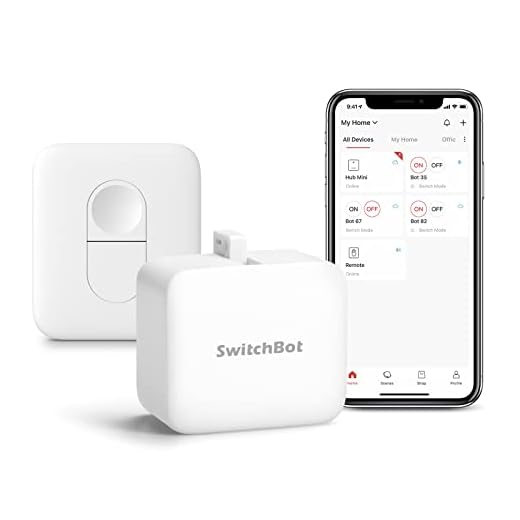

You’ll use IFTTT and Apple Shortcuts as middleware to bridge incompatible smart home ecosystems. IFTTT connects 800+ services through conditional applets—when one device triggers an event, it executes actions on another platform. Shortcuts chains these automations with visual workflows, sending webhooks to IFTTT while controlling device-level functions. Authenticate both services, create your trigger-action pairs, and test thoroughly with execution logs. You can layer conditional logic and geofencing to build sophisticated cross-platform sequences that respond to location, time, or device states—unlocking automation possibilities that weren’t previously available.
Key Takeaways
- IFTTT connects 800+ services using applets with conditional logic to automate actions across isolated ecosystems like Google Home, Alexa, and Apple HomeKit.
- Apple Shortcuts chains triggers and actions across platforms using webhooks, location-based triggers, NFC tags, and visual programming interfaces for complex workflows.
- Authenticate services through OAuth or API credentials, then test trigger conditions with actual device events to ensure accurate automation execution.
- Combine IFTTT and Shortcuts by using IFTTT for web monitoring while Shortcuts handles device control, enabling bidirectional webhook communication.
- Monitor execution logs during deployment, verify API tokens remain valid, and test components individually to troubleshoot rate limiting or trigger mismatches.
Understanding the Smart Home Ecosystem Fragmentation Problem
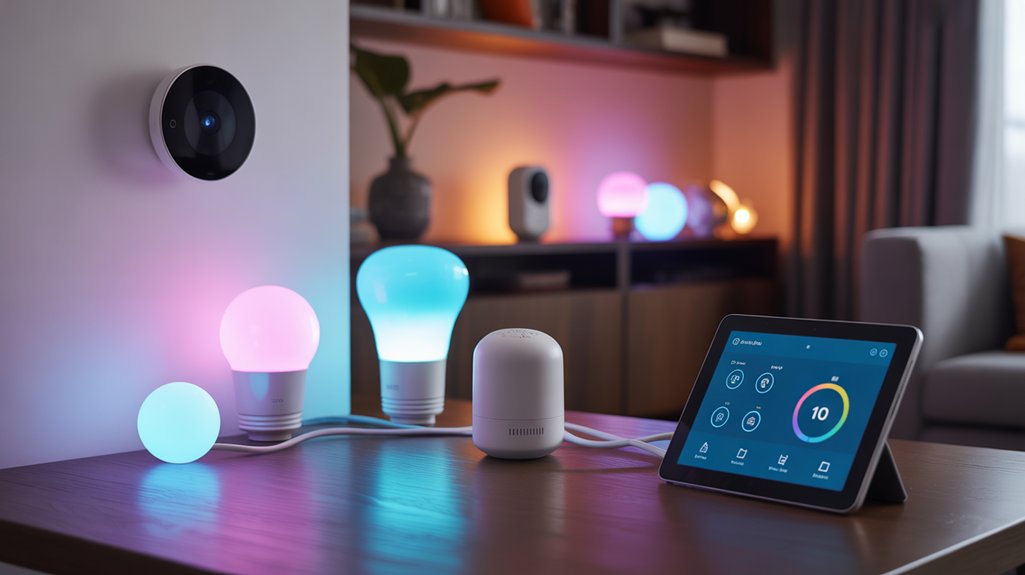
Modern smart home devices operate within isolated ecosystems that rarely communicate with each other. You’ve likely encountered this frustration: your Google Home devices won’t directly control Apple HomeKit accessories, while Alexa operates in its own separate universe.
Smart home ecosystems function as isolated islands—your Google, Apple, and Amazon devices trapped in separate universes that refuse to communicate.
This smart home compatibility breakdown forces you to manage multiple apps, creating workflow inefficiencies that undermine automation’s core value proposition.
The ecosystem challenges stem from competing corporate interests and proprietary protocols. Each manufacturer builds walled gardens to lock you into their platform, restricting cross-platform functionality.
You’re left with devices that should work together but can’t—a thermostat that won’t trigger your lights, or sensors that can’t communicate with your security system.

IFTTT and Shortcuts bridge these gaps by functioning as universal translators. They intercept commands from one ecosystem and relay them to another, enabling the device interoperability manufacturers refuse to provide.
The Matter standard represents a significant step toward solving this fragmentation, but until full adoption occurs, automation tools remain essential for creating truly integrated smart homes.
You regain control over your smart home infrastructure.
What IFTTT Is and How It Works as a Universal Bridge
IFTTT (If This Then That) operates as middleware that connects disparate smart home platforms through conditional logic statements called applets. You’ll create triggers from one service that execute actions in another, bypassing native compatibility requirements. Universal automation becomes achievable when you utilize IFTTT’s 800+ integrated services.
IFTTT functionality centers on three core components that enable cross-platform communication:
| Component | Function | Example |
|---|---|---|
| Trigger | Initiates the applet | Motion detected on Ring doorbell |
| Action | Executes the response | Turn on Philips Hue lights |
| Query | Filters conditions | Only between sunset and sunrise |
| Services | Platform integrations | Google Assistant, Alexa, HomeKit |
| Applets | Complete automation workflows | “If garage opens, then disable security” |
You’ll configure applets through the mobile app or web interface, selecting your trigger service first, then defining your action service. The platform handles authentication and API calls, eliminating the need for custom coding or technical expertise. The Abode Gen 2 gateway demonstrates this versatility by supporting IFTTT integration alongside HomeKit, Alexa, and Google Assistant in a single hub.
Getting Started With Apple Shortcuts for Cross-Platform Automation
Apple Shortcuts converts iOS devices into automation hubs that orchestrate actions across incompatible ecosystems through its visual programming interface.
You’ll build workflows by chaining triggers and actions without writing code, enabling Device Integration between platforms that normally refuse to communicate.
Start by opening the Shortcuts app and selecting “Create Shortcut.” You’ll encounter Automation Challenges immediately—each platform speaks different protocols.
Combat this by using Shortcuts as middleware: trigger an action on your iPhone that sends webhooks to IFTTT, which then executes commands on Android, Windows, or smart home devices.
Cross Platform Compatibility emerges when you utilize Shortcuts’ native integrations with services like Dropbox, Evernote, and web APIs.
Create triggers based on location, time, or NFC tags. Chain multiple services together: your iPhone detects you’ve left work, signals IFTTT, which adjusts your Nest thermostat and notifies your Windows PC simultaneously.
Master conditional logic and variables to build sophisticated automation sequences that transcend ecosystem boundaries.
Setting Up Your First IFTTT Applet to Connect Two Devices
Your automation strategy requires a practical foundation before building complex chains. Creating your first applet establishes the device connection protocols you’ll utilize throughout your ecosystem integration.
Navigate to IFTTT’s applet creation interface and select your trigger service—the platform that initiates your automation. Configure the specific trigger event, such as a smart lock detecting your arrival or a weather service reporting rain.
Next, define your action service: the platform that responds to your trigger. Specify exact parameters for this response, ensuring the action executes precisely as intended.
Key steps for your first applet:
- Authenticate both services through OAuth or API credentials before configuring triggers
- Test trigger conditions with actual device events rather than relying on simulated data
- Set appropriate delay intervals between trigger and action to prevent false executions
- Monitor execution logs during initial deployment to identify connection failures immediately
This foundation enables scalable automation architectures across incompatible platforms.
Creating Multi-Step Automations With Shortcuts
Once you’ve mastered basic IFTTT applets, you’ll need Shortcuts to execute complex automations that span multiple apps and services.
Shortcuts enables you to chain discrete actions into sequential workflows—triggering app functions, processing data, and routing outputs between steps.
You’ll validate each automation through systematic testing, isolating failures at individual action points to guarantee reliable execution across your entire workflow.
Chain Actions Across Apps
When multiple applications need to work in concert, Shortcuts enables you to construct workflows that pass data smoothly from one action to the next.
You’ll utilize cross app triggers to initiate sequences that span your entire toolkit. Each action’s output becomes the subsequent step’s input, creating automated workflows that eliminate manual data transfer.
- Map variables between apps by extracting specific data fields and routing them to corresponding parameters in downstream actions
- Implement conditional logic to branch execution paths based on API responses or data validation checks
- Store intermediate results in variables for reuse across multiple steps within complex automation chains
- Handle authentication tokens programmatically to maintain secure connections across different services without manual intervention
This approach alters isolated apps into integrated systems that respond intelligently to your requirements.
Test and Debug Workflows
As automation complexity increases, systematic testing becomes essential to verify that each workflow step executes correctly and data flows without corruption between actions.
Implement workflow testing by running automations with sample data before deploying them fully. Monitor notification outputs at each step to confirm trigger conditions fire appropriately and actions complete successfully.
Your debugging strategies should include isolating problematic segments by temporarily disabling subsequent actions, then progressively re-enabling them to pinpoint failure points. Log variable values throughout execution to track data conversions.
When workflows fail silently, examine API rate limits and authentication tokens—expired credentials frequently cause mysterious breakdowns. Test edge cases deliberately: empty fields, maximum character limits, and unexpected input formats.
Document your successful configurations and modification history to accelerate future troubleshooting efforts.
Combining IFTTT and Shortcuts for Advanced Workflows
While IFTTT and Shortcuts each excel at different automation tasks, their real power emerges through strategic integration. You’ll enable advanced triggers by using IFTTT’s web service monitoring to initiate complex Shortcuts sequences, or conversely, leveraging Shortcuts’ device-level control to feed data into IFTTT applets.
Workflow optimization requires understanding each platform’s strengths:

Mastering automation demands recognizing where each platform excels—then strategically combining their capabilities to transcend individual limitations.
- Chain webhooks bidirectionally: Configure IFTTT to receive webhook calls from Shortcuts, then return data through subsequent webhook responses that trigger additional Shortcut actions.
- Layer conditional logic: Use Shortcuts’ native if/then statements to evaluate IFTTT applet outputs, creating decision trees impossible within either platform alone.
- Aggregate cross-platform data: Collect information from IFTTT-connected services, process it through Shortcuts’ text manipulation tools, then route results back to different IFTTT endpoints.
- Schedule hybrid executions: Trigger time-based IFTTT applets that activate Shortcuts requiring specific device states or user contexts.
This integration architecture alters isolated automations into sophisticated, cross-ecosystem orchestration systems.
Popular Cross-Ecosystem Automation Examples and Use Cases
Cross-ecosystem automation becomes practical when you apply IFTTT and Shortcuts to solve real connectivity challenges between different platforms and devices.
You can create smart home triggers that work across Apple HomeKit, Google Home, and Alexa ecosystems, build location-based automations that activate devices regardless of their native platform, and link multiple voice assistants to execute unified workflows.
These examples demonstrate how to overcome platform limitations and create smooth automation chains that wouldn’t be possible within a single ecosystem.
Smart Home Cross-Platform Triggers
When different smart home platforms need to communicate, cross-platform triggers bridge the gap by translating commands between incompatible ecosystems.
You’ll utilize IFTTT and Shortcuts to coordinate actions across disparate manufacturers, enabling smart thermostat integration with security camera automation regardless of brand loyalty. Multi-brand compatibility becomes achievable through strategic trigger configuration.
Core cross-platform trigger capabilities:
- Climate-security synchronization – Connect energy monitoring systems to lighting control options, automatically adjusting settings when you’re away.
- Appliance coordination strategies – Link kitchen devices with voice assistants through remote access solutions.
- Perimeter automation – Trigger multiple security responses across different manufacturers simultaneously.
- Centralized IoT device management – Control incompatible hardware through unified trigger sequences.
You’ll establish conditional workflows that respond to sensors from one ecosystem while executing commands in another, maximizing your existing hardware investments without vendor lock-in constraints.
Location-Based Device Automation
Your smartphone’s GPS coordinates become powerful automation triggers that activate predetermined device sequences as you cross geographical boundaries. Location tracking enables geofencing alerts that execute complex workflows without manual intervention.
| Trigger Condition | Automated Actions |
|---|---|
| Arrive Home | Open smart locks, adjust thermostats, activate lighting scenes |
| Leave Work | Disable security systems, send departure notifications to household members |
| Enter Geofence Zone | Toggle device states, trigger automated notifications across platforms |
| Exit Defined Area | Enable surveillance cameras, lock doors, activate alarm protocols |
Location triggered actions utilize IFTTT’s native location services and iOS Shortcuts’ automation framework. Configure radius parameters between 100-500 meters for ideal accuracy. Combine multiple location-based triggers with conditional logic to create sophisticated automation sequences that respond intelligently to your movement patterns.

Voice Assistant Integration Workflows
Voice commands eliminate the physical interaction layer from automation workflows, allowing natural language to trigger multi-device sequences across disparate ecosystems.
You’ll achieve voice assistant compatibility by configuring IFTTT applets that respond to Google Assistant, Alexa, or Siri phrases, then execute actions across platforms these assistants don’t natively control.
Strategic automation voice commands utilize this capability:
- “Goodnight” triggers Philips Hue lights off, Nest thermostat adjustment, SmartThings door lock engagement, and Sonos speaker pause
- “Work mode” activates focus lighting, silences non-essential notifications, and adjusts smart blinds
- “Movie time” dims lights, lowers screen, switches TV input, and adjusts temperature simultaneously
- “Leaving home” arms security system, locks doors, adjusts climate, and stops all media playback
You’re orchestrating unified control where native ecosystems fragment functionality.
Troubleshooting Common Integration Issues and Limitations
Although IFTTT and Shortcuts offer powerful automation capabilities, you’ll inevitably encounter integration failures, unexpected behavior, and platform-specific constraints that disrupt your workflows.
Start by verifying API authentication tokens haven’t expired and service connections remain active. Check rate limiting thresholds—many platforms restrict automation frequency, causing delayed or skipped triggers.
Integration challenges often stem from mismatched data formats between services. Confirm trigger outputs align with action inputs using intermediate formatting steps or variable alterations.
Data format mismatches between services disrupt automations—validate that trigger outputs properly align with action inputs before deployment.
Device compatibility issues require confirming both hardware firmware versions and app updates support the specific automation features you’re implementing.
When automations fail silently, enable detailed logging within each platform’s settings to trace execution paths. Test individual components separately before combining complex multi-step workflows.
Remember that cloud-dependent integrations rely on internet connectivity and service uptime—build fallback routines for critical automations. Network latency and geographic server locations can introduce unpredictable delays that affect time-sensitive triggers.
Frequently Asked Questions
Can IFTTT and Shortcuts Work Offline Without Internet Connectivity?
No, you’ll face significant automation limitations with both platforms.
IFTTT requires constant internet connectivity since it processes triggers and actions through cloud servers.
Apple Shortcuts offers limited offline functionality—only device-local actions work without internet. You can’t execute cross-platform automations or cloud-dependent triggers offline.
To maintain control during outages, you’ll need alternative solutions like local home automation hubs (Home Assistant, Hubitat) that process rules directly on your network without external dependencies.
Are There Monthly Costs or Subscription Fees for Advanced Automation Features?
You’ll face subscription tiers that gate your most powerful capabilities. IFTTT’s free plan restricts you to three applets—laughably limiting for serious automation.
Their Pro plan ($2.50-$5/month) reveals unlimited applets, faster execution, and multi-step actions. Apple Shortcuts remains completely free with no automation limitations, giving you unrestricted control.
Consider this: free tiers intentionally handicap your workflow efficiency. If you’re building complex cross-platform automations, you’ll need paid subscriptions to eliminate artificial constraints and access advanced features.
How Do Privacy Policies Handle Data Shared Between Different Smart Home Platforms?
You’ll find data sharing between platforms creates significant privacy concerns since each service maintains separate policies.
Review each platform’s terms carefully—IFTTT, SmartThings, and Home Assistant handle your data differently.
You’re fundamentally granting multiple entities access to your automation data.
Minimize exposure by limiting cross-platform integrations to essential functions, using local processing when possible, and regularly auditing connected services.
Consider self-hosted solutions like Home Assistant for maximum control over your data flow.
Can Automations Continue Working if One Manufacturer Discontinues Device Support?
You’ll lose automation resilience when manufacturers discontinue support unless you’ve architected platform-independent systems.
Prioritize device longevity by selecting hardware with local API access and open protocols like Zigbee or Z-Wave.
Build automations through self-hosted hubs (Home Assistant, Hubitat) rather than cloud-dependent services. This guarantees your routines survive manufacturer shutdowns.
You’re maintaining control by keeping logic execution local—your devices communicate directly without relying on external servers that can disappear overnight.
Which Smart Home Brands Refuse to Integrate With IFTTT or Shortcuts?
Shockingly few major brands outright refuse integration—but you’ll face serious ecosystem limitations with proprietary systems like Lutron’s RadioRA and some commercial-grade solutions.
Most brand compatibility issues stem from manufacturers restricting specific features rather than blocking IFTTT entirely. You’re more likely encountering delayed API updates or premium-tier lockouts.
Smart Lock brands occasionally wall off security features.
Bottom line: nearly every consumer brand offers some integration path—you just need to identify which features they’ve deliberately gatekept.
Conclusion
Think of your smart home as a city where neighborhoods speak different languages. You’ve just learned to be the translator, building bridges where walls once stood. These tools aren’t perfect—some messages will get lost, and delays will happen—but you’re no longer trapped in a single vendor’s walled garden. You’ve gained the blueprint to connect incompatible systems. Now you’ll architect automations that transcend arbitrary boundaries, making your devices finally cooperate as they should’ve from the start.
🔌 Editor’s Pick
Editor’s Pick: universal smart hub. Bridges IFTTT shortcuts to link devices across ecosystems seamlessly.
Make Your Home Smarter
Device reviews, automations, and the deals worth grabbing.
Related Articles You Might Like