- Key Takeaways
- Understanding the Major Smart Home Ecosystems
- Decoding Communication Protocols: Zigbee, Z-Wave, Wi-Fi, and Matter
- Reading Product Packaging and Specifications for Compatibility Information
- Decoding Compatibility Logos
- Understanding Technical Specifications
- Using Manufacturer Websites and Compatibility Checkers
- Official Brand Compatibility Pages
- Interactive Device Checker Tools
- Product Specification Sheet Research
- Verifying Hub Requirements Before Making a Purchase
- Cross-Platform Integration: When Different Ecosystems Can Work Together
- Matter Protocol Universal Standard
- Bridge Devices and Hubs
- IFTTT and Automation Tools
- Testing Compatibility With Online Communities and User Reviews
- The Role of Third-Party Bridges and Integration Tools
- Creating a Compatibility Checklist for Your Specific Setup
- Future-Proofing Your Smart Home Investment
- Frequently Asked Questions
- What Happens to My Devices if a Smart Home Company Goes Out of Business?
- Can I Control Smart Home Devices When My Internet Connection Goes Down?
- How Do I Fix Devices That Suddenly Stop Working Together After Updates?
- Will Older Smart Home Devices Work With My New Smartphone or Tablet?
- Can Renters Easily Remove and Reinstall Smart Home Devices When Moving?
- Conclusion
- Related Reading
- Related Reading
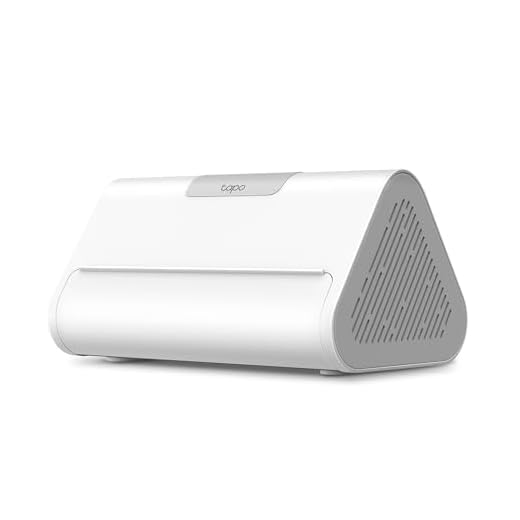
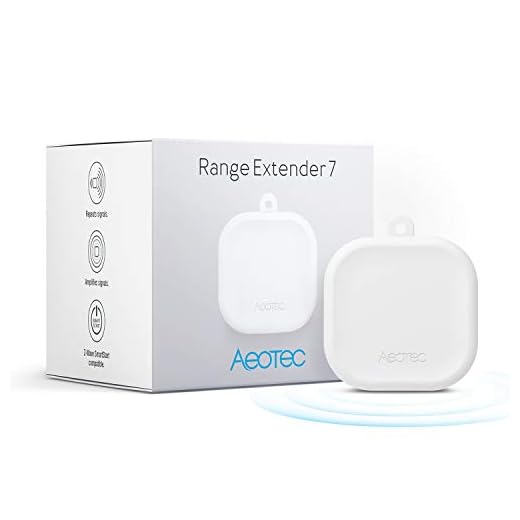


Check smart home compatibility by examining product packaging for certification logos like “Works with Alexa,” “Works with Google Home,” or the Matter symbol, which confirm native ecosystem integration. Cross-reference device protocols (Zigbee, Z-Wave, Wi-Fi, Thread) against your existing hub’s capabilities, since protocol mismatches prevent communication. Visit manufacturer websites to use their interactive compatibility checkers, and consult user communities like r/homeautomation for real-world integration experiences. Understanding these verification methods protects your investment and prevents costly incompatibility issues before you purchase.
Key Takeaways
- Check product packaging for certification logos like “Works with Alexa,” “Works with Google Home,” Matter, Zigbee, or Z-Wave symbols.
- Use manufacturer websites’ interactive compatibility checker tools to verify device integration with your existing smart home ecosystem.
- Confirm hub requirements in product specifications, especially for Zigbee and Z-Wave devices that need dedicated controllers.
- Consult online communities like Reddit’s r/homeautomation for real-world compatibility feedback and integration troubleshooting insights.
- Prioritize Matter-certified devices for cross-platform compatibility and future-proof your smart home investments across multiple ecosystems.
Understanding the Major Smart Home Ecosystems
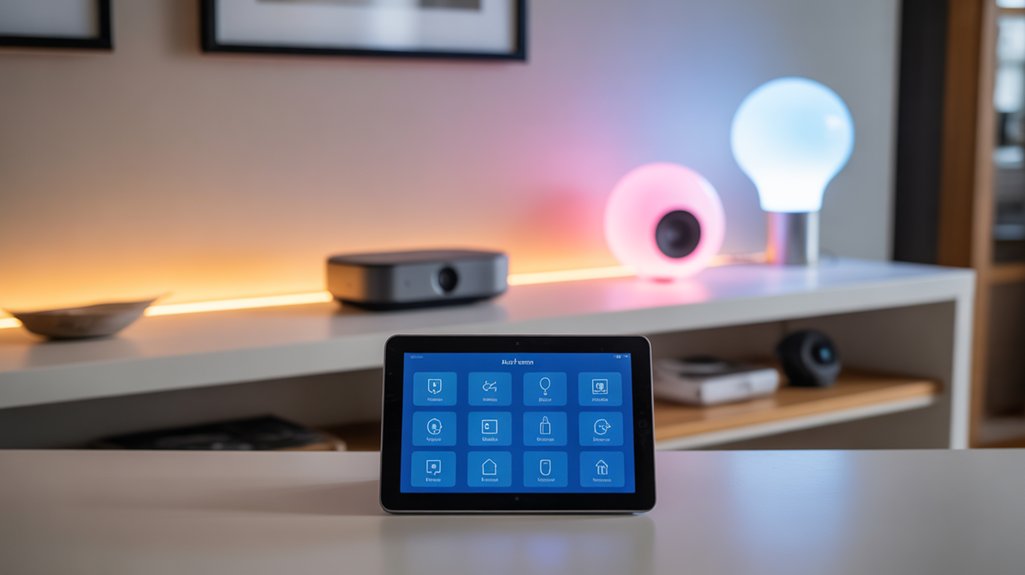
When selecting smart home devices, you’ll encounter three dominant ecosystems that fundamentally shape your integration options: Amazon Alexa, Google Home, and Apple HomeKit.
Each platform delivers distinct ecosystem advantages. Alexa dominates device compatibility with 140,000+ supported products and aggressive third-party integration. You’ll access strong automation through Routines and extensive skill libraries.
Alexa’s 140,000+ device integrations and robust automation capabilities make it the compatibility leader for ecosystem-wide smart home deployments.
Google Home excels at natural language processing and cross-device communication, leveraging Google’s AI capabilities for contextual responses.
Apple HomeKit prioritizes security through end-to-end encryption and local processing, though it maintains stricter device certification requirements.
Your ecosystem choice determines authentication protocols, automation capabilities, and cross-platform functionality. Alexa uses AWS infrastructure for cloud processing. Google relies on Assistant’s machine learning architecture. HomeKit implements on-device Secure Enclave processing.
Multi-ecosystem deployments require bridges or native dual-compatibility devices. You’ll troubleshoot integration failures by verifying protocol support: Zigbee, Z-Wave, Thread, or Matter.
The Matter standard represents a significant step toward increased interoperability between different smart home ecosystems and devices.
Check manufacturer specifications against your primary ecosystem’s technical requirements before purchasing.
Decoding Communication Protocols: Zigbee, Z-Wave, Wi-Fi, and Matter
Your smart home’s communication protocol determines latency, power consumption, range, and mesh network topology before you install a single device.
Protocol comparisons reveal critical trade-offs:
- Zigbee advantages include low power draw and self-healing mesh networks, but require dedicated hubs and face channel congestion on crowded 2.4GHz bands.
- Z-Wave limitations center on regional frequency restrictions and higher device costs, though it offers superior range and minimal interference.
- Wi-Fi reliability depends on router capacity—direct cloud connectivity eliminates hubs but saturates bandwidth and drains batteries faster.
- Matter benefits promise unified device interoperability across ecosystems, though adoption remains incomplete and legacy devices need bridges.
Device interoperability isn’t automatic within protocols. Zigbee 3.0 standardization improved compatibility, but manufacturer-specific implementations still cause pairing failures.
Z-Wave’s certification guarantees better cross-brand functionality. Matter’s IP-based architecture theoretically solves fragmentation, yet you’ll encounter firmware update requirements and changeover-phase incompatibilities during deployment.
Dedicated Zigbee hub solutions like the Aqara Camera Hub G2H Pro demonstrate how protocol-specific hardware can expand your ecosystem while serving dual purposes as security cameras.
Reading Product Packaging and Specifications for Compatibility Information

When you’re evaluating smart home devices, the packaging and spec sheets contain critical compatibility markers that determine whether a product will integrate with your existing ecosystem.
Look for certification logos like “Works with Alexa,” “Works with Google Home,” or the Matter symbol—these indicate verified interoperability with specific platforms.
You’ll also need to cross-reference the listed wireless protocols (Zigbee 3.0, Z-Wave Plus, Wi-Fi 6, Thread) against your hub’s capabilities and check the technical specifications for frequency bands, power requirements, and API support to avoid compatibility failures after purchase.
Decoding Compatibility Logos
Before purchasing any smart home device, you’ll encounter an array of compatibility logos stamped across packaging and specification sheets—each representing different ecosystems, protocols, and certification standards.
Understanding these compatibility symbols guarantees your devices integrate smoothly without post-purchase frustration.
Critical logo meanings you must recognize:
- Matter – Universal protocol enabling cross-platform communication between Apple HomeKit, Google Home, Amazon Alexa, and Samsung SmartThings
- Works With Alexa/Google/HomeKit – Platform-specific certification confirming native integration without third-party bridges
- Zigbee/Z-Wave – Wireless protocol logos requiring compatible hubs for device control
- Thread – Low-power mesh networking standard often paired with Matter certification
Verify multiple logos on single products to enhance ecosystem flexibility.
Missing certifications limit functionality and force workarounds that compromise automation reliability and system performance.
Understanding Technical Specifications
Beyond compatibility logos, product specifications contain critical technical details that determine whether devices actually function within your existing infrastructure. You’ll need to parse technical jargon systematically: wireless protocols (Zigbee 3.0, Z-Wave Plus), frequency bands (2.4GHz vs 5GHz), and power requirements directly impact integration success.
Specification comparison reveals compatibility gaps before purchase:
| Specification | Critical Parameters |
|---|---|
| Wireless Protocol | Version number, mesh capability |
| Power Requirements | Voltage range, battery type |
| Hub Dependencies | Standalone vs bridge-required |
| API Support | Local vs cloud-only control |
Cross-reference your hub’s supported protocols against device requirements. Check firmware update availability—outdated devices won’t support newer standards. Verify voltage compatibility for hardwired installations. Document your network’s frequency bands to prevent connectivity conflicts. This methodical approach eliminates integration failures.
Using Manufacturer Websites and Compatibility Checkers
Manufacturer websites provide three critical resources for verifying compatibility before you purchase smart home devices.
You’ll find official compatibility pages listing supported ecosystems and protocols, interactive checker tools that match your existing setup with new products, and downloadable specification sheets containing technical requirements.
Start by exploring the support or product section of your device manufacturer’s site, where these tools typically reside alongside firmware updates and integration guides.
Official Brand Compatibility Pages
When you’re evaluating smart home devices for your ecosystem, the manufacturer’s official compatibility page serves as your most authoritative resource.
Official brand pages deliver verified integration data directly from engineering teams, eliminating guesswork from your deployment planning. These compatibility resources provide real-time updates when firmware changes affect device interoperability.
Navigate to these sections on manufacturer sites:
- Works With pages listing certified integrations by protocol (Zigbee, Z-Wave, Matter, Thread)
- Device compatibility matrices showing specific model numbers and required firmware versions
- API documentation detailing custom integration capabilities and limitations
- Known issues sections identifying current bugs affecting cross-brand functionality
Cross-reference multiple official brand pages when planning multi-vendor setups.
Manufacturers document edge cases their devices encounter with competitors’ products, giving you diagnostic insight before purchase.
Interactive Device Checker Tools
How efficiently can you validate device compatibility without manually cross-referencing specification sheets?
Interactive device compatibility checkers optimize this process through automated verification systems. You’ll find these tools on manufacturer websites, allowing you to input your existing hardware and receive instant compatibility reports.
These user friendly tools eliminate guesswork by querying backend databases that contain real-time protocol support matrices, firmware version requirements, and known integration limitations.
When troubleshooting, utilize advanced filters to isolate specific communication protocols—Z-Wave, Zigbee, Thread, or Matter. Cross-reference results against your network infrastructure capabilities.
If discrepancies appear between checker results and actual performance, verify firmware versions match the tool’s database assumptions. Document compatibility confirmations before purchasing additional devices, as these interactive device compatibility validators serve as your primary defense against costly integration failures.
Product Specification Sheet Research
Although automated checkers simplify initial compatibility verification, you’ll extract deeper technical insights by analyzing raw product specification sheets directly from manufacturer websites.
Navigate to support sections where PDF datasheets reveal protocol versions, firmware requirements, and integration limitations that marketing materials omit.
- Cross-reference compatibility charts across multiple manufacturers to identify conflicting protocol implementations before purchase
- Examine product features tables for specific API support, local control capabilities, and required bridge hardware dependencies
- Verify radio frequency specifications including Wi-Fi bands, Zigbee channels, and Z-Wave regions that determine physical interoperability
- Document firmware version requirements that often dictate whether legacy devices will function with newer hub generations
This methodical approach prevents costly integration failures and enhances your smart home’s functional power through informed device selection.
Verifying Hub Requirements Before Making a Purchase
Before clicking “Add to Cart” on that smart home device, you need to confirm whether it requires a dedicated hub or connects directly to your Wi-Fi network.
Check the product specifications for explicit hub requirements—many Zigbee and Z-Wave devices won’t function without their respective hubs, while Wi-Fi-enabled products operate independently.
Cross-reference your existing ecosystem. If you’re running SmartThings, verify the device lists compatible protocols.
HomeKit users must confirm MFi certification. Alexa and Google Home compatibility doesn’t guarantee standalone operation—it often means the device works *through* a required hub.
Calculate total purchase considerations: hub cost, additional power consumption, and network bandwidth allocation.
Some manufacturers bundle hubs with starter kits at reduced rates.
Examine firmware update mechanisms. Hub-dependent devices typically receive updates through the hub’s infrastructure, while direct-connect devices pull updates independently.
This affects long-term security patches and feature additions—critical factors for maintaining system integrity.
Cross-Platform Integration: When Different Ecosystems Can Work Together

You’ll encounter scenarios where devices from different ecosystems need to communicate, requiring specific integration strategies.
The Matter protocol provides a universal standard that enables direct cross-platform compatibility, while bridge devices translate commands between incompatible systems like HomeKit and SmartThings.
IFTTT and similar automation tools offer workarounds when native integration doesn’t exist, though you’ll need to troubleshoot potential latency and reliability issues inherent to cloud-based middleware solutions.
Matter Protocol Universal Standard
Matter protocol establishes a unified communication standard that permits smart home devices from Apple, Google, Amazon, and Samsung to operate interchangeably within a single network.
You’ll gain direct control over previously siloed ecosystems through IP-based communication.
Matter features and implementation considerations:
- Local processing architecture – Matter benefits include reduced latency and improved privacy through edge computing rather than cloud dependency.
- Thread and Wi-Fi support – Dual-protocol capability guarantees strong mesh networking and traditional connectivity options.
- Mandatory security protocols – End-to-end encryption and device attestation prevent unauthorized access.
- Matter challenges persist – Firmware updates remain manufacturer-dependent, and retrofit compatibility varies greatly across legacy devices.
Matter future developments target expanded device categories and better interoperability testing.
You’ll need to confirm manufacturer commitment to ongoing protocol updates for maximum compatibility verification.
Bridge Devices and Hubs
Understanding bridge types determines integration success.
Protocol-specific bridges handle single standards (Zigbee-to-Wi-Fi), while multi-protocol hubs manage simultaneous conversions across Z-Wave, Zigbee, and Thread networks.
Hub functionalities extend beyond translation—they provide firmware updates, automation logic, and device management interfaces.
Verify firmware compatibility before purchasing bridges.
Older devices may require hub updates to support newer protocol versions.
Check maximum device limits per hub; exceeding capacity causes response latency and connection failures.
Multi-hop mesh networks through compatible devices extend range beyond single-bridge limitations.
IFTTT and Automation Tools
Bridge devices connect protocol layers, but automation platforms tie together entire ecosystems regardless of their underlying standards. IFTTT recipes enable cross-platform control by creating conditional logic between incompatible services. You’ll configure automation triggers that respond to device states, time schedules, or external data sources.
Key implementation considerations:
- Test trigger latency—cloud-based automation platforms typically operate with 15-second to several-minute delays.
- Verify API rate limits for each connected service to prevent throttling during high-frequency operations.
- Chain multiple conditions using AND/OR logic to create sophisticated automation workflows.
- Monitor execution logs to troubleshoot failed triggers and identify integration breaks after firmware updates.
When native integrations fail, automation platforms serve as protocol-agnostic middleware. You’ll gain granular control over device interactions that manufacturers never intended, expanding your smart home’s capabilities beyond standard compatibility matrices.
Testing Compatibility With Online Communities and User Reviews

Before purchasing any smart home device, you’ll find that online communities and user reviews provide critical real-world compatibility data that manufacturer specifications often omit. Reddit’s r/homeautomation and SmartThings Community deliver unfiltered community feedback about integration failures, firmware conflicts, and workaround solutions you won’t discover through official channels.
Cross-reference user experiences across multiple platforms to identify patterns. If fifteen users report Z-Wave dropout issues with a specific hub-device combination, that’s actionable intelligence.
| Platform | Strength | Update Frequency |
|---|---|---|
| Reddit Communities | Raw troubleshooting threads | Real-time |
| Home Assistant Forums | Technical integration depth | Daily |
| Amazon Reviews | Device-specific compatibility | Continuous |
Filter reviews by verified purchases and recent dates—compatibility changes with firmware updates. Search for your existing ecosystem’s name plus the target device. Users document which protocol versions work, required custom handlers, and edge cases manufacturers ignore. This reconnaissance prevents expensive compatibility failures.
The Role of Third-Party Bridges and Integration Tools
When your smart home ecosystem includes devices that can’t communicate directly, third-party bridges become the translation layer that forces incompatible protocols to work together.

These bridge devices sit between your incompatible hardware, converting Zigbee to Wi-Fi, Z-Wave to Matter, or proprietary protocols to open standards.
Integration tools expand your control beyond manufacturer limitations:
- Home Assistant runs locally, eliminating cloud dependencies while supporting 2,000+ integrations through custom components and API calls
- Homebridge converts non-HomeKit devices into Apple-compatible endpoints using plugin architecture
- Node-RED provides visual programming for complex automation workflows across disparate platforms
- MQTT brokers establish publish-subscribe messaging patterns for real-time device communication
You’ll sacrifice some native functionality when bridging—expect increased latency, potential stability issues, and regular maintenance requirements.
Test bridge devices thoroughly before deploying them network-wide. Documentation quality varies greatly, so verify active development and community support before committing to specific integration tools.
Creating a Compatibility Checklist for Your Specific Setup

Understanding integration tools won’t help if you purchase incompatible hardware in the first place. You need a compatibility checklist tailored to your specific setup before spending money on new devices.

Start by documenting your existing ecosystem: hub model numbers, firmware versions, and communication protocols (Zigbee, Z-Wave, Thread, Wi-Fi). Cross-reference this data against manufacturer compatibility matrices, not marketing claims.
Document hub models, firmware versions, and protocols—then verify against manufacturer matrices, not marketing promises.
Identify your control priorities. Will you manage devices through native apps, voice assistants, or automation platforms like Home Assistant? Each path demands different compatibility requirements.
Test critical integration points before full deployment. If you’re running Matter over Thread, verify your border router supports the specific device class you’re purchasing.
Create a living document tracking protocol versions, required hubs, and known limitations. Update it when firmware changes affect compatibility.
This systematic approach prevents costly mistakes and eliminates the trial-and-error that plagues amateur implementations.
Future-Proofing Your Smart Home Investment
While compatibility matters today, your smart home investment depends on selecting devices that’ll survive tomorrow’s protocol shifts and platform consolidations.

Prioritize devices supporting Matter protocol—it’s designed specifically for cross-platform operability and backed by major manufacturers. This future technology standard guarantees your devices won’t become orphaned when vendors pivot strategies.
Strategic selection criteria for smart investments:
- Multi-protocol support – Choose hubs and devices compatible with Zigbee, Z-Wave, Thread, and Matter simultaneously, preventing single-point-of-failure scenarios.
- Local processing capability – Devices operating without cloud dependencies survive vendor shutdowns and maintain functionality during service disruptions.
- Open API access – Systems exposing APIs enable custom integrations and migration pathways when platforms change.
- Active development communities – Strong open-source support (Home Assistant, OpenHAB) provides fallback control methods if manufacturers discontinue official support.
Confirm firmware update policies before purchasing. Devices receiving regular security patches and feature updates demonstrate manufacturer commitment to longevity, protecting your infrastructure investment against obsolescence.
Frequently Asked Questions
What Happens to My Devices if a Smart Home Company Goes Out of Business?
If your smart home company shuts down, you’ll lose cloud-dependent features and device support immediately. Your hardware becomes limited or non-functional without server access.
Check warranty options now—some manufacturers transfer obligations, but most don’t. You can mitigate risk by choosing devices with local control capabilities, open APIs, or platforms like Home Assistant.
Before purchasing, verify the company’s financial stability and integration flexibility. You’re fundamentally protecting your investment by ensuring multiple operational pathways exist beyond the manufacturer’s infrastructure.
Can I Control Smart Home Devices When My Internet Connection Goes Down?
Your ability to control devices during internet outages depends entirely on their local control capabilities.
Devices with offline functionality—like Zigbee, Z-Wave, or Thread-based systems connected to local hubs—maintain full operation.
Cloud-dependent devices become useless without connectivity.
You’ll need to verify each device’s architecture: check if it communicates directly with your hub rather than routing through external servers.
Prioritize devices supporting Matter or local API access for maximum resilience and uninterrupted control.
How Do I Fix Devices That Suddenly Stop Working Together After Updates?
Start your device troubleshooting by forcing a power cycle on both affected devices—unplug for 30 seconds, then reconnect.
Check if firmware updates created API conflicts by reviewing manufacturer release notes. You’ll need to verify protocol versions match between devices.
If compatibility broke, roll back firmware or contact support for patches.
Reset device pairings and re-establish connections through your hub.
Document firmware versions that worked previously—you’ll maintain control over future update decisions.
Will Older Smart Home Devices Work With My New Smartphone or Tablet?
Most mature models maintain compatibility, though you’ll face firmware and feature friction.
Your older smart devices typically work with newer smartphones through backward-compatible protocols like Bluetooth 4.0+ and Wi-Fi standards.
However, you must verify manufacturer support—abandoned products lose critical device firmware updates, creating compatibility issues.
Check your device’s specification sheet against your tablet’s OS requirements.
You’ll need to test connection protocols individually, update all firmware versions, and prepare alternative integration methods like third-party hubs if direct pairing fails.
Can Renters Easily Remove and Reinstall Smart Home Devices When Moving?
You’ll find most smart home devices designed for easy removal and reinstallation. The removal process typically involves disconnecting power, unmounting adhesive strips or brackets, and factory-resetting devices.
Follow these installation tips: document your original setup configurations, photograph wire connections before disconnecting, and save all mounting hardware.
Battery-powered and plug-in devices offer maximum portability. Hardwired installations require electrical knowledge—you’ll need to restore original fixtures and patch mounting holes to satisfy lease requirements.
Conclusion
You’ll face compatibility issues—it’s inevitable. But you’re not stuck guessing which devices work together. Cross-reference manufacturer specs against your ecosystem’s protocol support, verify hub requirements before purchasing, and utilize compatibility checkers systematically. When you encounter edge cases, third-party bridges solve most gaps. Document your working configurations as you build out your system. You’ve got the technical framework now—incompatibility becomes a solvable problem, not a showstopper. Start testing methodically.
🔌 Editor’s Pick
Editor’s Pick: multi-protocol smart home hub for seamless thermostat, plug, light, and doorbell integration.
Make Your Home Smarter
Device reviews, automations, and the deals worth grabbing.
Related Articles You Might Like